
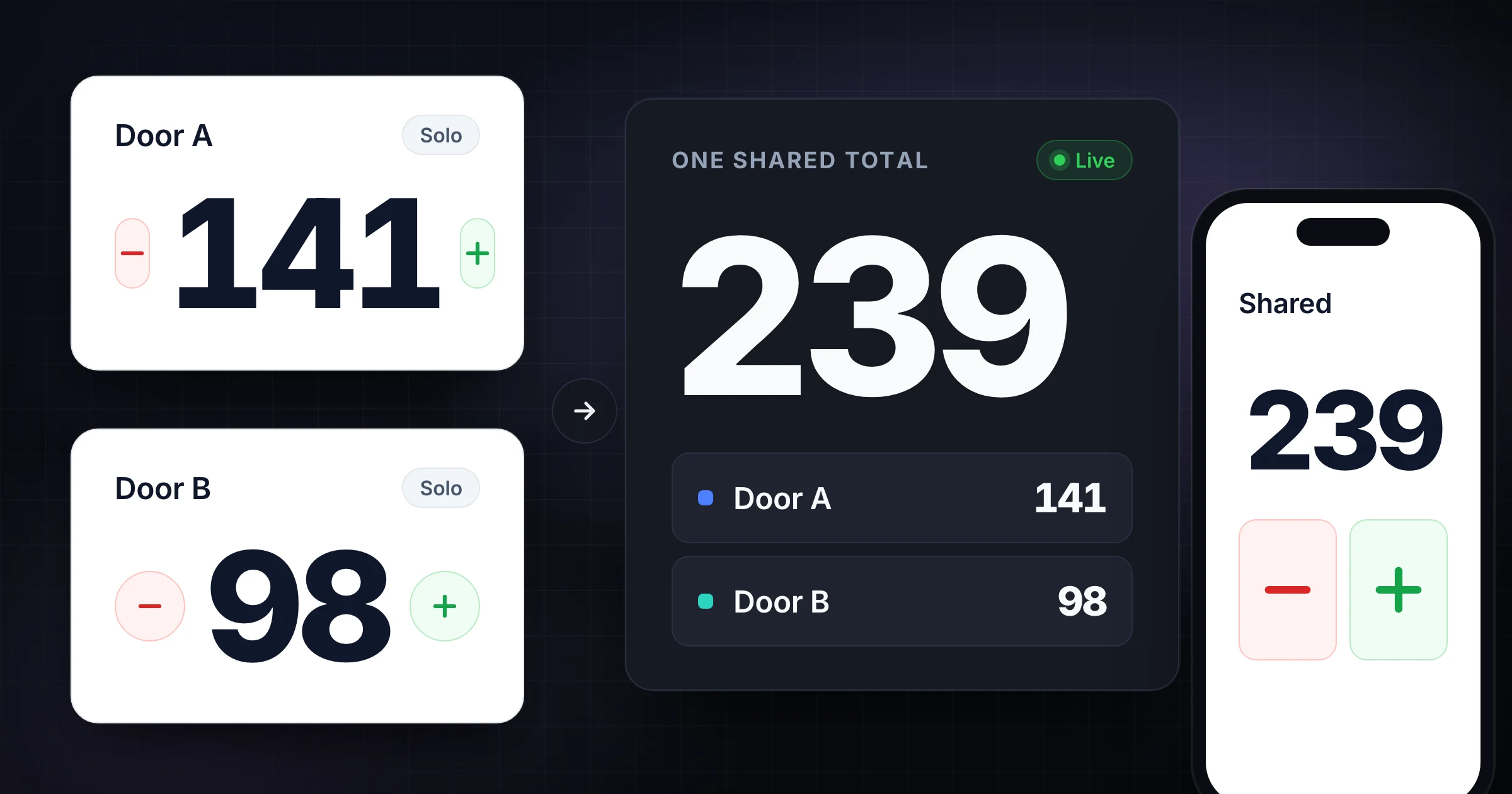
Keep a free solo counter when one person owns every tap. Move to shared counting when a second person, door, or screen joins the same total. Prove the live sync with a SnapCount guest session before you pay.
That is the whole decision. This page is not a catalog of every clicker app, and it is not a how-to for handing out roles. It is the upgrade path for events and ops: stay solo while the job is personal, share when the number has to move, then keep the record on Pro when the count becomes recurring work.
SnapCount is a manual collaborative counter. It does not auto-detect people or objects. It is not a legal, medical, fire-code, or regulatory certification. Capacity and safety rules still belong to the venue and the people running the count.
Use the free online tally counter to count in the browser, then share a live link after the first tap. If you want a product-by-product page against generic web clickers, use SnapCount vs free online tally counters. If you are comparing App Store single-device apps, use SnapCount vs basic tally apps. If you already know you will share and need the process (labels, owners, handoffs), read how to share a tally counter with a team.
What free solo counters are good at
A free solo counter is a plus button on one phone, one tab, or one mechanical clicker. The number lives with the person holding the device. That is enough for a surprising number of jobs.
| Solo job | Why a single-person counter works |
|---|---|
| Personal reps, laps, rows, or stitches | One person owns every tap and can correct mistakes immediately |
| Classroom votes or participation | One teacher can tally hands in one room |
| One-door attendance for a short window | A single volunteer owns the entry count |
| A quick shelf, bin, or box check | One person counts one location and writes the total down |
| A 10-minute traffic sample | The number is temporary and does not need a team record |
| Practice drill scoring | The coach needs a number during the drill, not a saved workspace |
The common pattern is control. If one person taps every change, nobody else needs the live total, and the result does not have to survive as an operating record, a free solo counter is the right tool.
Do not overbuild those jobs. Open the counter, count the thing, write down the final total if you need it, and reset only after the result is captured. The online tally counter is built for that browser flow.
Where free solo counters break
The tool still works. The workflow does not.
A second person joining the same total turns a private number into a coordination problem. Two phones now hold two truths. Someone has to text a screenshot, add the numbers, guess whether overlap happened, and hope nobody reset too early.
| Situation | What breaks with separate solo counters |
|---|---|
| Two event doors | Each door has a total. The lead still has to reconcile after guests are already inside. |
| A supervisor watching occupancy | The live number lives on a volunteer's phone. The lead cannot see it until someone reports in. |
| Stocktake by zone | Zone counts sit on separate devices, paper, or a spreadsheet that nobody wants to open on the floor. |
| Attendance across rooms | Adults, kids, overflow, and volunteers get mixed or double counted when totals are added later. |
| A handoff mid-shift | The count walks away with the first counter's device. The incoming person starts from memory. |
| A report the next morning | The number lived in one browser tab. The tab is gone. |
Those failures are not "the plus button was too small." They are missing sync, missing ownership, and missing a record. A shared live total removes the reconciliation step while the count is still happening.
This is also where SnapCount is different from a basic App Store clicker. A single-device app can be excellent for one person and still trap the number on that phone. The basic tally app comparison covers that trap. This page is about the next decision: when the job itself has become shared.
What shared and team counting mean
"Shared" and "team" get used as if they were the same product. In SnapCount they are a ladder.
| Solo counter | Guest session | Pro or Enterprise | |
|---|---|---|---|
| Who can count | One person on one device | Anyone with the link or QR code | Invited members of one organization |
| What stays in sync | The local number only | The live total across connected devices | The live total plus a saved workspace |
| How long it lasts | Until the tab, app, or clicker is reset | Starts with 1 hour and stays open while active, up to 4 hours | Until you reset or archive the saved counter |
| What you keep | Whatever you write down | The live total only | Saved counters and exports |
| When to use it | One person owns every tap | Prove live sync for tonight's count | Recurring work that needs a record |
A guest session is still shared counting. It is not a paid team workspace. You share a link or QR code, people join from phones, tablets, or laptops, and every connected screen stays on the same number. When the session ends, you do not keep a saved organization record.
Pro and Enterprise are the saved-record step. You invite members, reuse counters, and export the result after the count. That is the team workflow for events, stocktakes, and weekly attendance, not a prettier plus button.
If you already know you will share and want the operating rules (what one tap means, who may reset, how to hand off), use the share-with-team guide. Come back here when you are still deciding whether to stay solo.
Guest proof facts
Guest Mode is the honest trial. No account. No download. Share by link or QR code and test live sync on two devices.
The current guest limits are:
- Sessions start with 1 hour.
- A session stays open while it is active, up to 4 hours.
- Session limits apply and are shown in the product.
- There is no saved organization. The live total is what you keep.
Those limits are enough to run tonight's gate, tomorrow's stocktake aisle, or this Sunday's door count. They are not enough to store a season of attendance or a month of inventory exports.
If the live number updates on the second phone the way you expected, the product fit is proven. The remaining question is whether you need the record.
Pro and Enterprise prices
Web pricing is per organization, not per user. Members join free. Only the organization owner pays.
| Plan | Web price | What you add after Guest |
|---|---|---|
| Guest | $0 | Live sync by link or QR, with the session limits above |
| Pro | $15/mo or $129/yr | One organization, up to 10 members, unlimited shared counters, saved counters, spreadsheet (CSV) export |
| Enterprise | $39/mo or $349/yr | Unlimited members, activity logs, timestamped exports, daily activity reports, per-counter access, and locks that prevent resets |
Every new organization also gets a 7-day free trial. The trial does not charge automatically. Native iOS prices are shown in the app and may differ. See current SnapCount pricing before you buy.
Pay for Pro when the count has to exist tomorrow: saved counters, member invites, and a CSV you can drop into a report. Pay for Enterprise when more than 10 people need access, or when you need to see who tapped, lock a finished counter, or export tap-level timestamps.
Side-by-side comparison
Use this table when you are choosing a tool class, not a brand name.
| Need | Free solo counter | SnapCount Guest | SnapCount Pro or Enterprise |
|---|---|---|---|
| One person, one device | Strong | Works, usually more than you need | More than you need |
| Second person joins the same total | Breaks | Strong | Strong |
| Live total on a second screen | No | Yes | Yes |
| Join by link or QR, no account | Rare | Yes | Members can join after invite |
| Saved counters after the session | Manual notes only | No | Yes |
| CSV export | Manual | No | Pro: totals. Enterprise: timestamped and daily reports |
| Recurring weekly or monthly counts | Fragile | Temporary only | The reason to pay |
| Auto-detect people or objects | No | No | No |
| Legal, medical, or fire-code certification | No | No | No |
The dividing line is not "digital versus physical." A mechanical clicker and a free web tally are in the same class when the number cannot leave the person holding it. SnapCount wins when the number has to be seen, combined, or reviewed by someone else.
A note on scoreboards
Shared counting and shared scoring look similar (two devices, one live number) and they are different jobs.
A tally for events or ops answers "how many crossed this line?" A scoreboard answers "what is the score right now?" Scoreboards usually want one scorekeeper and a display device. Gate counts usually want several people tapping into one attendance or inventory total.
If the job is a rec game, class match, or second-screen score, use the phone and laptop scorekeeping guide or the live scoreboard link guide. Do not force a sports score into an attendance counter, and do not run a two-door headcount on a two-team scoreboard.
Proof scenarios
These are workflows, not customer case studies. They show where a solo counter is enough and where a shared total is the safer move.
Event gates
One volunteer at one door can use a solo counter. Two doors, a side entrance, or a lead who needs occupancy during the rush cannot.
| Setup | Tool | Why |
|---|---|---|
| One door, one volunteer, report the total at close | Solo counter | One person owns every tap |
| Two doors plus a coordinator watching the total | Guest session | The live number has to exist while guests are still arriving |
| The same venue repeats this event and needs a CSV later | Pro | The count becomes a saved record, not a one-night demo |
For gate rules and double-count risks, use the event headcount guide and SnapCount for events. Prove the sync with Guest first. Do not treat the total as a capacity certificate.
Stocktake by zone
One person counting one shelf can stay solo. Several aisles at once cannot.
| Setup | Tool | Why |
|---|---|---|
| One bin, one person, write the qty on a sheet | Solo counter | The sheet is the record |
| Several zones counting at the same time | Guest session | The lead can see which zone is still open |
| Recurring cycle counts with a CSV/JSON snapshot export | Pro | Saved counters and a CSV/JSON snapshot become the handoff into inventory |
Use the stocktake checklist for the count-day process and the stocktake counter when the job is already split by zone. SnapCount still depends on a human confirming what is on the shelf.
Attendance across rooms
A teacher counting one classroom can stay solo. A church or venue counting sanctuary, kids, and overflow cannot.
| Setup | Tool | Why |
|---|---|---|
| One room, one person, reset after class | Solo counter | The number does not need to travel |
| Several rooms that roll into one attendance total | Guest session | Separate counters, one live picture |
| Weekly attendance you need next month | Pro | Saved counters and export beat a photo of someone's phone |
The attendance counter and the attendance counter guide are the people-counting versions of the same ladder.
Decision checklist
Work top to bottom. Stop at the first "yes."
| Question | If yes |
|---|---|
| Does one person see every tap and own the final number? | Stay solo |
| Does a second person, door, zone, or screen need the same total? | Share it |
| Can you prove that tonight with a link or QR code? | Start a guest session |
| Do you need the number after the session ends? | Move to Pro |
| Do you need more than 10 members, locks, or tap-level history? | Look at Enterprise |
| Do you need cameras, sensors, or a certified occupancy number? | SnapCount is the wrong class of tool |
If you are still unsure, run Guest on two devices for 10 minutes. The sync either matches the job or it does not. That is cheaper than buying a plan to find out, and more honest than arguing about feature lists.
Try shared counting in 5 minutes
- Open the free tally counter on the device you will count with.
- Tap plus once. Live share creates after the first count. No account is required.
- Copy the link or show the QR code to a second phone, tablet, or laptop.
- Tap on both devices and confirm the same total updates on each screen.
- If that is all you needed tonight, you are done. If you need the number tomorrow, save the workspace on Pro.
That path is Guest, then Pro. Do not start by comparing plan matrices. Start by watching one number move on two screens.
Frequently asked questions
When is a free solo counter enough?
A free solo counter is enough when one person owns every tap and the final number does not need to be watched, combined, or saved as a team record. Personal reps, one-door samples, and single-shelf checks belong here. The moment a second person or door joins the same total, stay solo only if you are willing to reconcile by hand.
Can I try SnapCount shared counting without paying?
Yes. Guest Mode needs no account. A session starts with 1 hour and stays open while active for up to 4 hours. Session limits apply and are shown in the product. Use the free tally counter to create the live link after the first count. Upgrade when you need saved counters and CSV/JSON snapshot export.
When should I move from Guest to Pro?
Move to Pro when the count has to exist after the session ends, when the same crew repeats the job, or when you need members and a CSV/JSON snapshot export. Pro is $15/mo or $129/yr for one organization with up to 10 members. Stay on Guest when you only needed to prove live sync for a single shift.
The practical recommendation
Stay solo while one person owns the taps.
Share as soon as a second person, door, or screen needs the same total. Prove that with a guest session. Pay for Pro when the number becomes a record you have to keep.
If you want a generic web-clicker comparison, use the online tally counters page. If you want App Store single-device apps, use the basic tally app page. If you already decided to share and need the operating checklist, use the team sharing guide. This page is the decision in the middle: solo until the job is shared, Guest to prove it, Pro when you need the record.
Topics: shared counting, team tally, free solo counter, guest session, event counting
About SnapCount Team
The SnapCount Team builds and tests shared counting workflows for events, inventory, attendance, and field work. We review these articles when product workflows change and link to the tools we use to validate them.
Contact SnapCount support