
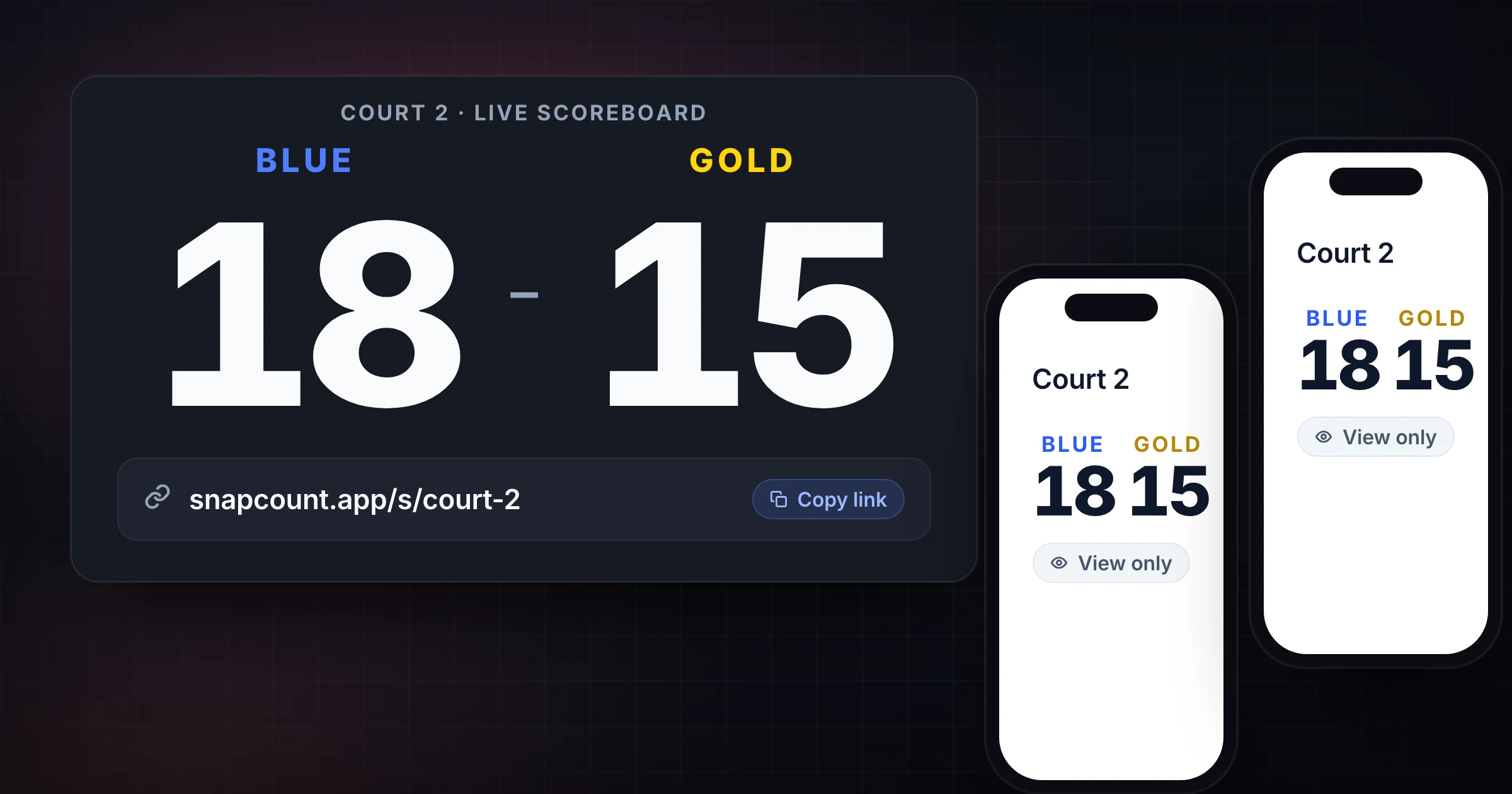
A live scoreboard link is useful when the score needs to move beyond one person's screen.
Players want to check the score from the sideline. A teacher wants the class display to match the scorekeeper's laptop. A tournament volunteer wants parents to follow a side-court game. A watch party host wants the room and the group chat looking at the same board.
Use SnapCount's free online scoreboard when you need a browser scoreboard you can share quickly. If you are running the scorekeeper on one device and the display on another, read the phone and laptop scorekeeping guide. When parents in the stands or a gym TV need the score, the basketball scoreboard online and the football scoreboard online keep that split with each sport's scoring rules.
Decide who can view and who can score
Sharing a live scoreboard should not mean everyone can change the score.
Separate two roles:
| Role | What they can do |
|---|---|
| Scorekeeper | Updates points, corrections, team names, and reset |
| Viewer | Watches the live score from another device or display |
The scorekeeper owns the source of truth. Viewers can follow along, mirror the display, or keep the room informed.
That split prevents the common shared-scoreboard mistakes:
- A spectator adds a point as a joke.
- Two volunteers both correct the same score.
- Someone resets the board before the final result is recorded.
- A teacher's projector shows one score while the scorekeeper's phone shows another.
If control needs to move, do a handoff. Do not leave two devices updating the same game without a clear owner.
Choose the right sharing setup
The best live link setup depends on who needs the score.
| Setup | Best for |
|---|---|
| Scorekeeper phone only | Pickup games where the score is called out |
| Laptop plus TV or projector | Class games, trivia nights, watch parties, rec rooms |
| Tablet on a stand | Practices, small gyms, side courts, fundraiser games |
| Shared link to viewers | Parents, coaches, remote teammates, tournament staff |
| One display and one control device | Rooms where the scorekeeper should not block the public board |
Before sharing the link, decide which device controls the score and which devices only display it.
For a tournament table, the laptop may be the control device and a nearby monitor may be the public display. For a classroom, the teacher's laptop may control the score while the projector shows it. For a watch party, the host may keep the control device and send the viewer link to the group chat.
Test the link before the game starts
Do not wait until the first point to test sharing.
Use this pre-game checklist:
- Open the scoreboard on the control device.
- Rename the teams or sides.
- Add one test point for each side.
- Open the shared link on the display device.
- Confirm the display updates after a score change.
- Set screen brightness and zoom.
- Disable short screen timeouts.
- Reset the test score only after everyone confirms the setup.
That test catches the boring problems before they become public: weak Wi-Fi, dead projector cable, tiny browser zoom, locked phone screen, or the wrong tab on the TV.
For outdoor games, check glare. A phone can control the score, but a tablet or laptop in shade may be easier for viewers.
Share instructions with the link
A live scoreboard link is clearer when it includes context.
Send a short message:
Live scoreboard: Court 2, Blue vs Gold
Viewer link: [link]
Scorekeeper: Maya
Only Maya updates the score.
Final score will be recorded before reset.
For tournament or multi-game workflows, include the court, table, match number, or round. A link called "Home vs Away" is easy to confuse with three other open scoreboards.
Use names that match what people say out loud. "Court 2: Eagles vs Wolves" is better than a generic title.
Keep one visible source of truth
The live scoreboard should reduce confusion, not create another competing number.
Avoid running several unsynced scoreboards for the same game. If one person updates a whiteboard, another updates a phone, and a third keeps a spreadsheet, the group will eventually argue about which score is official.
Use a clean split:
| Record | Job |
|---|---|
| Live scoreboard | Public score during the game |
| Official score sheet | Final record when rules require it |
| Bracket or standings sheet | Tournament summary after the game |
| Notes | Disputes, corrections, or unusual scoring rules |
For official games, the official score sheet still matters. The live scoreboard helps players and spectators follow along. The final record protects the result.
Make handoffs explicit
If the scorekeeper changes, pause long enough to hand off the game.
The handoff should include:
- Current score.
- Team names.
- Period, round, set, or game number if relevant.
- Last correction.
- Who records the final score.
- Whether the shared display is still connected.
For casual games, that can be a 15-second conversation. For tournaments, it should be written next to the court or match assignment.
The key is avoiding hidden control. Viewers can keep watching the link, but one person should know they are responsible for score changes.
Record the final before reset
Sharing the live link does not preserve the result unless the workflow does.
Before resetting:
- Confirm the game is over.
- Announce the final score.
- Record the result in the bracket, sheet, or recap.
- Screenshot or export if your workflow requires it.
- Reset or create a new board for the next game.
For recurring games or tournaments, create a fresh board per game or label the current board clearly. Reusing the same scoreboard all day is fine only if the final score is recorded before every reset.
Frequently asked questions
Can I share an online scoreboard with spectators?
Yes. A live scoreboard link lets spectators follow the score from another phone, laptop, tablet, TV, or projector when the scoreboard supports sharing.
Keep one scorekeeper in control so viewers do not accidentally change the score.
Should the live scoreboard replace the official score sheet?
For official games, no. Use the official score sheet as the record and the live scoreboard as the public display.
For casual games, classes, and events, the scoreboard can be the working source of truth as long as the final score is recorded before reset.
What should I send with a scoreboard link?
Send the game name, team names, court or room, scorekeeper name, and whether the link is view-only.
That context prevents people from opening the wrong game or assuming they can change the score.
Can I show a live scoreboard on a TV or projector?
Yes. Open the scoreboard link on a laptop, tablet, or phone, then mirror, cast, or connect that device to the TV or projector.
Test the display before the game starts and disable short screen timeouts.
Topics: share live scoreboard, online scoreboard, scoreboard link, score keeper online
About SnapCount Team
The SnapCount Team builds and tests shared counting workflows for events, inventory, attendance, and field work. We review these articles when product workflows change and link to the tools we use to validate them.
Contact SnapCount support