
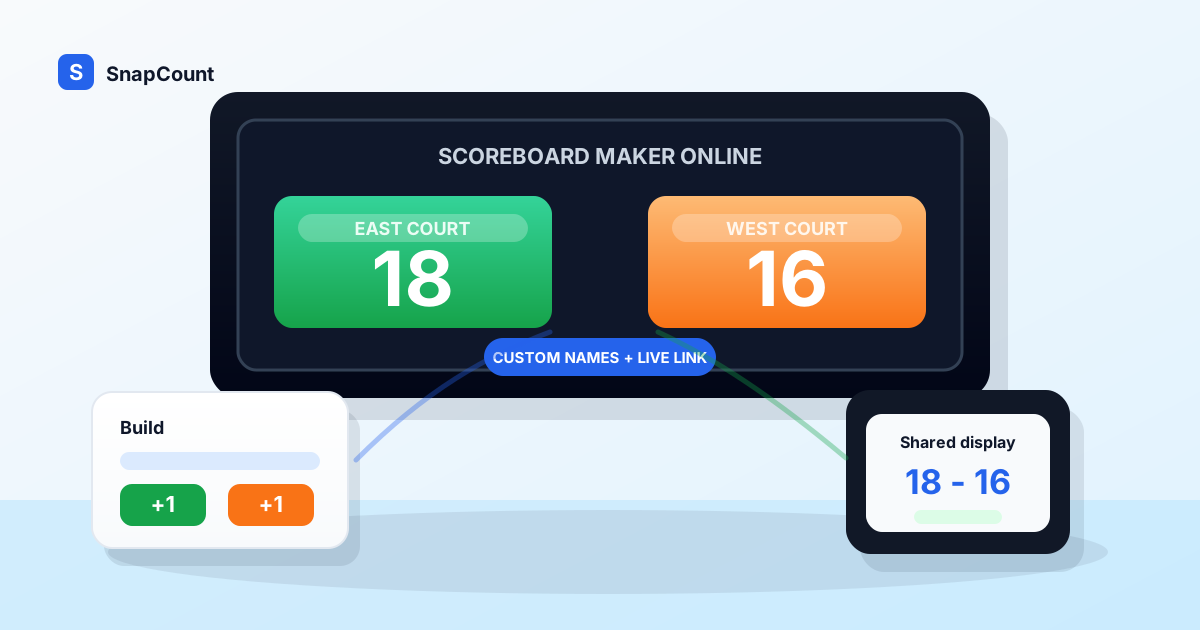
A scoreboard maker online helps you build a clear scoreboard without buying hardware, installing an app, or designing a display from scratch.
That matters when the score needs to be visible now. A coach wants to run a scrimmage. A teacher wants to score a class game. A volunteer needs a tournament board. A host wants a trivia night display. In each case, the job is the same: name the sides, make the score readable, update it quickly, and share it with the people watching.
Use SnapCount's free online scoreboard when you need a shareable scoreboard that opens in a browser. If you need a more flexible scorekeeping surface, start with the score keeper. For the sharing workflow alone, use the live scoreboard link guide. This guide shows how to build a simple scoreboard, what settings to decide before the first point, and how to avoid the mistakes that make live scores hard to trust.
What is a scoreboard maker online?
A scoreboard maker online is a browser-based tool for creating a live scoreboard for a game, contest, class activity, fundraiser, or event.
At minimum, it should let you:
- Rename the teams or sides.
- Add and remove points quickly.
- Show the current score in large readable numbers.
- Reset between games without losing track of the final score.
- Use a phone, tablet, laptop, TV, or projector.
- Share the live board when other people need to follow along.
The word "maker" can sound like you need to design something. You usually do not. Most scoreboards should be simple. A clean board with two team names and two large scores is better than a complicated layout that a volunteer cannot update under pressure.
The best scoreboard maker gives you just enough control: names, score changes, display, correction, and sharing.
When to make your own scoreboard
Make your own online scoreboard when the activity does not fit neatly into a venue scoreboard or a single sport app.
| Situation | Why a custom scoreboard helps |
|---|---|
| Classroom review game | You can use class names, table names, or custom teams |
| Pickup basketball | You can score house rules without asking for gym controls |
| Rec league side court | A volunteer can keep score from a tablet or laptop |
| Trivia night | Each table can become a team without sport-specific clutter |
| Fundraiser game | Staff can create a public board for each station |
| Youth practice drill | Coaches can score offense vs defense or group challenges |
| Watch party contest | Hosts can track predictions, brackets, or side games |
| Tournament check-in area | Organizers can show match scores without installed displays |
The pattern is simple. The score matters to the group, but the setup should stay lightweight.
If the game has official rules, use the official scoring process as the record. For example, school basketball has formal scorer and timer responsibilities, and the NFHS basketball rules resources are the right place to start for official rule context. An online scoreboard can still be useful as the public display or backup display, but it should not replace the official book when the result is regulated.
The simplest scoreboard setup
Start with the smallest board that can do the job.
For most games and contests, that means:
- Two sides.
- Custom team names.
- Large scores.
- Plus and minus controls.
- One reset action.
- A readable display.
- A final-score handoff.
That is enough for a lot of real situations. A classroom quiz does not need fouls. A fundraiser beanbag toss does not need periods. A sales contest does not need possession arrows. Pickup basketball may not need a clock if the group plays to 11, 15, or 21.
The fastest workflow is:
- Open the scoreboard before the activity starts.
- Rename the default sides.
- Decide who controls score changes.
- Test a point for each side.
- Put the display where people can see it.
- Write down the final score before reset.
The final step is where many casual scoreboards fail. A reset is useful only after the result is captured. If you are running a bracket, a classroom tournament, or multiple games in one session, record the winner before starting the next board.
Choose what your scoreboard needs to show
A scoreboard should show only the information people need during play.
Use this checklist before adding extra fields:
| Item | Include it when | Skip it when |
|---|---|---|
| Team names | People need to know which score is theirs | The scorekeeper is the only viewer |
| Large score | Players or spectators need to see from a distance | The board is only a private record |
| Timer | The game is time-based | You play to a target score |
| Period or round | The activity has halves, quarters, sets, or rounds | It is one continuous contest |
| Undo or minus controls | Mistakes are likely under pressure | The score is only approximate |
| Notes | You need a final handoff or bracket update | The board is reset after every game |
Most scoreboards get worse when they try to show everything. Extra controls slow the volunteer down. Extra labels make the public display harder to read. If a detail does not change how someone plays, watches, or records the result, leave it out.
For a generic board, team names and scores are the main event. For a sport-specific board, the rules may deserve more space. Volleyball sets, pickleball serving flow, cornhole round scoring, and darts countdown math can all justify specialized controls.
If you are deciding between a generic board and a sport-specific one, the score keeper online guide walks through that choice.
Make the scoreboard shareable
Sharing is the main advantage of an online scoreboard.
A whiteboard works only for people in the room. A paper sheet works only for the person holding it. A browser scoreboard can be opened on the control device, mirrored to a TV, shown on a projector, or passed to another volunteer.
Use this sharing setup:
| Display setup | Best use |
|---|---|
| Phone held by scorekeeper | Pickup games or small drills where the score is called aloud |
| Tablet on a stand | Practices, classrooms, small events, and one-court games |
| Laptop on a table | Rec leagues, trivia nights, and tournament stations |
| TV or projector | Larger rooms where spectators need a public score |
| Multiple devices | Events where staff need to follow the same score from different spots |
Before the game starts, test the exact display path. If you plan to cast to a TV, cast before people are waiting. If you plan to use a projector, check the browser zoom and screen brightness. If you plan to keep control on a phone while a laptop shows the score, use the phone and laptop scorekeeping guide. If you plan to hand the scoreboard to another volunteer, make the team names obvious enough that they do not need a long explanation.
Also check power. A scoreboard that dies near the end of a close game creates more trouble than no scoreboard at all. Plug in the laptop, bring a charger for the tablet, or keep a paper backup for final results.
Assign one scorekeeper
A shareable scoreboard does not mean everyone should update it.
Pick one person to control the score. If the scorekeeper changes, make a clear handoff. That handoff should include the current score, the next action, and whether the final result has already been recorded.
This rule prevents the most common mistakes:
- Two people add the same point.
- A correction is made twice.
- A volunteer resets the board before the bracket is updated.
- Someone changes the team names mid-game.
- A scorekeeper opens the wrong board for the next match.
For casual games, the scorekeeper can also call out changes. "Blue up 8 to 6" is enough. For events, the host or official can confirm changes before the scorekeeper taps.
The scoreboard should be public. The controls should be owned.
Build scoreboards for different use cases
The same scoreboard maker can support very different activities if you choose labels and rules carefully.
| Use case | Team labels | Scoring setup |
|---|---|---|
| Classroom review | Table 1 vs Table 2, or Students vs Teachers | 1 point per correct answer |
| Pickup basketball | Shirts vs Skins, Blue vs White | 1s and 2s, game to 15 |
| Practice drill | Offense vs Defense | Points for stops, scores, rebounds, or coach goals |
| Trivia night | Table names | Host adds points after each round |
| Fundraiser game | Player vs House, Lane 1 vs Lane 2 | Volunteer scores each attempt |
| Sales contest | Team East vs Team West | Points for meetings, demos, or closed deals |
| Youth tournament | Court 1 team names | Scorekeeper records final before reset |
Good labels reduce explanation. "Home" and "Away" are fine for sports, but they are poor labels for a trivia night or class game. Rename the sides to match what people say out loud.
For basketball-specific setup, use the basketball scoreboard online guide. It covers pickup scoring, rec games, practices, and tournament handoffs in more detail. For touchdowns, field goals, conversions, and periods, open the football scoreboard online, then use the football scorekeeping guide for roles and handoffs. For volleyball-specific setup, use the volleyball scoreboard online guide to plan rally scoring, sets, rotations, timeouts, and court handoffs.
Common mistakes to avoid
Most scoreboard problems come from unclear process, not from the scoreboard itself.
Avoid these mistakes:
| Mistake | Better approach |
|---|---|
| Building a board with too many fields | Start with names and score, then add only what the game needs |
| Letting multiple people update the score | Assign one scorekeeper and make handoffs explicit |
| Forgetting the display device | Test the TV, projector, or tablet placement before play starts |
| Using tiny labels | Make team names readable and recognizable |
| Resetting too early | Record the final score first |
| Ignoring screen timeout | Keep the display awake for the full activity |
| Treating casual scoring as official scoring | Keep an official record when rules or standings require it |
A simple scoreboard with a clear owner beats a complex scoreboard with unclear control.
Scoreboard maker vs online scoreboard vs score keeper
These terms overlap, but the intent is slightly different.
| Search intent | What the person usually wants | Best SnapCount destination |
|---|---|---|
| Scoreboard maker online | Build or customize a visible scoreboard | Online scoreboard |
| Online scoreboard | Display and update a live score | Online scoreboard |
| Score keeper online | Track score for a game or custom contest | Score keeper |
| Basketball scoreboard online | Keep basketball score for pickup, rec, or practice | Online scoreboard plus basketball setup guide |
| Sport-specific scoreboard | Let the tool handle sport rules | Volleyball, pickleball, cornhole, or darts scoreboard |
If you are building a simple two-side board, use the free online scoreboard. If the activity has custom scoring or you want a flexible scorekeeping workflow, use the score keeper. If the sport has rule-heavy scoring, choose the sport-specific tool.
The practical recommendation
Use a scoreboard maker online when you need a visible live score and the activity does not justify dedicated hardware.
Keep the board simple. Name the sides clearly. Make the numbers large. Assign one scorekeeper. Test the display before the game starts. Record the final score before reset.
That workflow works for rec games, class activities, watch parties, fundraisers, practices, and volunteer-run events. It also scales better than paper or whiteboards when the score needs to be shared.
You do not need to design a scoreboard from scratch. You need a board that people can understand while the game is moving.
Frequently asked questions
What is the best scoreboard maker online?
The best scoreboard maker online is one that opens quickly, supports custom team names, shows large readable scores, and makes score corrections easy.
For most games and events, SnapCount's free online scoreboard is enough. It works in a browser and can be used from a phone, tablet, laptop, TV, or projector.
Can I make a scoreboard for free?
Yes. You can make a simple scoreboard for free with a browser-based scoreboard tool.
Use it for casual games, classrooms, contests, fundraisers, and practices. If the result is official, keep the required official record as well.
Can I share an online scoreboard on a TV?
Yes. Open the scoreboard on a laptop, tablet, or phone, then mirror, cast, or connect that screen to a TV or projector.
Test the setup before the game starts, increase brightness, and disable short screen timeouts so the display stays visible.
Do I need a sport-specific scoreboard?
You need a sport-specific scoreboard when the sport's rules create repeated scorekeeping work.
Use a generic scoreboard for simple points and custom contests. Use a sport-specific board for volleyball sets, pickleball serving flow, cornhole rounds, darts checkout math, or any format where the rules affect every update.
Who should control a shared scoreboard?
One scorekeeper should control a shared scoreboard.
Other people can watch the live score, but one person should own changes. If control moves to another volunteer, make a clear handoff before play continues.
About SnapCount Team
The SnapCount Team builds and tests shared counting workflows for events, inventory, attendance, and field work. We review guides when product workflows change and link to the tools we use to validate them.
Contact SnapCount support