
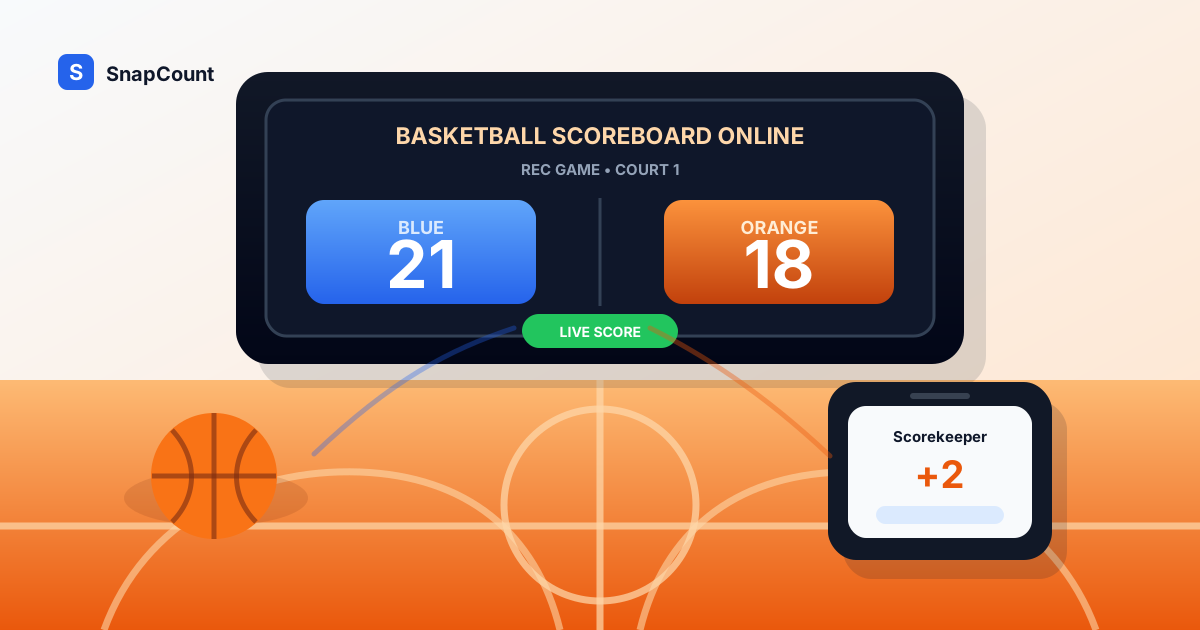
A basketball scoreboard online is the simplest way to keep a visible score when the gym scoreboard is locked, broken, unavailable, or too much setup for a casual game.
For pickup runs, youth practices, intramural games, PE classes, and rec league scrimmages, you usually do not need a full arena control panel. You need a clear score, custom team names, fast point buttons, and a screen players can trust.
Use SnapCount's free basketball scoreboard when you need a basketball scorekeeper that opens in a browser and works on a phone, tablet, laptop, TV, or projector. This guide explains when an online scoreboard fits basketball, how to set it up, and what rules to decide before tipoff.
When to use a basketball scoreboard online
An online basketball scoreboard works best when the game needs a shared score but does not need a formal scorer's table.
Common uses include:
| Basketball setting | Why an online scoreboard helps |
|---|---|
| Pickup games | Everyone can see who is winning without arguing over the last bucket |
| Rec league games | A volunteer can score from a phone or laptop without venue hardware |
| Youth practices | Coaches can run competitive drills with a visible score |
| PE classes | Teachers can score short games, stations, or class tournaments quickly |
| Intramurals | Staff can set up multiple courts without buying scoreboards |
| Watch party side games | Hosts can track prediction games or shooting contests live |
| Fundraisers | Volunteers can keep score for 3-on-3 brackets, contests, or game booths |
The strongest reason to use an online scoreboard is control. The scorekeeper can rename teams, correct mistakes, reset between games, and move the display without asking a venue manager for scoreboard access.
For a formal game with officials, a book, a clock operator, fouls, timeouts, and possession, keep the official process as the record. Use the online scoreboard as the public display or backup board, not as the rulebook.
What a basketball scoreboard needs
A basketball scoreboard does not need to be complicated, but it does need to make common scoring actions fast.
At minimum, it should support:
- Clear team names.
- Large score numbers.
- Quick score changes.
- Undo or correction controls.
- A reset button that is hard to hit by accident.
- A layout that stays readable from across a gym.
- Browser access on phones, tablets, laptops, and shared displays.
For casual basketball, simple point buttons are enough. The scorekeeper can tap once for a free throw, once for a made 2-pointer, or once for a 3-pointer. If you are scoring a lot of possessions quickly, use SnapCount's basketball scoreboard or score keeper on the device with the best screen and fastest controls. If you are choosing between a generic board and a sport-specific scoreboard, the score keeper online guide explains the tradeoff. If you need to build a custom public display for a class, tournament, or event, use the scoreboard maker online guide.
For official basketball, you may also need clock, period, foul, timeout, bonus, possession, and player-stat tracking. Those are different jobs. A browser scoreboard is strongest when the main need is a trusted live score.
Online scoreboard vs gym scoreboard vs paper scorebook
The right basketball scorekeeping setup depends on the game. The expensive option is not always the practical one.
| Option | Best for | Strength | Limit |
|---|---|---|---|
| Online basketball scoreboard | Rec games, pickup runs, classes, practices, side courts | Fast setup, portable, works on common devices | Does not replace full official scoring rules |
| Gym wall scoreboard | Scheduled league games in equipped venues | Large, familiar, built for spectators | Requires venue access and working controls |
| Paper scorebook | Official records, rosters, fouls, player points | Durable record after the game | Poor live display for players and spectators |
| Whiteboard | Small practices or drills | Simple, visible, easy to edit | Easy to erase and hard to share |
| Mobile scorekeeping app | Dedicated scorer tracking stats | Can capture detailed basketball data | Install friction and more controls than casual games need |
For many rec games, the best workflow is mixed: use paper or a simple note as the backup record, and use the online scoreboard as the live display.
That avoids two common problems. If the browser closes, you still have the last known score. If the paper scorekeeper falls behind, the visible board still keeps the room aligned.
Decide the scoring rules before the first possession
Basketball score disputes usually start because the group never agreed on the scoring format.
Before the game starts, decide these rules:
| Rule | Common choice |
|---|---|
| Scoring increments | 1s and 2s for pickup, or 2s and 3s for standard basketball |
| Game target | First to 11, 15, or 21 for pickup |
| Win condition | Win by 1 or win by 2 |
| Free throws | Count them as 1, skip them, or use them only after certain fouls |
| Change of possession | Check ball, make-it-take-it, or standard possession rules |
| Game length | Target score, timed halves, quarters, or drill rounds |
| Score corrections | Scorekeeper fixes mistakes immediately after the next dead ball |
An online scoreboard cannot settle rules the group has not chosen. It can only make the chosen score visible.
If you are running pickup basketball, write the format where people can see it: "Game to 15, 1s and 2s, win by 2." If you are running youth practice, tell players whether drill points count by basket, stop, rebound, or coach decision.
That small setup step prevents most mid-game arguments.
The fastest basketball scoreboard setup
Use this workflow when you need to start a game quickly:
- Open the basketball scoreboard.
- Rename the teams before play starts.
- Pick one scorekeeper.
- Put the scoring device where the scorekeeper can see the whole court.
- Put the display where players can glance at it during dead balls.
- Test score changes for both teams.
- Turn up brightness and disable short screen timeouts.
- Keep a backup note of the score at halftime, game point, or the final whistle.
The best display depends on the room:
| Setup | Best use |
|---|---|
| Phone in the scorekeeper's hand | Pickup games where the scorekeeper calls the score aloud |
| Tablet on a stand | Practices, small gyms, or one-court rec games |
| Laptop on a table | Rec leagues and classrooms with a volunteer scorer |
| Projector or TV | Larger groups, tournament rooms, or events with spectators |
If the score matters to people watching from the sideline, use a tablet, laptop, TV, or projector. A phone works for the scorekeeper, but it is too small to be the public board for most gyms.
How to score pickup basketball cleanly
Pickup basketball is where an online scoreboard earns its keep. The rules are lighter, the games turn over quickly, and the score is often held in someone's memory.
Use a simple process:
- Announce the scoring format before the first check.
- Let one person update the board.
- Call out each score change if the room is noisy.
- Correct mistakes immediately.
- Pause the next possession if the score is unclear.
- Record the winner before resetting.
For pickup games with 1s and 2s, a simple plus-one control is enough. Tap once for a normal make and twice for a deep shot if your group uses 2s beyond the arc.
For standard 2s and 3s, the scorekeeper can still use a simple board by tapping the needed number of points. That is not as specialized as a full basketball stats app, but it is fast and understandable for volunteer scoring.
The most important rule is ownership. Do not let three people update the same score. Make the board visible, but make one person responsible for changes.
How to use it for practices and drills
Coaches can use an online basketball scoreboard for more than full scrimmages.
It works well for:
- Offense vs defense drill scoring.
- Shooting contests.
- Free throw ladders.
- Team rebounding challenges.
- End-of-practice competitions.
- Station rotations in youth camps.
- Class tournaments in PE.
For drills, team names should describe the competition. Use "Offense" and "Defense," "Blue" and "White," "Court 1" and "Court 2," or "Group A" and "Group B."
Make the point system visible before the drill starts. For example:
| Drill | Scoring idea |
|---|---|
| Shell drill | Defense gets 1 point for a stop, offense gets 1 point for a score |
| Free throws | Team gets 1 point per make, first to 20 wins |
| Rebounding | Defense gets 2 for a rebound, offense gets 1 for a putback |
| Shooting stations | Each made shot is 1 point, last minute is double |
| Transition drill | Score plus a bonus point for a clean outlet |
This is where a browser board beats a wall scoreboard. You can rename sides for each drill, move between courts, and reset without changing gym equipment.
How to handle tournaments and multiple courts
For 3-on-3 tournaments, youth camps, school events, and fundraisers, the scoreboard needs to help organizers as much as players.
Label each game clearly:
- Court 1: Tigers vs Hawks.
- Court 2: Blue vs Gold.
- Semifinal A.
- Free throw contest: Round 3.
- Grade 7 final.
If you are using more than one device, assign one scoreboard per court. Do not reuse the same open board for several games at once unless one person is controlling every court.
For tournament flow, add a basic handoff:
- Scorekeeper opens the board for the assigned court.
- Teams confirm names before the game starts.
- Scorekeeper records the final result before reset.
- Organizer receives the winner and score.
- Scorekeeper resets only after the organizer confirms the result.
That final confirmation matters. Fast tournaments often lose time because the winner is known, the score is reset, and nobody wrote the result into the bracket.
If you also need to track arrivals or room limits, pair the scoreboard with SnapCount's attendance counter app or event capacity calculator. The scoreboard manages the game; the counter tools manage the event around the game.
Keep the score visible on game day
Score visibility is a practical problem, not a design preference.
Check these details before the first game:
| Detail | What to do |
|---|---|
| Screen timeout | Set the device to stay awake during the game |
| Brightness | Increase brightness before the room fills |
| Power | Keep a charger or battery pack nearby |
| Wi-Fi | Load the board before the gym gets crowded |
| Placement | Keep the display above table height if spectators need to see it |
| Glare | Turn the screen away from windows or overhead light reflections |
| Accidental taps | Put the control device away from players and loose balls |
A small tablet angled toward the court can work better than a phone, even if the phone is newer. The goal is glanceability. Players should not need to walk over and inspect the device to know the score.
The practical recommendation
Use a basketball scoreboard online when you need a clean, visible score without waiting on gym equipment.
For pickup games and practices, a browser scoreboard is usually enough. For rec league games, it works well as the public display if the official score is also recorded. For tournaments, it helps volunteers keep courts moving as long as every final score is written down before reset.
The setup is simple: open the board, rename the teams, choose the scoring format, assign one scorekeeper, and make the display visible. That is enough structure for most casual basketball games to run without score confusion.
Frequently asked questions
What is the best free basketball scoreboard online?
The best free basketball scoreboard online is one that opens in a browser, shows large readable scores, supports custom team names, and lets the scorekeeper correct mistakes quickly.
SnapCount's free basketball scoreboard works well for pickup basketball, rec games, practices, classes, and small tournaments where the main need is a trusted visible score with fast 1, 2, and 3 point controls.
Can I use an online basketball scoreboard on a TV?
Yes. Open the scoreboard on a laptop, tablet, or phone, then mirror, cast, or connect that device to a TV or projector.
For the best result, turn up brightness, keep the device charged, and disable short screen timeouts before the game starts.
Does an online basketball scoreboard track fouls and timeouts?
Most simple online scoreboards focus on the live score, not full official basketball bookkeeping.
If your game needs fouls, timeouts, possession, player stats, and an official clock, use the official scorer's process as the record and use the online scoreboard as a display or backup.
Is an online scoreboard good for pickup basketball?
Yes. Pickup basketball is one of the best uses for an online scoreboard because the setup is fast and the score is often otherwise tracked by memory.
Agree on 1s and 2s or 2s and 3s before the game, assign one scorekeeper, and record the winner before resetting.
Do I need to install an app?
No. SnapCount's online scoreboard runs in the browser, so players, coaches, teachers, and volunteers can open it without installing an app.
That is useful for shared gyms, school devices, tournament tables, and volunteer-run games where setup time matters.
About SnapCount Team
The SnapCount Team builds and tests shared counting workflows for events, inventory, attendance, and field work. We review guides when product workflows change and link to the tools we use to validate them.
Contact SnapCount support