
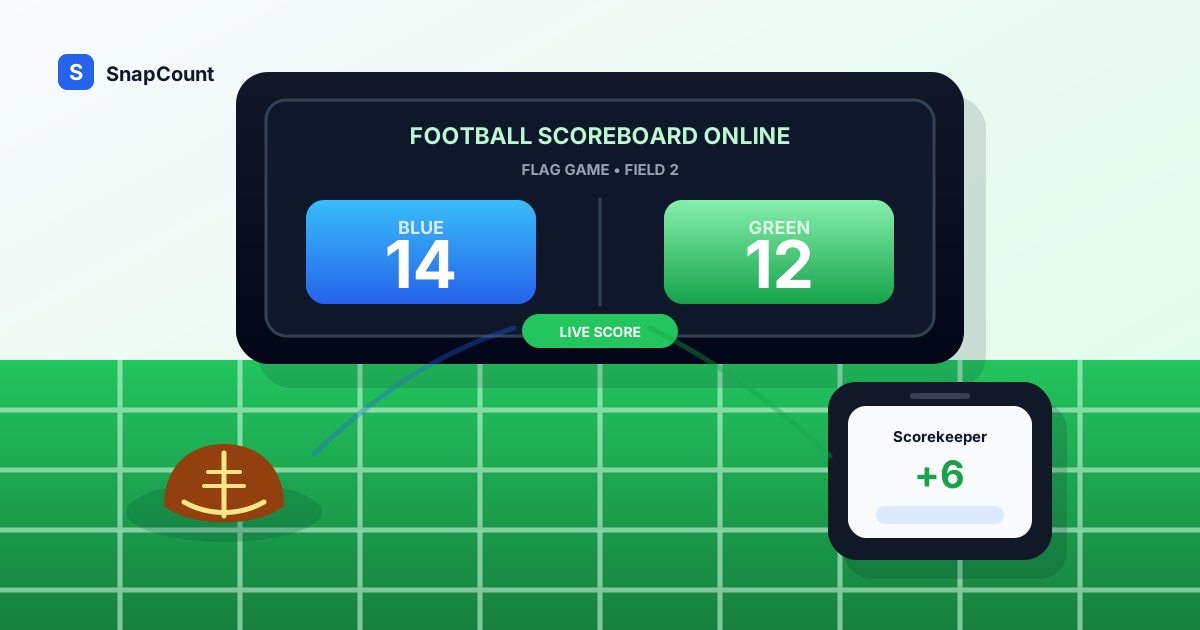
Good flag football scorekeeping starts before kickoff. The group needs one scoring format, one person responsible for updates, and one place where players and spectators can see the current score.
For flag football, youth games, backyard games, PE classes, watch party contests, and casual tournaments, the main job is simple: show both teams, update the score quickly, and make the result visible from the device you already have.
Use SnapCount's football scoreboard online when you need a scorekeeper that works in a browser on a phone, tablet, laptop, TV, or projector. This guide covers the decisions around the tool: scoring rules, roles, display setup, game handoffs, and when an informal scoreboard is appropriate.
When a simple football scorekeeper is enough
An online football scoreboard works best when the game needs a shared score but does not need a full official game clock and stat crew.
| Football setting | Why an online scoreboard helps |
|---|---|
| Flag football | A volunteer can keep score from the sideline without special hardware |
| Youth scrimmages | Coaches can run short games, drills, or offense-vs-defense periods |
| Backyard football | Everyone can see the score instead of relying on memory |
| PE classes | Teachers can score class games and team competitions quickly |
| Watch parties | Hosts can track prediction games, squares, trivia, or side contests |
| Fundraisers | Volunteers can score throw challenges, skills stations, or tournament games |
| Multi-field events | Each field can use its own phone or tablet as a lightweight board |
For regulated football games, follow the official scoring process, clock rules, and league recordkeeping. A browser scoreboard is strongest as a public display, backup board, or casual scorekeeper.
What a football scoreboard needs
A practical football scoreboard does not need every stadium control. It needs fast controls and clear agreement on the scoring format.
At minimum, it should support:
- Custom team names.
- Large home and away scores.
- Quick plus and minus controls.
- Easy correction after a missed score.
- A reset button between games.
- A layout that stays readable outdoors.
- Browser access on common devices.
- A shareable live score link when parents, players, or viewers need to follow from another phone.
The football scoreboard online is designed for simple football scoring because the scorekeeper can add touchdowns, field goals, safeties, and conversions directly. For drills with fully custom point values, the broad online scoreboard remains the more flexible option.
If you are choosing between a generic board and a sport-specific scorekeeper, start with the score keeper online guide. For custom display setup, use the scoreboard maker online guide.
Decide the scoring rules before kickoff
Most football score disputes happen because the group never agreed how points work for the version being played.
Before kickoff, decide these rules:
| Rule | Common choice |
|---|---|
| Touchdown value | 6 points, or 1 point in simplified PE/classroom games |
| Extra point | 1 point from a short distance, 2 points from a longer distance |
| Safety | 2 points, if your format includes it |
| Field goals | Usually skipped in flag and backyard games |
| Game length | Timed halves, timed quarters, first to a target score, or fixed number of drives |
| Mercy rule | Stop or reset when one team leads by a set amount |
| Overtime | One possession each, sudden death, or next score wins |
For flag football, write the scoring format where players can see it: "Touchdown 6, short conversion 1, long conversion 2." For PE classes and youth drills, keep the format even simpler.
The fastest football scoreboard setup
Use this workflow when you need to start quickly:
- Open the football scoreboard online.
- Rename the teams.
- Assign one scorekeeper.
- Put the scorekeeper where they can see both end zones.
- Test score changes before the first snap.
- Set the device brightness high enough for outdoor visibility.
- Share the live score link with coaches, parents, or viewers if needed.
- Record the final score before resetting.
| Display setup | Best use |
|---|---|
| Phone | Sideline scorekeeper for flag or backyard games |
| Tablet | Youth games, camps, PE classes, and small tournaments |
| Laptop | Tournament table, watch party host station, or indoor event |
| TV or projector | Watch party contests, fundraisers, or classroom games |
If the game is outdoors, test glare and battery life before play starts. A tablet in shade can be more useful than a laptop in direct sun.
How to score flag football cleanly
Flag football is one of the best fits for an online scoreboard because the scorekeeper is usually a coach, parent, or player on the sideline.
Use a simple process:
- Announce the scoring format before the first drive.
- Let one person update the board.
- Confirm touchdowns before adding points.
- Add conversion points immediately after the try.
- Correct mistakes before the next drive starts.
- Record the final result before resetting for the next game.
If you are running multiple short games, label teams clearly. "Field 1 Blue" and "Field 1 White" is better than leaving the board as HOME and GUEST all day.
How to use it for football drills and classes
Coaches and teachers can use a football scoreboard for competitive drills where the point system is custom.
| Drill or activity | Scoring idea |
|---|---|
| Offense vs defense | Offense gets 1 for a score, defense gets 1 for a stop |
| Passing stations | Team gets 1 per completion or target hit |
| Flag pull drills | Defense gets 1 per clean flag pull |
| Route competitions | Receiver gets 1 for a catch, defender gets 1 for a pass breakup |
| Classroom football trivia | Team gets 1 per correct answer |
| Watch party predictions | Award points for correct drive, score, or player predictions |
For these formats, the scoreboard is not replacing football rules. It is creating a visible contest structure so players know the drill score without asking the coach after every rep.
How to handle tournaments and multiple fields
For flag football tournaments, camps, and fundraisers, the scoreboard should make handoffs easier.
Use one scoreboard per field or station:
- Scorekeeper opens the board for the assigned field.
- Teams confirm names before play starts.
- Scorekeeper records the final score.
- Organizer confirms the result.
- Scorekeeper resets only after the result is written down.
Do not reset as soon as the game ends. The final score needs to make it into the bracket, standings sheet, or organizer's notes first.
If you also need to manage arrivals, pair the scoreboard with SnapCount's attendance counter app or head counter. The scoreboard manages the game; the counter tools manage the people around it.
Frequently asked questions
What is the best free football scoreboard online?
The best free football scoreboard online is one that opens in a browser, shows large readable scores, supports custom team names, and lets the scorekeeper correct mistakes quickly.
SnapCount's free football scoreboard works well for flag football, youth scrimmages, classroom games, watch party contests, and casual tournaments.
Can I use an online football scoreboard on a TV?
Yes. Open the scoreboard on a laptop, connect it to a TV or projector, and use that display as the public board. For outdoor games, a tablet or bright laptop screen may be easier than a TV.
Does this replace an official football scoreboard?
No. For regulated games, use the official clock, scoreboard, and scorekeeping process. An online scoreboard is best for informal games, backup display, side contests, and events where official hardware is unavailable.
Is an online scoreboard good for flag football?
Yes. Flag football often has volunteer scorekeepers, short games, multiple fields, and flexible conversion rules. A browser scoreboard is a simple way to keep the score visible without installing an app.
About SnapCount Team
The SnapCount Team builds and tests shared counting workflows for events, inventory, attendance, and field work. We review guides when product workflows change and link to the tools we use to validate them.
Contact SnapCount support