
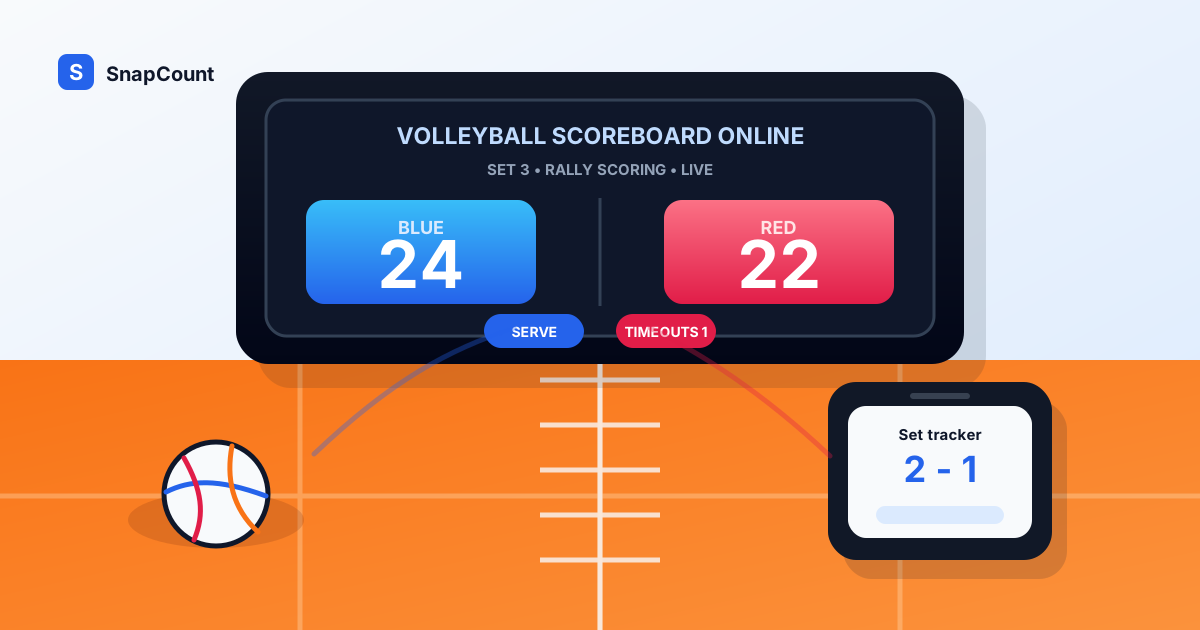
A volleyball scoreboard online is useful when a match needs a clear score but the gym scoreboard is unavailable, too much setup, or controlled by someone outside your group.
For rec leagues, school practices, club scrimmages, PE classes, and small tournaments, the scorekeeper needs more than two big numbers. Volleyball scoring also depends on sets, serving rotation, timeouts, and the shorter deciding set.
Use SnapCount's free volleyball scoreboard when you need a browser-based volleyball scorekeeper with rally scoring, set tracking, rotation indicators, timeout tracking, and a live score link. If you only need a simple two-team board, start with the free online scoreboard app.
When to use a volleyball scoreboard online
An online volleyball scoreboard works best when the match needs shared visibility and the scorekeeper is using a phone, tablet, laptop, TV, or projector.
| Volleyball setting | Why an online scoreboard helps |
|---|---|
| Rec league matches | A volunteer can track sets, serves, and timeouts without dedicated hardware |
| School practices | Coaches can run competitive drills and scrimmages with a visible score |
| Club scrimmages | Players and parents can follow the score from the sideline |
| PE classes | Teachers can score short games and rotate teams quickly |
| Small tournaments | Each court can keep a separate live score and record the final result |
| Watch parties | Hosts can track prediction games or side contests during a match |
| Fundraisers | Volunteers can run volleyball stations without a wall scoreboard |
For official matches, follow your league's scorekeeping process and score sheet requirements. A browser scoreboard is strongest as a public display, backup board, or volunteer-friendly scorekeeper.
What a volleyball scoreboard needs
A practical volleyball scoreboard should handle the rules that come up every few rallies.
At minimum, it should support:
- Custom team names.
- Rally scoring.
- Set wins for each team.
- Best-of-3 and best-of-5 match formats.
- A deciding set that plays to 15.
- Serve and rotation indicators.
- Timeout tracking.
- Quick corrections after missed points.
- A live share link for players, coaches, parents, or remote viewers.
The volleyball scoreboard is built for that workflow. It keeps the scorekeeper focused on the match instead of remembering which set length applies or which side has already used timeouts.
If you are choosing between a generic board and a sport-specific scorekeeper, use the score keeper online guide. For custom display setup, use the scoreboard maker online guide.
Decide the match format before first serve
Most volleyball score disputes come from unclear format decisions, not from the scoreboard itself.
Before first serve, decide these rules:
| Rule | Common choice |
|---|---|
| Match length | Best of 3 for casual matches, best of 5 for longer matches |
| Regular set target | 25 points |
| Deciding set target | 15 points |
| Win condition | Win by 2 |
| Scoring method | Rally scoring |
| Timeouts | Usually 2 per team per set |
| Side changes | Follow the event or league format |
| Final score recording | Write down the result before resetting |
If you are running short practice games, you can change the set target. Just make the format visible before play starts: "Game to 15, win by 2" is enough for most informal sessions.
The fastest volleyball scoreboard setup
Use this workflow when you need to start quickly:
- Open the volleyball scoreboard.
- Rename the teams.
- Choose best-of-3 or best-of-5.
- Assign one scorekeeper.
- Place the device where the scorekeeper can see the court and benches.
- Test adding and correcting points for both teams.
- Share the live score link with coaches, parents, or viewers if needed.
- Record the final match result before resetting.
| Display setup | Best use |
|---|---|
| Phone | Quick sideline scoring for drills or informal games |
| Tablet | Rec matches, school practices, and one-court events |
| Laptop | Tournament table, coach station, or indoor court setup |
| TV or projector | Larger gyms, watch parties, and spectator displays |
For a public display, turn up brightness, keep the device charged, and disable short screen timeouts before the first serve.
How to score volleyball cleanly
Volleyball moves quickly, so the scorekeeper should have a simple process.
Use this approach:
- Confirm which team serves first.
- Add each rally point immediately.
- Watch for side changes and set endings.
- Track timeouts as they happen.
- Correct mistakes before the next serve when possible.
- Record the set score before starting the next set.
- Record the match winner before resetting.
The key is ownership. Shared visibility does not mean everyone should control the score. Let one scorekeeper update the board, then share the live link for everyone else to follow.
How to handle tournaments and multiple courts
For volleyball tournaments, camps, and multi-court events, the scoreboard should reduce handoff mistakes.
Use one scoreboard per court:
- Scorekeeper opens the board for the assigned court.
- Teams confirm names and match format.
- Scorekeeper records each set result.
- Organizer confirms the match result.
- Scorekeeper resets only after the result is written down.
Label boards clearly. "Court 2: Blue vs Gold" is better than leaving several boards with the same default team names.
If you also need to manage arrivals or room limits, pair the scoreboard with SnapCount's attendance counter app or event capacity calculator. The scoreboard manages the match; the counter tools manage the event around it.
Frequently asked questions
What is the best free volleyball scoreboard online?
The best free volleyball scoreboard online is one that opens in a browser, supports rally scoring, tracks sets and timeouts, shows clear team names, and lets the scorekeeper correct mistakes quickly.
SnapCount's free volleyball scoreboard works on phones, tablets, laptops, TVs, and projectors.
Does this volleyball scoreboard use rally scoring?
Yes. The volleyball scoreboard uses rally scoring, where every rally awards a point to one team.
Can I track best-of-3 and best-of-5 matches?
Yes. SnapCount supports best-of-3 and best-of-5 match formats, with regular sets and the shorter deciding set.
Can I use an online volleyball scoreboard on a TV?
Yes. Open the scoreboard on a laptop, tablet, or phone, then mirror, cast, or connect that device to a TV or projector.
Does this replace an official volleyball score sheet?
No. For regulated matches, keep the official score sheet and league scorekeeping process. Use the online scoreboard as the public display, backup board, or volunteer scorekeeper.
About SnapCount Team
The SnapCount Team builds and tests shared counting workflows for events, inventory, attendance, and field work. We review guides when product workflows change and link to the tools we use to validate them.
Contact SnapCount support