
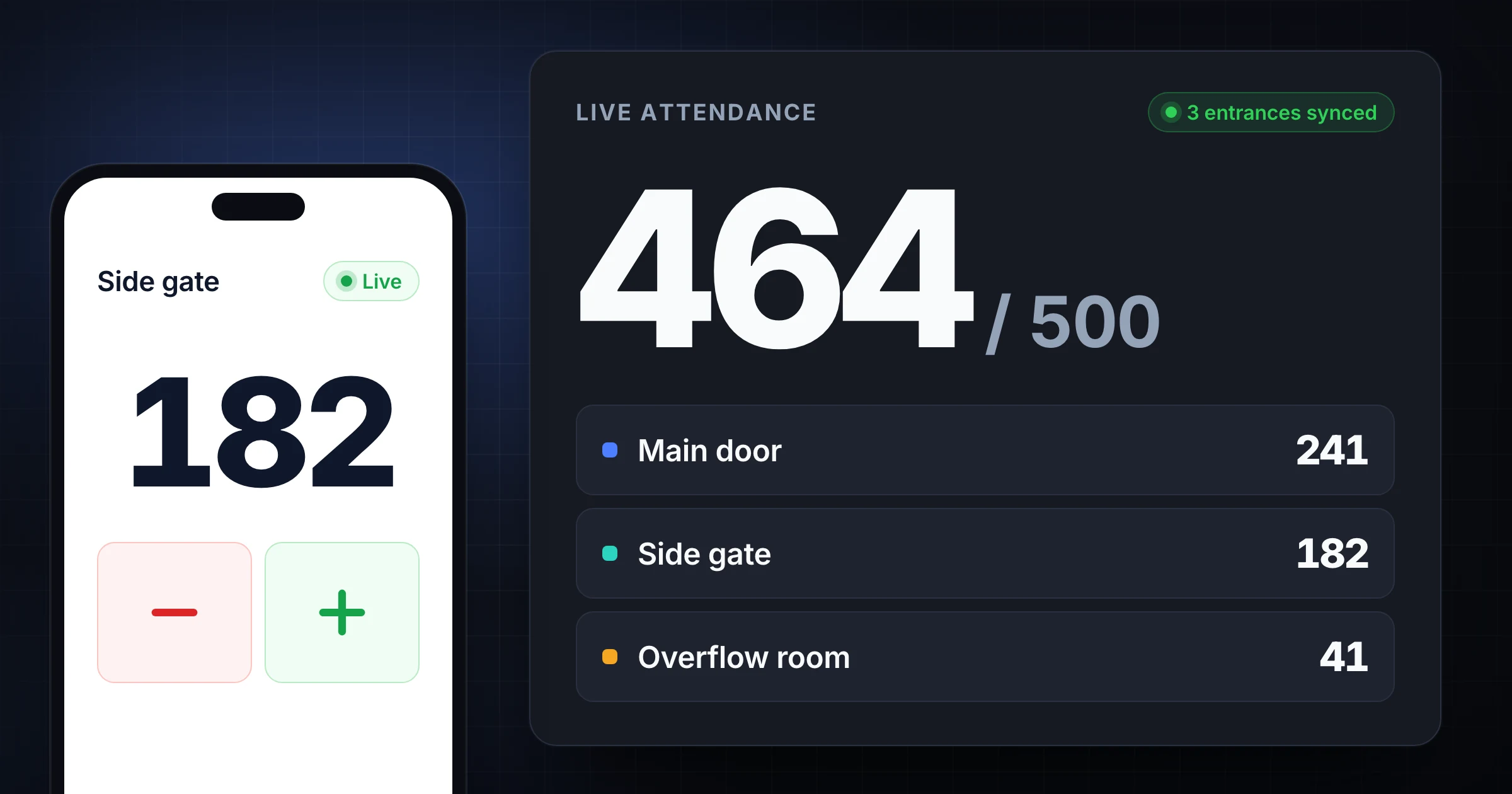
An attendance counter is a simple way to count people as they enter a room, venue, service, class, or event.
It gets complicated when attendance comes through more than one entrance. One volunteer covers the front door. Another watches the side gate. A third counts overflow seating. Someone asks a question, a family walks through together, and the final number becomes a guess unless the process is clear.
The fix is not expensive hardware. Most teams need 3 things first: a shared definition of who counts, named people at each entrance, and one live total everyone can trust.
Use SnapCount's free attendance counter when you need to count people now. If you are still planning the limit for a room or venue, start with the room capacity calculator guide. For high-volume doors, the double-counting guide goes deeper on thresholds, lanes, and re-entry. This guide shows how to set up attendance counting across multiple entrances for events, churches, venues, classes, and volunteer-run teams without losing the total.
What is an attendance counter?
An attendance counter is a tool or process used to count people during a defined activity.
It can be a mechanical clicker, a paper tally sheet, a spreadsheet, a check-in system, a door sensor, or a browser-based counter. The tool matters less than the rule behind the number.
Attendance counts usually answer one of these questions:
| Question | Example | Best counter setup |
|---|---|---|
| How many people are here right now? | Current room occupancy | Live count with entrances and exits |
| How many people attended? | Final event attendance | Inbound count, reconciled after entry closes |
| How many people used each entrance? | Gate staffing and flow | One counter per entrance |
| How many people were in each room? | Classes, overflow, breakout rooms | One counter per room |
| How many people came back after leaving? | Re-entry events | Separate in and out counters |
The phrase "attendance counter" can mean any of these. That is why the first step is deciding which attendance number you need before anyone starts tapping.
If you only need one final total at one doorway, almost any counter can work. If attendance is split across doors, rooms, services, shifts, or gates, use a setup that can combine counts live.
Start with the attendance rule
Attendance counting fails when each person uses a different definition.
Write the rule before the doors open. Keep it short enough for a volunteer to understand during a rush.
For a public event, the rule might be:
Count every attendee who crosses the gate line into the controlled area. Count staff and vendors separately. Do not count people who ask a question and leave before entering.
For a church service, the rule might be:
Count every person entering worship seating, including balcony and overflow. Track kids ministry and volunteers separately.
For a class or workshop, the rule might be:
Count every registered participant who enters the room. Do not count instructors, assistants, or observers.
The details depend on your operation, but the structure is the same:
| Rule area | Decision to make |
|---|---|
| People included | Attendees, staff, volunteers, children, vendors, performers |
| Physical threshold | Doorway, gate line, room entrance, seating area, check-in table |
| Timing | On arrival, at seating, after check-in, after doors close |
| Re-entry | Count again, restore previous count, or ignore quick exits |
| Reporting | Current occupancy, final attendance, per-room count, or trend report |
The International Code Council's crowd manager guidance notes that large events may need trained people watching crowd flow and safety responsibilities. Your local authority sets the rules, but the operational lesson is practical: attendance counts need named ownership when people are moving through a shared space.
Count by entrance, not by memory
If people enter through multiple places, do not ask one person to estimate the room after the fact.
Count at the entrances.
That creates a clear moment for each tap. A person crosses the threshold, the counter adds 1. The volunteer does not need to scan the whole room, remember late arrivals, or decide whether a moving group has already been counted.
For a medium event, the entrance plan might look like this:
| Entrance or area | Counter | Backup | Count rule |
|---|---|---|---|
| Main entrance | Alex | Priya | Count all attendee arrivals |
| Side entrance | Jordan | Sam | Count all attendee arrivals |
| VIP or speaker door | Casey | Lee | Count badge holders and speakers |
| Volunteer check-in | Morgan | Dana | Track separately from attendance |
| Overflow room | Riley | Pat | Count seated attendees when room opens |
One person should own the whole setup. That person is not necessarily counting at a door. They watch the live total, answer rule questions, and decide what happens when numbers approach a threshold.
This is where a shared counter is cleaner than separate clickers. With separate clickers, the lead has to collect numbers later and hope nobody reset early. With a shared attendance counter, every door contributes to one live total while still preserving local ownership.
Use live totals for decisions, not just reports
Attendance is not only a number you write down afterward.
The live count can change what the team does while the event is still happening. A venue lead can slow entry before the room gets too full. A church can open overflow seating before late arrivals stand in the lobby. A workshop host can add chairs before the second session starts. A school event can send another volunteer to the busiest door.
Set thresholds before the count starts:
| Threshold | Example for 500 capacity | Action |
|---|---|---|
| Watch | 400 | Lead checks entrances and room flow |
| Adjust | 450 | Open overflow, add seating, or redirect arrivals |
| Hold | 485 | Slow or pause entry until exits reduce the total |
Use practical capacity, not theoretical capacity. A room rated for 500 may hold fewer people once tables, aisles, AV gear, reserved seating, strollers, accessibility space, or vendor booths are in place.
If the space limit is unclear, start with the event capacity calculator or read the room capacity calculator guide for layout, buffer, and overflow planning. Then use the attendance counter to track the real number during the event.
Handle exits and re-entry carefully
There are 2 different attendance numbers:
- Total attendance: how many people came.
- Current occupancy: how many people are inside right now.
If people do not leave until the end, inbound attendance may be enough. If people leave and return, or if capacity matters, you need an exit rule.
Use this split:
| Situation | Recommended setup |
|---|---|
| One-time seated class | Count inbound only |
| Church service with limited movement | Count inbound by door, track overflow separately |
| Festival or market with re-entry | Count inbound and outbound at controlled gates |
| Venue with capacity pressure | Track current occupancy, not just total arrivals |
| Conference with breakouts | Count room entry separately from event check-in |
Re-entry rules should be plain:
- New attendee enters: add 1.
- Counted attendee exits and occupancy matters: subtract 1.
- Same attendee returns: add 1.
- Person steps outside the threshold briefly and comes back immediately: do nothing if the counter sees it clearly.
That last rule prevents noisy counts. A parent asking a question at a doorway should not create 2 false updates.
Choose the right tool for the risk
There is no single best attendance counter for every job.
The right tool depends on how many people are counting, whether the number needs to be live, and how much trust the final report requires.
| Tool | Best for | Watch out for |
|---|---|---|
| Mechanical clicker | One person at one door | No live sharing or history |
| Paper tally sheet | Small groups and backup records | Easy to lose or misread |
| Spreadsheet | Reporting after the count | Slow during busy entry |
| Check-in software | Named attendees and registration | May miss walk-ins, staff, vendors, or side doors |
| Door sensor | Unattended long-duration traffic | Cost, placement, and false counts |
| Shared attendance counter | Multi-door live counting | Needs clear roles and rules |
For many event and venue teams, the practical workflow is hybrid. Use check-in software for registrations, a shared attendance counter for live headcount, and a spreadsheet or report afterward for reconciliation. When the count is finished, use the count history export guide before anyone resets the session.
Do not make one tool answer every question. Ticket scans are good for registration history. Attendance counters are good for live people counts. Capacity calculators are good for planning the room. Each has a job.
Train counters for rush moments
Attendance counting is easy when people arrive one at a time. The process is tested when a group walks in together.
Give counters simple rush rules:
- Count heads, not families or groups.
- Count at the threshold, not in the line.
- If 5 people cross together, say "five" and add 5.
- If you miss a group, tell the lead immediately.
- If someone asks a long question, hand counting to the backup first.
- Do not reset until the final total is recorded.
Backups are not optional for busy entrances. The counter should watch the threshold. The backup can answer questions, handle exceptions, cover breaks, and take over during a rush.
For volunteer-run events, run a 2-minute practice count before doors open. Send a small group through the entrance, create one interruption, and confirm that the counter and backup know who does what.
Reconcile before the team leaves
Reconciliation should happen while the count is still fresh.
Collect the numbers immediately after entry slows or the session ends:
| Source | Count |
|---|---|
| Main entrance | 312 |
| Side entrance | 84 |
| VIP or speaker door | 27 |
| Overflow room | 41 |
| Volunteer count | 36 |
| Ticket scans or registrations | 392 |
| Reported attendee total | 464 |
Then write short notes:
- Side entrance opened 10 minutes late.
- Overflow room counted seated attendees only.
- Volunteers were tracked separately.
- Ticket scanner missed 18 walk-up attendees.
- Main entrance had a 50-person rush after parking reopened.
These notes make the next count better. They also protect the trend. If next week's attendance is 520, you can ask whether the event grew or whether the definition changed.
Common attendance counter mistakes
Most mistakes are process mistakes, not tapping mistakes.
| Mistake | Better approach |
|---|---|
| Counting without a written rule | Define who counts before doors open |
| Letting each entrance use its own definition | Use one rule card for every counter |
| Asking one person to estimate the room | Count at the entrance threshold |
| Combining check-in and counting roles | Let one person count while another handles problems |
| Ignoring exits when occupancy matters | Use in and out counts for live capacity |
| Resetting before recording the total | Save or write down the final count first |
| Reconciling the next day | Review while counters still remember exceptions |
The goal is a number your team can explain. A clean attendance count should answer what was counted, who counted it, when it was counted, and why the final number is trustworthy enough for the decision.
Where SnapCount fits
SnapCount works best when attendance counting moves beyond one person at one doorway.
Use the free attendance counter when you need a browser counter for doors, rooms, services, or gates. If the count becomes operational, SnapCount can support shared sessions, live updates, saved counters, teammates, and reports.
Event teams can use SnapCount for events to coordinate gate counts and capacity-sensitive entry. Churches can adapt the Sunday attendance workflow for services, overflow rooms, and kids ministry. Teams that only need a general count can start with the online tally counter and move into attendance-specific workflows when people counting becomes recurring.
The practical path is simple: define the rule, assign the entrances, count live, reconcile immediately, and save the final number where decisions happen.
Evidence and limitations
This guide describes a manual operating method tested against SnapCount's current shared-session workflow. The linked International Code Council material supports the crowd-management context, but local rules and venue procedures remain authoritative.
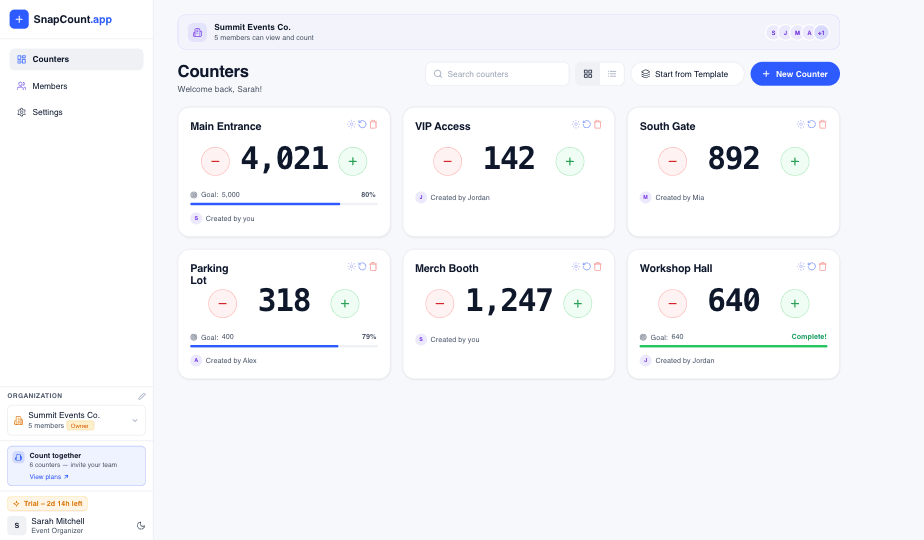
Attendance accuracy depends on the counting rule, entrance coverage, staff consistency, and reconciliation. SnapCount is not an automated people counter and does not certify attendance, occupancy, capacity, or compliance.
Frequently asked questions
What is an attendance counter?
An attendance counter is a tool or process for counting people at an event, service, class, venue, room, or entrance.
It can be a clicker, tally sheet, app, spreadsheet, check-in system, or shared digital counter. For multiple entrances, a shared attendance counter is usually cleaner because each counter contributes to one live total.
How do you count attendance across multiple entrances?
Assign one counter and one backup to each entrance, then combine the entrance counts into one live total.
Each entrance should use the same definition of who counts and when to tap. The lead should watch the combined total, answer rule questions, and reconcile the final number before the team leaves.
Is a clicker enough for attendance counting?
A clicker is enough when one person counts one doorway and the final number does not need to be shared live.
For multiple doors, live capacity, recurring reports, or volunteer teams, a shared attendance counter is better because it reduces reconciliation work and makes the total visible while the event is happening.
Should attendance counters track exits?
Track exits when current occupancy matters.
If you only need total attendance, inbound counts may be enough. If the room has a capacity limit or people can leave and return, count exits and returns so the live number reflects who is inside right now.
What is the easiest attendance counter for volunteers?
The easiest volunteer setup is one browser-based counter per entrance with a shared live total.
Volunteers can open the counter on their own phones, count at a clear threshold, and avoid installing hardware. The process still needs a written rule, named backups, and a quick reconciliation after the count.
Topics: attendance counter, people counting, event attendance, multi entrance counting
About SnapCount Team
The SnapCount Team builds and tests shared counting workflows for events, inventory, attendance, and field work. We review guides when product workflows change and link to the tools we use to validate them.
Contact SnapCount support