
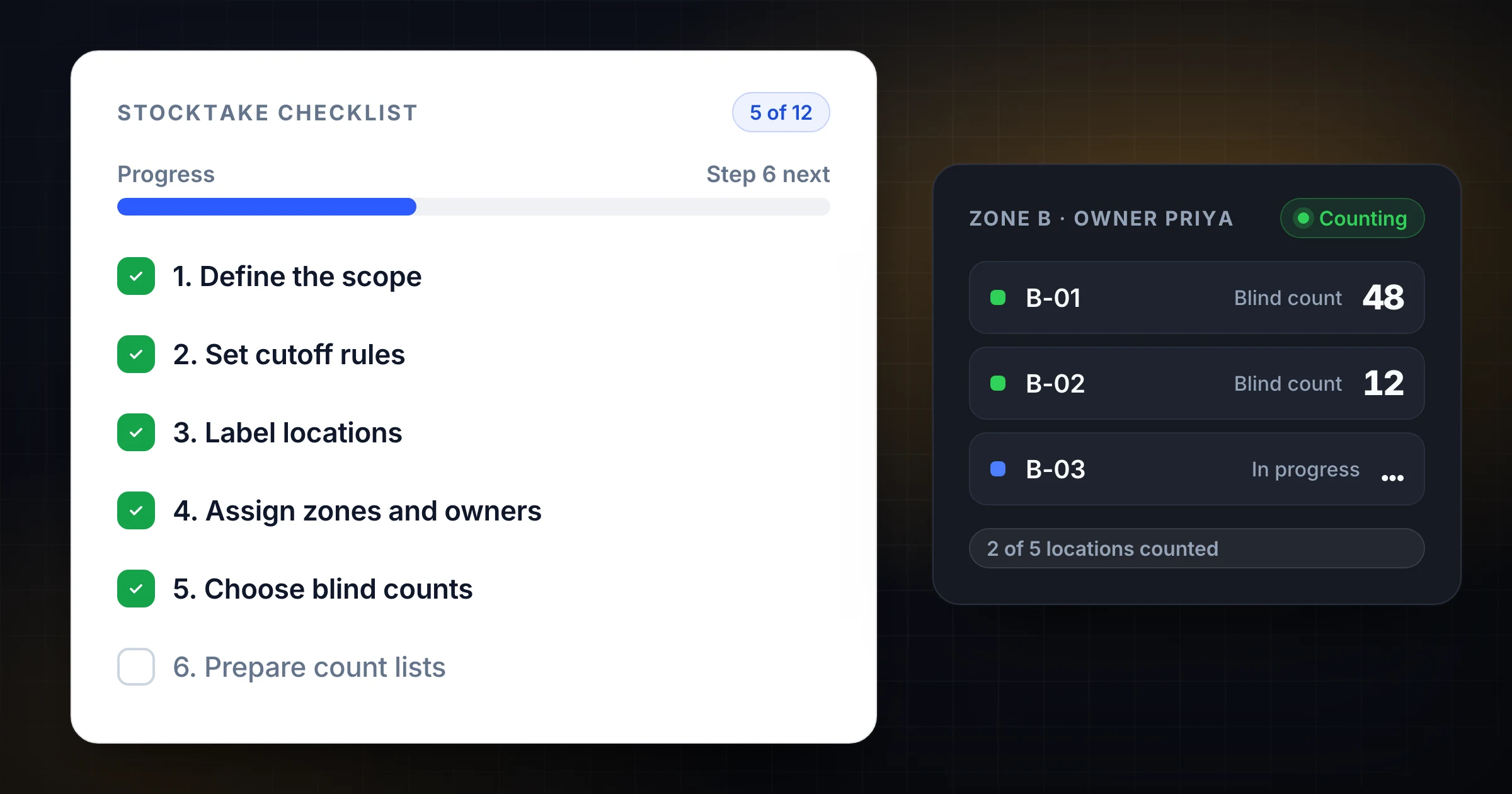
A stocktake checklist is the operating plan for a physical inventory count. It tells your team what to freeze, what to count, who owns each zone, how variances get reviewed, and when inventory records can be updated.
Without that checklist, a stocktake turns into a long day of questions. Can receiving keep putting pallets away? Who is counting quarantine stock? Are open picks included? Which count wins when two people record different quantities?
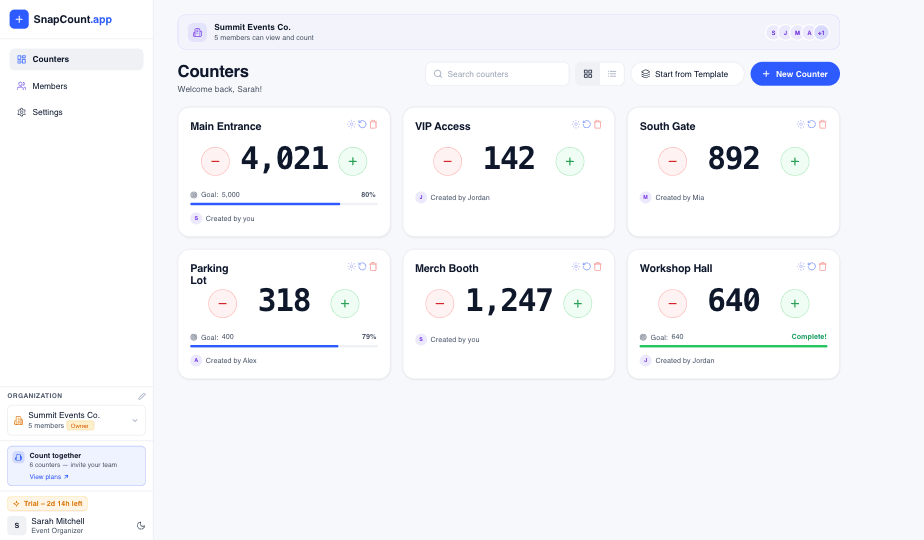
This guide gives you a 12-step stocktake checklist warehouse teams can use before, during, and after the count. If you want a continuous process instead of a one-off physical count, pair this checklist with the cycle counting best practices guide. If you need a shared counting workflow for several counters on the floor, SnapCount supports warehouse stocktakes and cycle counts.
What a stocktake checklist needs to control
A stocktake is not just counting boxes. It is a temporary control process.
For a few hours or days, the warehouse needs tighter rules than normal. Inventory may still be moving, but every movement has to be visible. Counters need clean zones. Supervisors need a way to separate counting errors from real variances. Finance needs a record that explains why the final adjustment is trustworthy.
A good checklist controls 5 things:
- Scope: which products, bins, locations, and inventory statuses are included.
- Movement: what happens to receiving, putaway, picking, transfers, returns, and quarantine stock.
- Ownership: who counts each area and who approves recounts.
- Evidence: how counts, notes, photos, and variance causes are recorded.
- Closeout: when adjustments are posted and when normal operations resume.
If any one of those is vague, the count slows down. Worse, the final number can be technically complete but operationally unreliable.
Step 1: define the stocktake scope
Start by writing down exactly what the stocktake covers.
Do not use a loose phrase like "all inventory." That can mean different things to different teams. Be specific:
| Scope question | Example answer |
|---|---|
| Which sites are included? | Main warehouse and overflow storage |
| Which zones are included? | Aisles 1 to 14, returns cage, quarantine rack, packing supplies |
| Which inventory statuses count? | Available, damaged, quality hold, customer-owned stock |
| Which items are excluded? | Fixed assets, office supplies, vendor-owned consignment stock |
| Which system is the source of record? | WMS on hand balance as of 6:00 p.m. Friday |
Scope also needs a timing boundary. If the stocktake starts after Friday close, define which transactions are in the book balance and which are held for Monday. A clean cutoff prevents the most common argument after the count: "Was this pallet supposed to be included?"
For small teams, this can fit on one page. For larger teams, scope should be part of the count packet that every lead receives.
Step 2: set the cutoff rules for movement
Inventory movement is the fastest way to ruin a stocktake.
You do not always need a full warehouse shutdown. Many teams cannot pause customer orders for a day. But you do need explicit movement rules before anyone starts counting.
Use rules like these:
- Receiving can unload trucks, but received pallets stay in a clearly marked hold area until the count is closed.
- Putaway stops in counted zones unless the stocktake lead approves an exception.
- Picking stops in a zone while that zone is under count.
- Urgent customer orders are logged on an exception sheet with SKU, quantity, location, time, and approver.
- Returns and damaged goods are counted in separate locations before they move back to available stock.
The point is not to make operations perfect. The point is to make every exception traceable. If 12 units leave a bin during the count window, the supervisor should see that movement before calling the count wrong.
Step 3: clean and label locations before count day
Do cleanup before the stocktake, not during it.
Counters should not spend count day deciding whether an unmarked carton belongs to SKU A or SKU B. They should not need to move scrap, relabel bins, split mixed pallets, or guess whether a product is damaged or available.
At least 1 week before the count, walk every zone and fix the basics:
- Bin labels are visible and match the system.
- Mixed pallets are separated or clearly tagged.
- Damaged, returned, expired, and quality-hold stock are physically distinct.
- Empty locations are marked as empty where your process requires it.
- Unidentified stock is researched or moved to a controlled exception area.
- Loose eaches, broken cases, and partial cartons are consolidated.
This preparation feels mundane, but it has a direct effect on count accuracy. The U.S. Government Accountability Office's guide on consistent and accurate physical counts emphasizes written procedures, supervision, and controlled count conditions. Clean locations are part of that control.
Step 4: assign count zones and owners
Every count area needs one owner.
That owner may have several counters, but one person is accountable for completion, exceptions, and handoff to reconciliation. Without that ownership, gaps hide between shifts and zones.
A simple assignment table is enough:
| Zone | Count owner | Counters | Target finish | Notes |
|---|---|---|---|---|
| Aisles 1 to 4 | Inventory lead | 2 | 10:30 a.m. | High-value A items |
| Aisles 5 to 9 | Warehouse supervisor | 3 | Noon | Fast movers |
| Returns cage | Returns lead | 1 | 9:30 a.m. | Separate damaged stock |
| Overflow storage | Operations manager | 2 | 2:00 p.m. | Requires forklift |
Assign zones by physical flow, not alphabetical SKU order. A counter should move through a clear path: aisle, bay, shelf, bin. If the list jumps across the building, walking time rises and missed locations become more likely.
Step 5: choose blind, visible, or two-person counts
Not every item needs the same count method.
Blind counts hide the expected system quantity from the counter. They are best for high-value items, audit-sensitive products, and any stock where a variance would trigger a financial adjustment. Blind counts reduce the temptation to make the shelf match the system.
Visible counts show the expected quantity. They can work for low-risk supplies, slow movers, or areas where speed matters more than precision.
Two-person counts are useful when the item is expensive, easy to miscount, or physically awkward. One person counts. The second confirms units of measure, pack size, location, and written quantity.
Use this rule of thumb:
| Inventory type | Suggested method |
|---|---|
| A items, high-dollar stock, regulated items | Blind count plus supervisor review |
| Fast movers with recent variances | Blind count, then recount if outside tolerance |
| Low-value C items | Visible count or sample count |
| Bulk pallets or nested packaging | Two-person count |
| Damaged, returns, quarantine | Separate count with status notes |
If you already run cycle counts, use your ABC analysis to decide which items deserve the strictest method.
Step 6: prepare count sheets or digital lists
The count list should remove ambiguity.
Whether you use paper sheets, spreadsheets, a WMS task list, or SnapCount, each line should show the same core fields:
- Location.
- SKU or item number.
- Item description.
- Unit of measure.
- Lot, serial, expiration, or batch where applicable.
- Quantity counted.
- Counter name.
- Time counted.
- Notes or exception reason.
Avoid free-form records where counters write whatever they think matters. A consistent format makes reconciliation much faster. It also helps the team spot patterns after the count, such as repeated unit-of-measure confusion or one zone producing most of the variances.
If you use paper, number every sheet and require the zone owner to return all sheets, including blank or voided pages. Missing sheets create audit problems later.
Step 7: brief the team before counting starts
Do a short kickoff before anyone enters the aisles.
This briefing should cover the rules that prevent rework:
- Which zones each team owns.
- Which movement rules are active.
- How to count partial cases, mixed pallets, and damaged goods.
- When to request a recount.
- Who approves exceptions.
- What time each zone must be complete.
Keep the briefing practical. Show one or two examples from your actual warehouse. For example, "If you see a sealed case of 24 plus 7 loose units, record 31 eaches, not 1 case plus 7." That one sentence can prevent a whole batch of unit-of-measure variances.
Step 8: count every location, including empty ones
Stocktakes often miss empty locations because empty feels like nothing to record.
That is a mistake. An empty location can be the evidence that the system is wrong. If the WMS says bin B-04-02 has 18 units and the bin is empty, that is a real count result.
Require counters to mark every assigned location as counted, even when the physical quantity is zero. This is especially important for:
- Forward-pick bins.
- Reserve locations.
- Returns areas.
- Quarantine or quality-hold stock.
- Overflow pallets.
- Temporary staging areas.
The checklist should make completion visible by location, not just by SKU. A zone is not done because most SKUs were counted. A zone is done when every included location has a count result or approved exception.
Step 9: flag exceptions immediately
Do not let counters bury exceptions in notes that nobody reads until the next day.
Create a simple escalation path. Counters should flag these issues immediately:
- Unlabeled stock.
- Product found in the wrong location.
- Mixed SKUs in one bin.
- Damaged product mixed with available stock.
- Quantity too large to count safely.
- Open movement in a location being counted.
- System item not found physically.
- Physical stock not found in the system.
The stocktake lead can then decide whether to recount, quarantine, research transactions, or move the item to an exception list. Fast escalation keeps one bad location from slowing a whole zone.
Step 10: reconcile variances before posting adjustments
Do not post every difference as soon as it appears.
First, reconcile the variance. A count of 42 where the system says 48 may be a true shortage. It may also be an open pick, an unposted receipt, a transfer in progress, damage sitting in the wrong status, or a pack-size misunderstanding.
Use a consistent review path:
| Review step | Question |
|---|---|
| Recount | Did a second count confirm the physical quantity? |
| Transaction check | Are there open picks, receipts, transfers, or returns? |
| Alternate location check | Is the stock in another bin, staging area, or hold cage? |
| Unit check | Did the counter record cases instead of eaches, or eaches instead of cases? |
| Cause code | Can the team explain the variance in a useful category? |
| Approval | Does the adjustment need supervisor or finance signoff? |
The goal is not to avoid adjustments. The goal is to avoid bad adjustments. A wrong correction can be worse than a wrong starting balance because the team now trusts a number that was never properly reviewed.
Step 11: close the count and restart operations carefully
Once zones are counted and variances are approved, close the count in a controlled sequence.
First, confirm that every zone owner has handed in their count records. Next, confirm that every exception has a status: resolved, recounted, adjusted, or held for follow-up. Then post approved adjustments to the system of record.
Only after those steps should normal movement resume in counted zones.
This order matters. If picking restarts before adjustments are posted, the system and shelf can drift again before the stocktake is officially closed. If receiving starts putting away held pallets before the count file is finalized, cutoff gets messy.
Tell the team exactly when the freeze ends. A clear restart message prevents people from guessing.
Step 12: review what the stocktake revealed
The stocktake is not finished when the count is posted.
Schedule a short review within 3 business days. Look for patterns that need process fixes:
- Which zones had the most variances?
- Which SKUs had the largest dollar adjustment?
- Which variance causes appeared most often?
- Which locations were hard to count?
- Which movement rules were unclear?
- Which count sheets or digital fields created confusion?
Then decide what changes before the next count. Maybe receiving needs carton verification for one vendor. Maybe damaged stock needs a better holding area. Maybe the team should move from annual physical counts to a cycle count frequency that catches issues earlier.
A stocktake should improve the warehouse, not just update the balance sheet.
The 12-step stocktake checklist
Use this as the working version for your next warehouse count.
| Step | Checklist item | Done |
|---|---|---|
| 1 | Define sites, zones, inventory statuses, exclusions, and cutoff time | |
| 2 | Set movement rules for receiving, putaway, picking, returns, and transfers | |
| 3 | Clean locations, labels, mixed pallets, damaged stock, and unidentified items | |
| 4 | Assign zone owners, counters, target finish times, and escalation contacts | |
| 5 | Choose blind, visible, or two-person count methods by inventory risk | |
| 6 | Prepare count sheets or digital lists with consistent fields | |
| 7 | Brief counters on scope, unit of measure, exceptions, and deadlines | |
| 8 | Count every included location, including empty bins | |
| 9 | Flag exceptions immediately and give each one an owner | |
| 10 | Recount and reconcile variances before posting adjustments | |
| 11 | Close the count, post approved adjustments, then restart movement | |
| 12 | Review variance patterns and update the process for next time |
Evidence and limitations
This checklist draws on the linked U.S. Government Accountability Office inventory-control guidance and SnapCount's current manual shared-counter workflow. Adapt it to the controls, systems, and approval responsibilities of the organization running the stocktake.
The checklist does not replace accounting policy, inventory-control review, safety procedures, or the organization's system of record. Example fields and thresholds are starting points, not guaranteed controls.
Frequently asked questions
What is included in a stocktake checklist?
A stocktake checklist should include scope, cutoff rules, location cleanup, zone assignments, count methods, count sheets, exception handling, variance review, adjustment approval, and post-count review.
The checklist should be specific enough that a counter knows what to do in the aisle and a supervisor knows what evidence is needed before the inventory record changes. Generic reminders are not enough.
How do you prepare for a warehouse stocktake?
Prepare by cleaning locations, confirming labels, separating damaged or returned goods, setting movement rules, assigning zone owners, and preparing count lists before count day.
The preparation work matters because most stocktake problems are created before the first count. If bins are mixed, labels are missing, and cutoff rules are unclear, the count team spends the day fixing setup problems instead of counting.
Should a stocktake be blind counted?
High-value and high-risk items should usually be blind counted. Low-risk supplies can use visible counts if speed matters and the adjustment risk is small.
Blind counting prevents counters from anchoring on the system quantity. It is especially useful for A items, repeated variance SKUs, regulated stock, and any count that could create a material adjustment.
How often should a warehouse do a stocktake?
Many warehouses run a full stocktake once a year, but teams with active inventory should also use cycle counting throughout the year.
Annual counts can satisfy financial and operational requirements, but they find problems late. Daily or weekly cycle counts help you catch errors closer to the receiving, picking, or transfer mistake that created them.
Who should approve stocktake adjustments?
A supervisor, inventory control lead, or finance-approved manager should approve material stocktake adjustments.
Counters should record what they physically find. The approval owner should review recounts, open transactions, alternate locations, unit-of-measure issues, and cause codes before the final adjustment is posted.
Topics: stocktake checklist, stocktake, physical inventory, warehouse operations
About SnapCount Team
The SnapCount Team builds and tests shared counting workflows for events, inventory, attendance, and field work. We review guides when product workflows change and link to the tools we use to validate them.
Contact SnapCount support