
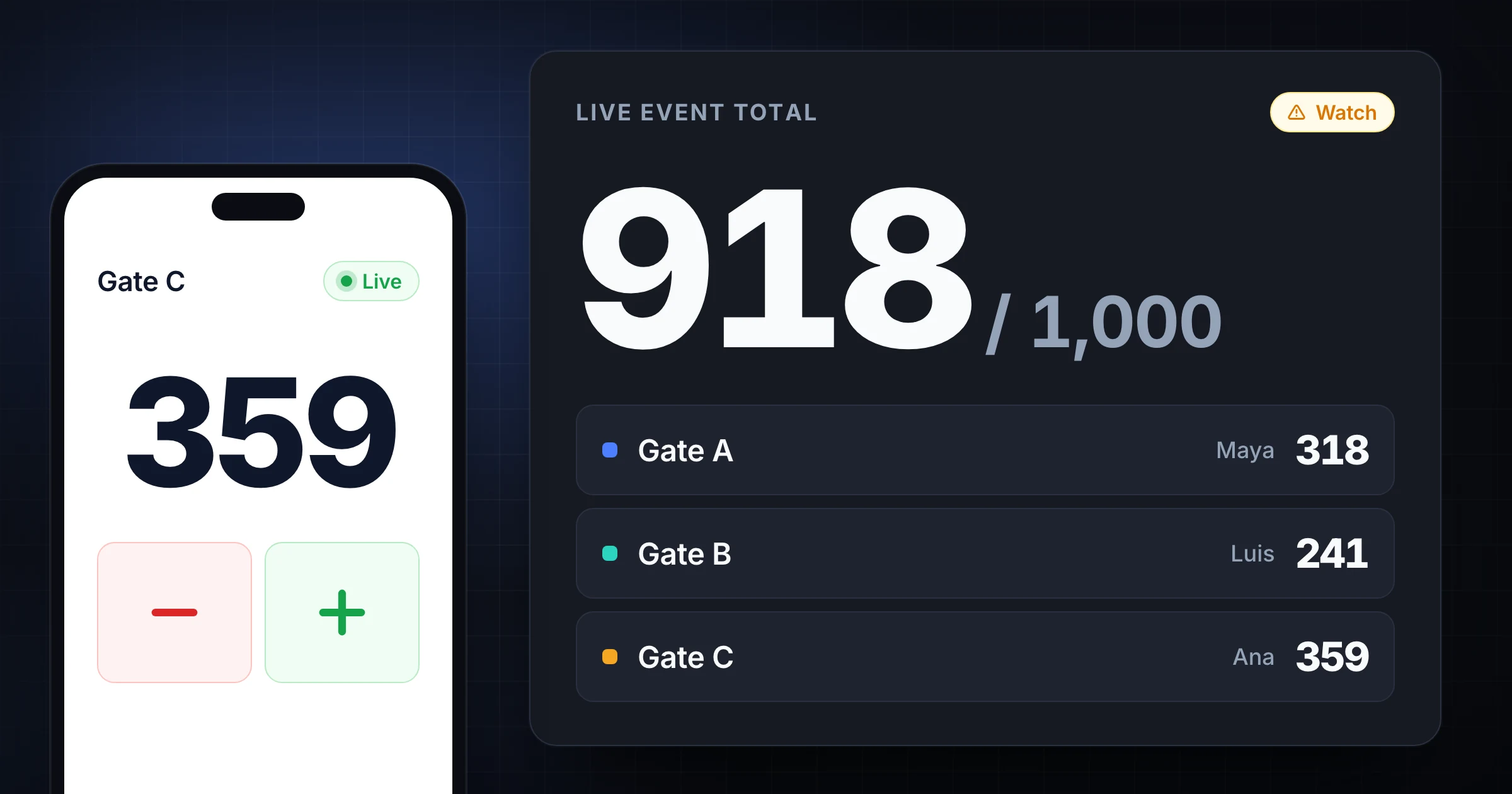
Event headcount gets hard the moment you have more than one entrance.
One volunteer counts the main gate. Another watches VIP check-in. A third covers re-entry. The crowd arrives in waves, someone asks a question, a family walks through together, and 20 minutes later nobody is sure whether the total is 614 or 641.
That is not a small difference when your venue has a posted capacity, a fire marshal asks for the current number, or the organizer needs paid attendance reconciled against check-in scans. A single clicker works for one door. It breaks down when 1,000 people enter through multiple gates.
This guide shows you how to run event headcount at the gate without losing the total. You will set counting rules, assign roles, track live capacity, handle re-entry, and reconcile the number after doors close. If you need the capacity side first, use the event capacity calculator or the room capacity calculator guide. If you already know the limit, open the attendance counter app and use the workflow below to count toward it. For a lighter people-counting setup across entrances or rooms, start with the attendance counter guide. If the entrances are crowded, use the busy entrance double-counting guide. If you are still comparing clickers, apps, ticket scans, sensors, and cameras, read the crowd counting methods guide.
Start with the number you are protecting
Before anyone counts, write down the number that matters.
For some events, that number is the building's posted maximum occupancy. For others, it is a fire department limit for a temporary layout, a ticket allotment, a seated capacity, or a staffing threshold. A church service, conference reception, outdoor festival, school fundraiser, and theater lobby all have different limits.
The count exists to protect that number. It is not just a vanity attendance total.
Decide these basics before doors open:
- Maximum people allowed inside the controlled area.
- Whether staff, volunteers, vendors, performers, and children count against the limit.
- Whether re-entry should reduce and restore the live total.
- Which entrances are active.
- Which exits need outbound counts.
- Who can pause entry when the count approaches the limit.
The International Code Council notes in its crowd manager training guidance that crowd manager requirements can apply at larger events, including one trained crowd manager per 250 attendees under the International Fire Code and related code training. Your local authority has the final say, but the practical point is simple: large events need named people watching crowd flow, not just ticket sales on a dashboard.
Define what counts as an attendee
Most headcount mistakes are definition mistakes.
At a gate, staff need short rules they can remember while people are moving. Do not hand volunteers a policy memo. Give them a count card with 5 rules.
For a general admission event, the rules might be:
| Person type | Count in live headcount? | Note |
|---|---|---|
| Ticketed attendee | Yes | Count when they cross the gate line |
| Child attendee | Yes | Count unless the venue rule excludes them |
| Staff and volunteers | Usually yes | Confirm against the capacity rule |
| Vendor or performer | Usually yes | Count if they enter the controlled area |
| Delivery driver | No | Count only if they remain inside |
| Immediate re-entry | No new add | Restore only if they were counted out |
The exact rules can change. The important part is consistency. If Gate A counts children and Gate B does not, the live total is wrong even if both volunteers are careful.
Write the rules around the physical threshold. "Count when the person crosses the gate line" is clearer than "count when they arrive." The gate line can be a stanchion, doorway, rope, table, or tent opening. Everyone should count the same moment.
Split the work by gate, not by person
At 1,000 attendees, you cannot treat the whole entrance as one counting job. Split the work by gate.
Each active entrance should have:
- One named counter.
- One backup counter for breaks and rushes.
- One clear direction: inbound, outbound, or both.
- One device or clicker assigned to that gate.
- One escalation contact.
Avoid shared clickers. If two people hold the same mechanical counter during a rush, you will never know where the mistake happened. A better setup is one counter per gate, with the totals rolling into one shared event total.
For example:
| Gate | Purpose | Counter | Backup | Count direction |
|---|---|---|---|---|
| Main gate | General admission | Alex | Priya | In only |
| North gate | Sponsor and VIP | Jordan | Sam | In only |
| Side gate | Re-entry wristbands | Casey | Lee | In and out |
| Volunteer door | Staff arrival | Morgan | Dana | In only |
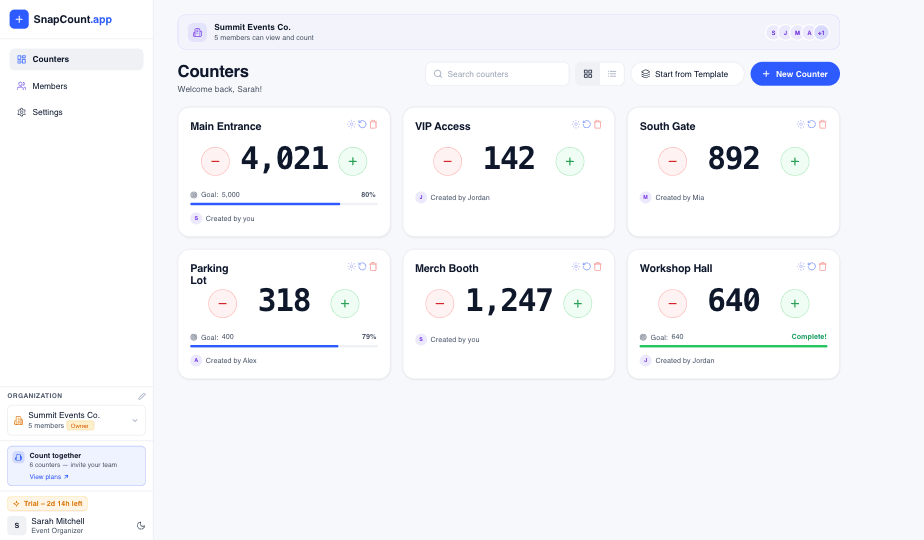
With SnapCount, each gate can be a separate counter inside the same event workspace. Staff count from their phones, and the lead sees the total update live across every gate. See the event counting workflow if you need multiple staff counting at once.
Use a live capacity buffer
Do not wait until the count equals the limit to act. By then, the next group may already be walking in.
Set 3 thresholds:
| Threshold | Example for 1,000 capacity | Action |
|---|---|---|
| Watch | 800 | Lead checks all gate counts and staffing |
| Slow | 900 | Gate staff prepare to meter entry |
| Stop | 970 to 990 | Entry pauses unless exits lower the live total |
The buffer depends on event type. A seated performance with assigned seats can run closer to the limit because entry is controlled. A standing-room event with re-entry, late arrivals, and several side doors needs more margin.
The event lead should own the threshold calls. Gate counters should not debate capacity while counting. Their job is to count accurately and follow the call: normal entry, slow entry, or stop entry.
If you expect heavy walk-up traffic, post a simple internal message before doors open:
Capacity limit: 1,000
Watch threshold: 800
Slow threshold: 900
Stop threshold: 980
Capacity lead: Maya
Only Maya can reopen entry after a stop
That removes hesitation when the crowd is in front of you.
Decide how re-entry works
Re-entry is where good counts fall apart.
If attendees can leave and return, you need an outbound process. Otherwise, the live number only climbs. That may be fine for total attendance, but it is not fine for current occupancy.
There are 3 common options:
- No re-entry tracking. Use this only when live occupancy does not matter, or when exits are rare.
- Count exits and returns. Subtract when a person leaves the controlled area, add when they return.
- Use a re-entry gate. Force wristband or badge re-entry through one controlled point.
For capacity-sensitive events, option 2 or 3 is safer. The side gate can run two counters: "out" and "in." The lead watches net occupancy, not just gross arrivals.
Use clear language with staff:
- New attendee enters: add 1.
- Counted attendee exits temporarily: subtract 1.
- Same attendee returns: add 1.
- Person walks out by mistake and immediately steps back in: do nothing if the counter can clearly see it.
The last rule prevents noise. If someone crosses the rope to ask a question and steps back in, counting both movements creates false churn.
Train for rush moments
Counting is easy when people arrive one by one. The system is tested when a shuttle unloads, a service ends, or ticket scanning slows down and the line surges.
Train counters on these rush rules:
- Count heads, not groups.
- Count at the threshold, not in the line.
- If 6 people pass together, say "six" out loud and add 6.
- If you miss a group, call it immediately instead of guessing later.
- If you are interrupted, stop counting for 2 seconds, reset your eyes to the threshold, then continue.
- Ask the backup counter to take over before you answer long questions.
The backup counter matters. A volunteer who is counting should not also solve ticket problems, direct vendors, answer parent questions, and check wristbands. That is how misses happen.
For high-volume arrivals, put the friendliest problem solver next to the counter, not in place of the counter. The counter watches the line. The problem solver handles exceptions.
Keep ticket scans and headcount separate
Ticket scans are useful, but they are not always the same as headcount.
Ticketing systems can miss walk-ins, staff, vendors, performers, children, comped guests, people with paper lists, and people who enter through a side door. They can also overstate current occupancy if people leave after scanning in.
Use ticket scans as one record and event headcount as another:
| Record | Best for | Weakness |
|---|---|---|
| Ticket scans | Paid admission and check-in history | May miss non-ticketed people and exits |
| Live headcount | Current occupancy and gate flow | Needs trained counters |
| Final reconciliation | Attendance reporting after the event | Requires comparing both records |
If your scan count says 842 and live headcount says 889, do not assume one is wrong. First ask what each number includes. Staff, volunteers, and vendors may explain the gap. So may re-entry, group tickets, failed scans, or side-door entry.
For event teams using templates, create a saved setup for each recurring event type in the templates hub. A festival gate plan, Sunday service plan, and conference check-in plan should not start from a blank page every time.
Reconcile before everyone leaves
The best time to fix count uncertainty is while the team is still on site.
Before counters leave, gather 5 numbers:
- Live final headcount.
- Gross inbound count by gate.
- Outbound count by gate, if used.
- Ticket scan or registration check-in total.
- Known exceptions, such as staff, vendors, VIP list entries, or manual check-ins.
Then compare them in a short reconciliation table. If the report needs to be saved or shared, follow the event count history export checklist before any counter is reset.
| Source | Count |
|---|---|
| Main gate inbound | 721 |
| North gate inbound | 168 |
| Volunteer door inbound | 42 |
| Side gate net re-entry | -13 |
| Live final occupancy | 918 |
| Ticket scans | 876 |
| Known non-ticketed staff and vendors | 39 |
In this example, the live number and ticket number are close enough to explain. Ticket scans plus known non-ticketed people equals 915. The remaining gap of 3 may be normal counting noise.
If the gap is 40, investigate before the volunteers go home. Which gate was busiest? Did one device lose connection? Did a side door open? Did a group bypass scanning? A same-day review turns a vague problem into a fix for the next event.
A 30-minute setup plan
You do not need a complex operations plan for every event. You need a repeatable setup that can be taught quickly.
Use this 30-minute pre-event checklist:
- Confirm capacity limit and counting rules.
- List every active entrance and exit.
- Assign a counter and backup to each gate.
- Create one counter per gate.
- Create separate inbound and outbound counters where re-entry matters.
- Set watch, slow, and stop thresholds.
- Test every device from the actual gate location.
- Run a 2-minute practice count with a small group.
- Tell staff who owns stop-entry decisions.
- Record exception rules for staff, vendors, performers, and children.
If you run recurring events, keep this checklist in the event folder. The next team should not have to rediscover the rules.
Common event headcount mistakes
Counting tickets instead of people. Tickets are not the same as bodies in the venue. Count the people who cross the threshold.
Letting every gate invent its own rules. One gate cannot count kids while another ignores them. A shared rule card prevents silent drift.
Ignoring exits. If live capacity matters, outbound movement matters too. Gross attendance and current occupancy are different numbers.
Combining check-in and counting roles. The person solving ticket problems will miss people crossing the threshold.
Waiting too long to slow entry. Capacity calls need a buffer. The line does not stop instantly.
Reconciling the next day. By then, nobody remembers the side-door exception or the 30 volunteers who came in before scanning opened.
Evidence and limitations
This workflow was reviewed against SnapCount's current manual shared-counter behavior and the linked International Code Council crowd-management guidance. The example counts are illustrative, not customer results.
SnapCount does not certify occupancy, venue capacity, fire-code compliance, or crowd safety. Confirm requirements, thresholds, staffing, and emergency procedures with the venue and relevant authorities.
Frequently asked questions
What is event headcount?
Event headcount is the count of people inside or entering an event during a defined period.
For operations, it usually means current occupancy, not just total attendance. Current occupancy changes when people enter, exit, and return. That is why capacity-sensitive events need gate counts and exit rules, not only ticket scans.
How do you count people at multiple gates?
Assign one counter to each gate and roll the gate totals into one live event total.
Each gate should have its own counter, backup, and rules for inbound or outbound movement. The event lead watches the combined total and makes capacity calls when thresholds are reached.
Should staff and volunteers count toward event capacity?
Often yes, but the final rule depends on the venue, layout, and local authority.
Do not assume capacity only means paid guests. Staff, volunteers, vendors, performers, and contractors may still occupy the controlled area. Confirm the rule before doors open and put it on the gate count card.
Is ticket scanning enough for event headcount?
Ticket scanning is not always enough for live headcount.
Scans are useful for paid attendance and check-in history, but they may miss staff, vendors, children, side-door entries, failed scans, and exits. Use scans and headcount together when capacity or crowd flow matters.
How accurate does an event headcount need to be?
It needs to be accurate enough to support the decision it controls.
If the count protects a capacity limit, build in a buffer and investigate large discrepancies immediately. If the count is only for post-event reporting, a small variance may be acceptable, but the team should still use consistent definitions.
Topics: event headcount, gate counting, crowd counting, event operations
About SnapCount Team
The SnapCount Team builds and tests shared counting workflows for events, inventory, attendance, and field work. We review these articles when product workflows change and link to the tools we use to validate them.
Contact SnapCount support