
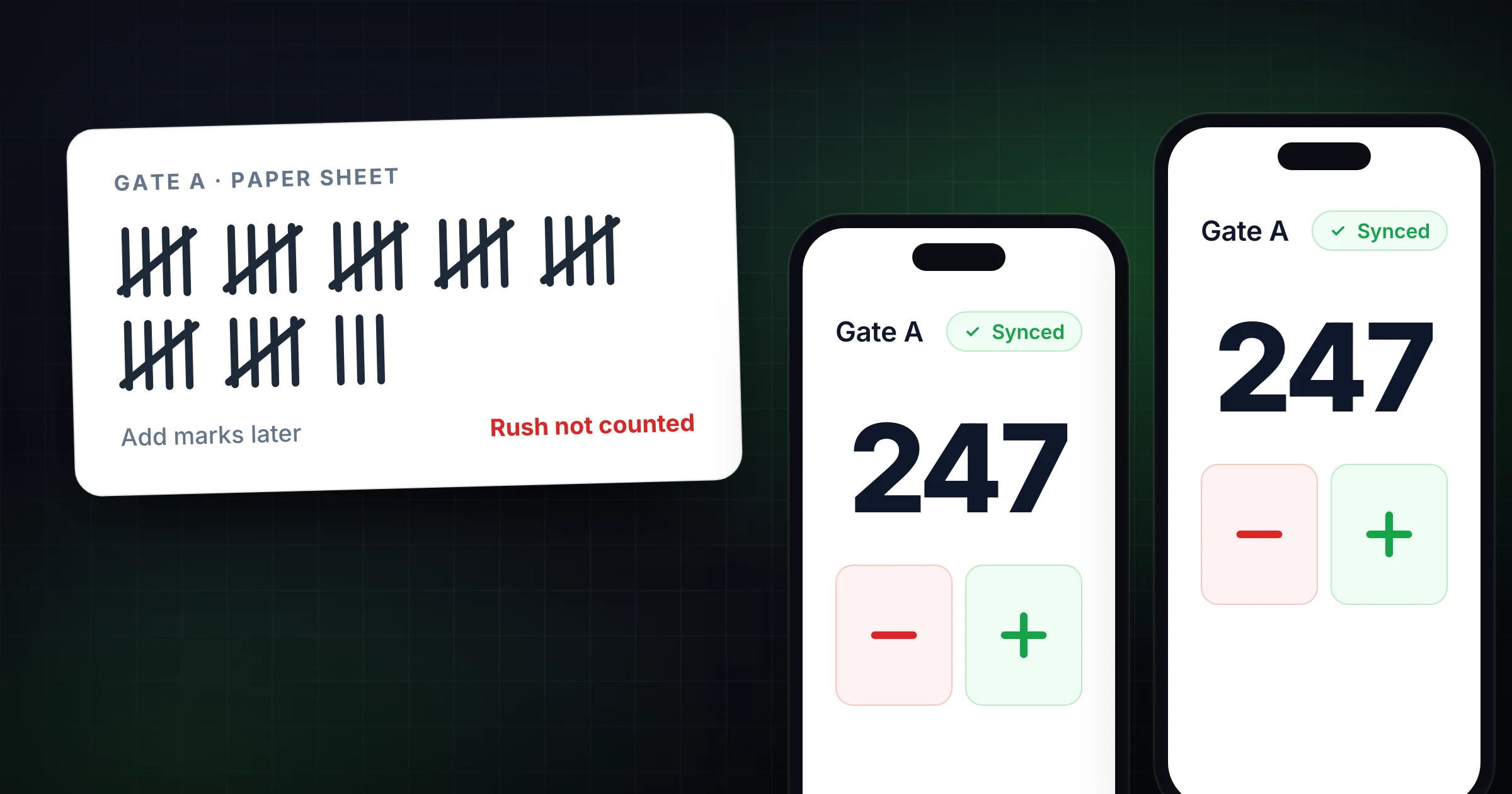
Short answer: to stop adding up tally sheets from several workers, give each worker their own counters on their phone, named the same for everyone. Once 2 workers share a counter name, the Totals tab adds everyone up live as they count, so nothing is left to total at the end of the day. On Pro, export the day's totals as CSV or JSON, or have them emailed on a schedule.
The clipboard is full. The spreadsheet has three tabs named "FINAL," "final2," and "use this one." Two volunteers are texting totals while someone else adds tally marks in groups of five before the doors close.
That is not a counting problem. That is a reconciliation tax, and it shows up every time a paper tally sheet or shared Excel file is asked to do live, multi-person work.
This guide is the upgrade path from clipboard and spreadsheet tallies into a live shared SnapCount counter: when to stay on paper, how to prove multi-device sync for free with Guest Mode, and when Pro is worth paying for. Written by SnapCount (Lead Catalyst). Verify current plan details on pricing before you buy.
Quick ladder: Keep a sheet for one person and low stakes → prove Guest Mode live sync with a second phone → move to Pro only when the count must survive as a saved record with export and reports.
Honest limit: SnapCount is a manual collaborative counting tool. It does not automatically detect people or objects, replace venue procedures, or certify a count for legal, medical, safety, fire-code, capacity, or regulatory purposes.
When a paper or spreadsheet tally sheet is still fine
A paper tally sheet or simple spreadsheet still wins when:
- One person owns every mark and nobody else needs the live total
- The count is temporary and low-risk
- Phones are not allowed, or policy prefers a clipboard
- You only need a printable chart for later data entry, not a multi-device ops total during the rush
If that is your job, do not overbuild. SnapCount's free tally sheet generator lets you build categories in the browser and download a CSV for Excel, Google Sheets, or Numbers. Treat that as a starting point, not the whole answer once a second door or second phone joins.
For short comparisons, see SnapCount vs pen and paper and SnapCount vs Google Sheets. This post is the path out of sheet-based reconciliation.
Next action: One owner, low risk → keep the sheet. Two contributors → Guest Mode proof below.
Where sheets break once the count is shared work
Paper and spreadsheets fail in predictable ways once the job spans people, places, or shifts:
- Collecting clipboards and hoping handwriting is legible
- Miscounting tally marks or losing your place mid-page
- After-the-fact rollups: texts, photos of sheets, "who has the real number?"
- Two phones editing the same spreadsheet cell during a rush
- No live answer to "how many are we at right now?" without interrupting counters
With paper, the count is not finished when the last mark is drawn. Someone still has to add marks and type the result into a report. Spreadsheets excel at analysis. They are awkward for rapid multi-phone incrementing at a gate or check-in desk.
A live shared counter flips the order: one total updates as people tap, then you save or export once. For handoff hygiene after you go live, read how to share a tally counter with a team.
The upgrade ladder: sheet → Guest → Pro
Stop on the first rung that fits the job.
Rung 1: Free tally sheet / chart (CSV)
Stay here for printable categories or a CSV for later spreadsheet work when one person owns the live tapping (or you are not counting live yet). Open the tally sheet generator, set categories, download CSV if that is enough.
The moment a second device must contribute to the same total during the count, move to Rung 2.
Rung 2: Guest Mode, prove a live shared counter for free
As of 7 Sep 2026 (changelog + pricing):
- Start a shared live count without an account
- Share by QR or link so a second device can join
- Guest sessions start with about 1 hour and can stay open while active up to about 4 hours
- On iPhone 1.1.3, you can save a guest session while signing up so counters arrive in your workspace rather than ending with the session
Proof steps: start Guest → show QR or send the link → join from a second device → tap on both and confirm one total → save into an account if the count should survive the session.
That test answers the commercial question: did we stop texting totals and collecting clipboards?
If you already count in a browser for solo work, the online tally counter is a handy destination, not the ranking focus of this post. For solo-digital vs shared, see free solo counters vs shared team.
Rung 3: Pro when the count becomes an operating record
Stay on Guest while proving sync. Upgrade when the number must outlive the session.
Pro ($15/mo or $129/yr) is the usual stop when you need:
- Saved counters and seats
- Export (CSV/JSON snapshots as on pricing)
- Week / month / year stats
- Daily CSV or JSON downloads, or scheduled email delivery of daily reports (shipped 6 Sep 2026)
Enterprise ($39/mo or $349/yr) adds event history, activity logs, and locks, plus threshold / capacity alerts in the dashboard inbox and by email (shipped 5 Sep 2026). Lifetime is not a current purchasable plan. Existing Team $49 and Enterprise $79 lifetime buyers keep access as Lifetime (legacy).
Members join free on paid organization plans. Re-check pricing on publish day. Export follow-up: export count history after an event.
Offline taps, then sync
Plus and minus stay available when the connection drops. Taps are held on the device and sent when the connection returns (changelog, 5 Sep 2026). Keep the page open until they are sent. That protects the count on this device during a blip.
It does not invent perfect live alignment across every disconnected device until reconnect. For a true live shared total, keep connectivity during the count. If you will be offline the entire time with no chance to sync, paper can still be the safer policy choice.
Decision checklist: sheets, Guest, or Pro
| Situation | Paper / spreadsheet | Guest Mode | Pro / Enterprise |
|---|---|---|---|
| One person, low-risk temporary total | Yes | Optional | No |
| Printable categories / CSV chart only | Yes (generator) | No | No |
| Two doors / phones; need one live total now | No | Prove first | Later if recurring |
| Weekly ops; grant, bulletin, or CRM handoff | No | Trial only | Pro: save, export, stats, daily reports |
| Locks, activity history, or capacity alerts | No | No | Enterprise |
Ask: Do we still collect clipboards or text totals? Does a lead need the number while others tap? Must the figure survive tab closes and next week's report? Yes to the last two: Guest proof is overdue. Pro is likely once the workflow repeats.
Try the upgrade in ten minutes
- Pick one upcoming count that currently uses paper or a spreadsheet rollup.
- Write a one-line count rule ("Add 1 when a guest crosses Gate A").
- Start a free Guest Mode shared session and open the QR or link.
- Join from a second device. Tap on both. Confirm one live total.
- Record the final number before anyone resets.
- If you need that setup next week, or a CSV/JSON handoff, open pricing. Choose Pro for saved counters, seats, stats, and daily reports. Enterprise only for history, locks, or capacity alerts.
Platform note: SnapCount has an iPhone app and works in any web browser. There is no Android app: on Android phones, use it in the browser (Chrome can add it to the home screen).
Frequently asked questions
How can I add up tally sheets from several workers faster?
Stop collecting sheets to add up. Give each worker their own counters on their phone, with the same counter names for everyone, and the Totals tab adds every worker into one live total per item as they count. A spreadsheet only speeds up the typing, because someone still copies every sheet in. On Pro, the day's totals per worker export as CSV or JSON, or arrive by scheduled email.
When should you move from a paper or spreadsheet tally sheet to a live shared counter?
Move when two or more people, or doors, zones, or shifts, contribute to the same total and someone needs the number during the count, not after collecting clipboards or merging spreadsheet cells. A live shared counter keeps connected devices on one running total via link or QR.
What's the free way to prove SnapCount before paying?
Use Guest Mode: start a shared live count without an account, share by QR or link, and join from a second device. Sessions start with about 1 hour and can stay open while active up to about 4 hours. You can later save a guest session into an account so counters arrive in a workspace instead of ending with the session.
When is SnapCount Pro worth it after a tally-sheet workflow?
Guest is enough to prove live sync. Pro ($15/mo or $129/yr) is worth it when you need saved counters, seats, export, week/month/year stats, and daily CSV or JSON downloads or scheduled email delivery. Event history, activity logs, and locks remain Enterprise ($39/mo or $349/yr), along with capacity threshold alerts in the dashboard inbox and email.
Start the shared count. Keep the sheet for analysis later
Paper and spreadsheets are not the enemy. They are the wrong tool for live multi-person incrementing. Use a sheet for one-person low-stakes totals or for analysis after the fact. Use Guest Mode to prove one live shared counter across devices. Use Pro when the count becomes a recurring operating record you can save, seat, export, and report on.
Start with the tally sheet generator if you still need a printable chart. After you go live, keep how to share a tally counter with a team nearby for labels, owners, and handoffs.
Topics: tally sheet, live shared counter, guest mode, paper to digital, event counting
About SnapCount Team
The SnapCount Team builds and tests shared counting workflows for events, inventory, attendance, and field work. We review these articles when product workflows change and link to the tools we use to validate them.
Contact SnapCount support