
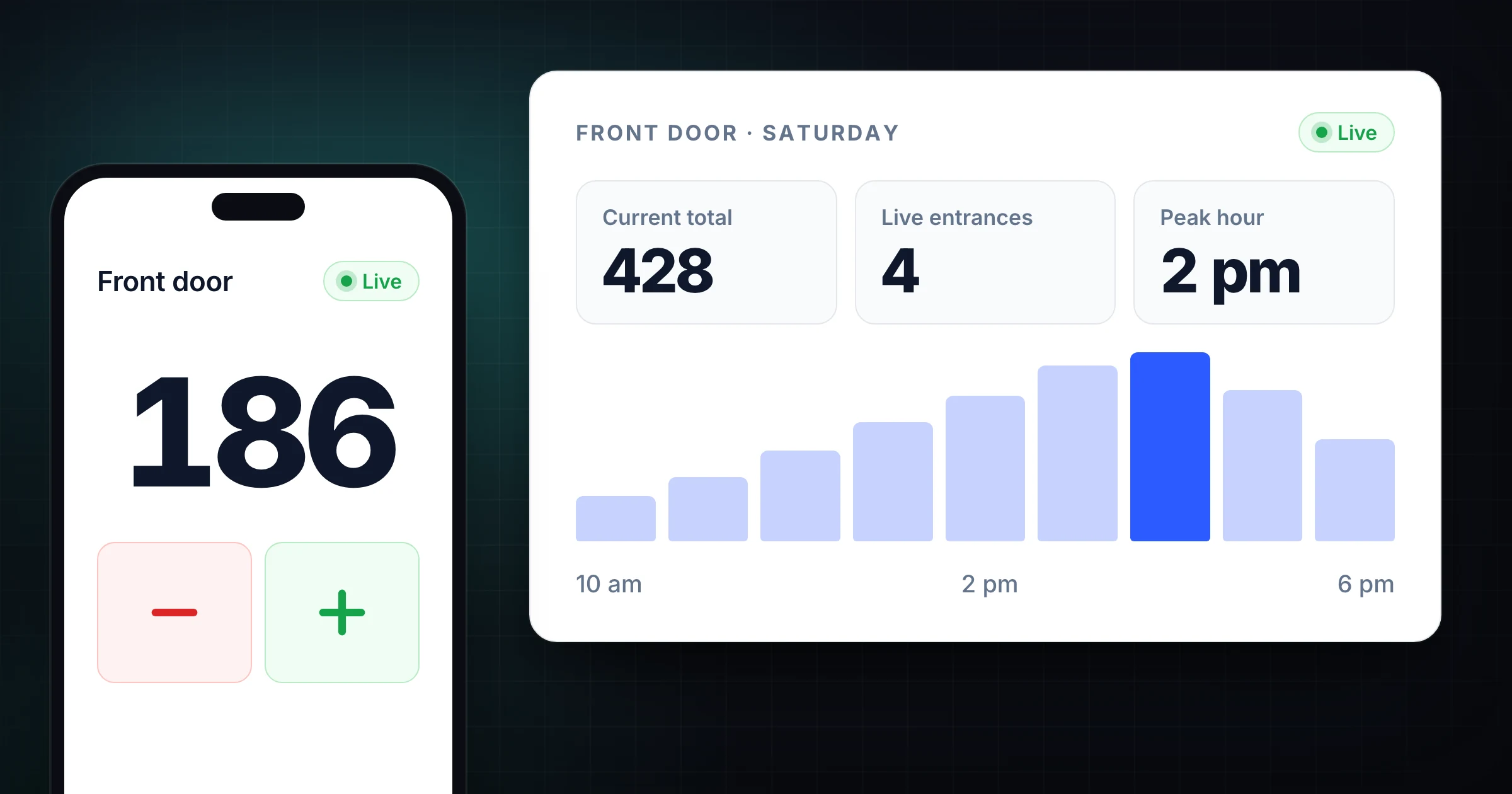
A people counter app helps you count visitors, attendees, shoppers, members, or guests from phones, tablets, and laptops.
That sounds simple until the count matters. A retail manager needs foot traffic by shift so conversion rate is not a guess. A venue lead needs current occupancy before a room gets too full. A church team needs Sunday attendance across main seating, kids ministry, and overflow. An event coordinator needs one live number from several gates.
The right app depends on the decision behind the count. If you only need a rough final total, a clicker may be enough. If you need multiple people counting at once, live visibility, entrance-level totals, or a clean record after the rush, use a shared people counter app instead.
Use SnapCount's retail people counting workflow when you want store traffic counts without sensors or cameras. If your main use case is an event, start with the attendance counter guide and the room capacity calculator before doors open.
What a people counter app actually does
A people counter app records how many people cross a defined threshold or enter a defined space.
That threshold might be a store entrance, venue gate, room door, check-in table, service entrance, booth line, or overflow room. The app gives each counter a fast way to add or subtract people and gives the lead one place to watch the number.
The useful version does more than show a big plus button.
| App capability | Why it matters |
|---|---|
| Multiple counters | Each entrance can count without one person combining totals later |
| Live shared total | Managers can act before a room, store, or gate is overloaded |
| Separate groups or locations | Front door, side door, upstairs, overflow, or kids area can stay distinct |
| Count history | You can review when traffic arrived and who was counting |
| Notes or labels | Staff can mark exceptions, rushes, closures, or setup changes |
| Exports or reports | The count can feed staffing, attendance, or conversion analysis |
The app does not need to replace your POS, ticketing platform, church management system, or venue software. It often fills the gap between what those systems know and what actually happened in the room.
For example, a POS knows purchases. It does not know how many shoppers left without buying. Ticketing knows check-ins. It may not know how many staff, walk-ups, children, vendors, or re-entry guests are inside right now.
Start with the people count question
Do not choose the tool first. Choose the question.
Different teams use "people counter" to mean different numbers:
| Question | Retail example | Event or venue example | Best count setup |
|---|---|---|---|
| How many people came in? | Daily store traffic | Total event attendance | Inbound count by entrance |
| How many are inside now? | Occupancy during a rush | Current room capacity | Inbound and outbound count |
| Which entrance is busiest? | Mall entrance vs street entrance | Main gate vs side gate | One counter per entrance |
| When did traffic peak? | Noon lunch rush | Doors-open arrival wave | Time-stamped counting |
| How many converted? | Visitors compared with transactions | Attendees compared with registrations | Count plus POS or check-in data |
The most common mistake is trying to make one number answer every question. Total visitors, current occupancy, entrance traffic, and conversion rate are related, but they are not the same.
Write the question before you start counting. A clear sentence like "Count every shopper who crosses the front entrance into the store, excluding staff and delivery drivers" prevents more errors than any feature list.
When a people counter app beats a clicker
A mechanical clicker is still useful when one person is counting one door for a short period.
It is cheap, fast, and hard to overcomplicate. A boutique doing a 2-hour sample sale or a school club counting room attendance can get a decent final number with a clicker and a note sheet.
A people counter app becomes better when the count is shared, live, or repeated.
| Situation | Clicker weakness | App advantage |
|---|---|---|
| Two or more entrances | Totals are separate until someone adds them | One live total across all entrances |
| Capacity matters | The lead may not know the current count | Thresholds can be watched during entry |
| Re-entry exists | Add and subtract gets messy | In and out counters can be separated |
| Counts repeat weekly or daily | History is manual | Past counts are easier to review |
| Staff handoffs happen | The number may reset or disappear | Count history survives shifts |
| Managers need reports | Someone retypes the result | Export or saved activity reduces cleanup |
The deciding factor is not event size alone. It is coordination. A 75-person workshop with 3 doors can be harder to count accurately than a 300-person event with one controlled entrance.
When sensors or cameras make more sense
A people counter app is not always the best answer.
If you need unattended counting every day, across long hours, with no staff at the entrance, sensors or cameras may fit better. Retail chains, libraries, museums, transport hubs, and large venues often use hardware because the count runs continuously.
Compare the options honestly:
| Method | Best for | Watch out for |
|---|---|---|
| People counter app | Staffed entrances, live event counts, low-cost retail traffic | Someone still has to count |
| Mechanical clicker | One person, one doorway, short count window | No live sharing or history |
| Door sensor | Unattended daily traffic | Placement, false counts, hardware cost |
| Camera analytics | Large spaces and flow analysis | Privacy, lighting, occlusion, setup cost |
| Ticket or check-in scan | Named attendance and registrations | Does not always track exits or walk-ins |
| POS data | Sales and transactions | Cannot measure non-buyers by itself |
OSHA's crowd management guidance for retailers emphasizes advance planning, clear entrance and exit control, and named decision-makers for large shopping events. A people counter app does not replace that plan. It gives the person making decisions a current number instead of a guess.
Use hardware when the entrance is unattended and the budget supports installation. Use an app when humans are already managing the door and need a better shared count.
Retail stores: use traffic to understand conversion
For retail, the point of people counting is rarely the raw visitor number.
The useful metric is conversion rate:
| Metric | Example |
|---|---|
| Store visitors | 420 |
| Transactions | 38 |
| Conversion rate | 9.0% |
If sales are down 12%, you need to know whether traffic fell, conversion fell, average order value fell, or all 3 changed. Without a people count, the team argues from anecdotes.
A people counter app gives smaller retailers a practical starting point before they buy sensors:
- Count front-door traffic by shift.
- Separate staff, delivery drivers, and repeat exits when practical.
- Mark unusual events, weather, local promotions, or mall traffic changes.
- Compare visitors with POS transactions at the end of the day.
- Review traffic by hour before changing staffing.
This will not be as automated as a camera or sensor system. It can still answer the first operational question: "Are fewer people coming in, or are we converting fewer of the people who came in?"
For a deeper retail workflow, read the retail foot traffic counter guide and the retail conversion rate guide. The traffic count only becomes useful when it changes staffing, merchandising, or sales coaching.
Events and venues: use live counts for decisions
For events, people counting often affects real-time operations.
The team may need to know when to open overflow seating, slow entry, redirect a line, close a room, add volunteers, or reconcile final attendance. A final count after the event is useful, but the live count is what helps during the rush.
Use this event setup:
| Area | Counter setup | Decision supported |
|---|---|---|
| Main entrance | Count inbound attendees | Total arrivals and current pace |
| Side entrance | Count separately into the shared total | Whether staffing is balanced |
| Exit or re-entry gate | Track out and back in if occupancy matters | Current capacity |
| Overflow room | Count room-level attendance | When overflow is being used |
| Staff or vendor door | Track separately by rule | Clean final reconciliation |
If you have a capacity limit, do not wait until the room feels full. Set thresholds before entry starts.
| Threshold | Example for 300 practical capacity | Action |
|---|---|---|
| Watch | 240 | Lead checks flow and seating |
| Adjust | 270 | Open overflow or redirect arrivals |
| Hold | 290 | Slow entry until exits reduce occupancy |
The crowd counting methods guide compares apps, clickers, sensors, cameras, ticket scans, and estimates. Use it if you are deciding between a lightweight app and a more formal people counting system.
Churches, classes, and volunteer teams need simple rules
Volunteer-run teams need a people counter app that is hard to misuse.
The counting rule should fit on one card. The app should work from phones people already have. The lead should be able to see the live number without collecting clickers or texting every doorway.
Use simple role assignments:
| Role | Job |
|---|---|
| Count lead | Owns the rule, watches the live total, records final notes |
| Door counter | Counts people crossing the threshold |
| Backup | Handles questions, breaks, interruptions, and rushes |
| Room lead | Counts overflow, kids area, balcony, or breakout room |
For churches, define whether you count worship attendance, total campus attendance, kids ministry, volunteers, online viewers, or all of those separately. For classes, decide whether instructors and assistants count. For volunteer check-ins, decide whether late arrivals are counted at check-in or when they reach the room.
The church attendance counter guide covers weekly service counts in more detail. The same principle applies to schools, clubs, workshops, and community events: the rule matters as much as the app.
Features to look for in a people counter app
Most teams do not need a complex people counting system on day one.
They need an app that keeps the count clear while people are moving. Prioritize these features:
| Feature | Why it matters |
|---|---|
| Fast plus and minus controls | Counters can correct mistakes during a rush |
| Multi-device sync | Several entrances feed one total |
| Named counters or activity history | The lead can review who counted and when |
| Separate counters or groups | Retail, event, staff, overflow, and room counts stay distinct |
| Shareable view | Managers or volunteers can monitor without editing |
| Export or report | The final number can support staffing, attendance, or conversion analysis |
| No required hardware | The team can start before buying sensors |
Avoid tools that make every count a spreadsheet chore. If counters have to type names, scroll through long forms, or fight a dashboard at the door, they will miss people.
The interface should be boring during the busiest 5 minutes of the day. Add 1, subtract 1, label the count, and keep moving.
Common people counting mistakes
Most count problems are setup problems.
Avoid these:
| Mistake | Better approach |
|---|---|
| Counting without a definition | Decide who counts and where the threshold is |
| Mixing staff and customers | Track staff separately when the metric needs visitors only |
| Ignoring exits when occupancy matters | Use in and out counts for current capacity |
| Comparing traffic to sales without time windows | Match visitor counts and transactions by shift or hour |
| Letting each entrance keep a private total | Use one shared count with entrance labels |
| Resetting before recording notes | Save the count and explain exceptions first |
| Treating estimates as reports | Use estimates only as a sanity check |
One practical rule: if the number will be compared over time, keep the counting definition stable. A retail store that counts staff on Monday and excludes staff on Tuesday does not have a traffic trend. It has 2 different metrics.
A simple 7-day rollout
You do not need a month-long implementation.
Use the first week to prove whether app-based people counting is useful:
| Day | Action |
|---|---|
| 1 | Define the count question, threshold, and included people |
| 2 | Set up counters for each entrance or room |
| 3 | Run a short practice during a low-traffic period |
| 4 | Count one real shift or event window |
| 5 | Compare the count with POS, registrations, or room capacity |
| 6 | Fix the rule, labels, or staffing based on what broke |
| 7 | Repeat and decide whether to expand |
For retail, compare traffic with transactions and staffing. For events, compare live count with registrations, ticket scans, or room capacity. For churches and classes, compare the count with room sheets, check-ins, or historical attendance.
The goal is not perfect automation. The goal is a count the team trusts enough to act on.
Frequently asked questions
What is a people counter app?
A people counter app is software that lets a team count people from phones, tablets, or computers. It is used for store traffic, event attendance, venue occupancy, room counts, classes, churches, and other situations where people cross a defined entrance or threshold.
Is a people counter app accurate?
A people counter app can be accurate when the counting rule is clear and the entrance is staffed well. Accuracy drops when counters are interrupted, entrances are unmanaged, exits matter but are not counted, or each team member uses a different definition.
Can I use a people counter app for retail foot traffic?
Yes, a people counter app can track retail foot traffic when staff can count the entrance consistently. It is a practical low-cost alternative before installing sensors, especially for short pilots, small stores, pop-ups, and shift-based traffic studies.
Do I need sensors instead of an app?
Use sensors when you need unattended, continuous counting across long hours. Use an app when staff or volunteers are already at the entrance and you need a shared live count, lower setup cost, or a faster way to start.
What should I count: entries or current occupancy?
Count entries when you need total attendance or daily traffic. Count both entries and exits when you need current occupancy, capacity control, re-entry handling, or a live room count.
Topics: people counter app, people counting, retail foot traffic, event attendance
About SnapCount Team
The SnapCount Team builds and tests shared counting workflows for events, inventory, attendance, and field work. We review guides when product workflows change and link to the tools we use to validate them.
Contact SnapCount support