
Retail conversion rate is simple until you try to explain why it changed.
The formula is transactions divided by store visits. If 700 people walk in and 84 buy something, your retail conversion rate is 12%. That number is useful, but only if the foot traffic data underneath it is reliable enough to trust.
Without traffic counts, most stores are guessing. Sales were down, so the team says traffic was slow. Sales were up, so the promotion worked. A weekend felt packed, so the schedule must have been right. Those stories may be true. They may also hide the real problem: the store had plenty of demand but did not convert it.
This guide shows how foot traffic data changes conversion rate reporting for retail teams. You will see what to count, how to calculate the metric, which patterns to review each week, and when a manual retail foot traffic counter is enough before you buy hardware.
Retail conversion rate needs a real denominator
Retail conversion rate measures how many store visitors become buyers.
The formula is:
Retail conversion rate = Transactions / Foot traffic x 100
That denominator matters. Your POS already knows transactions. It does not know how many people walked out without buying.
Here is a simple example:
| Day | Foot traffic | Transactions | Sales | Conversion rate |
|---|---|---|---|---|
| Friday | 480 | 72 | $4,320 | 15.0% |
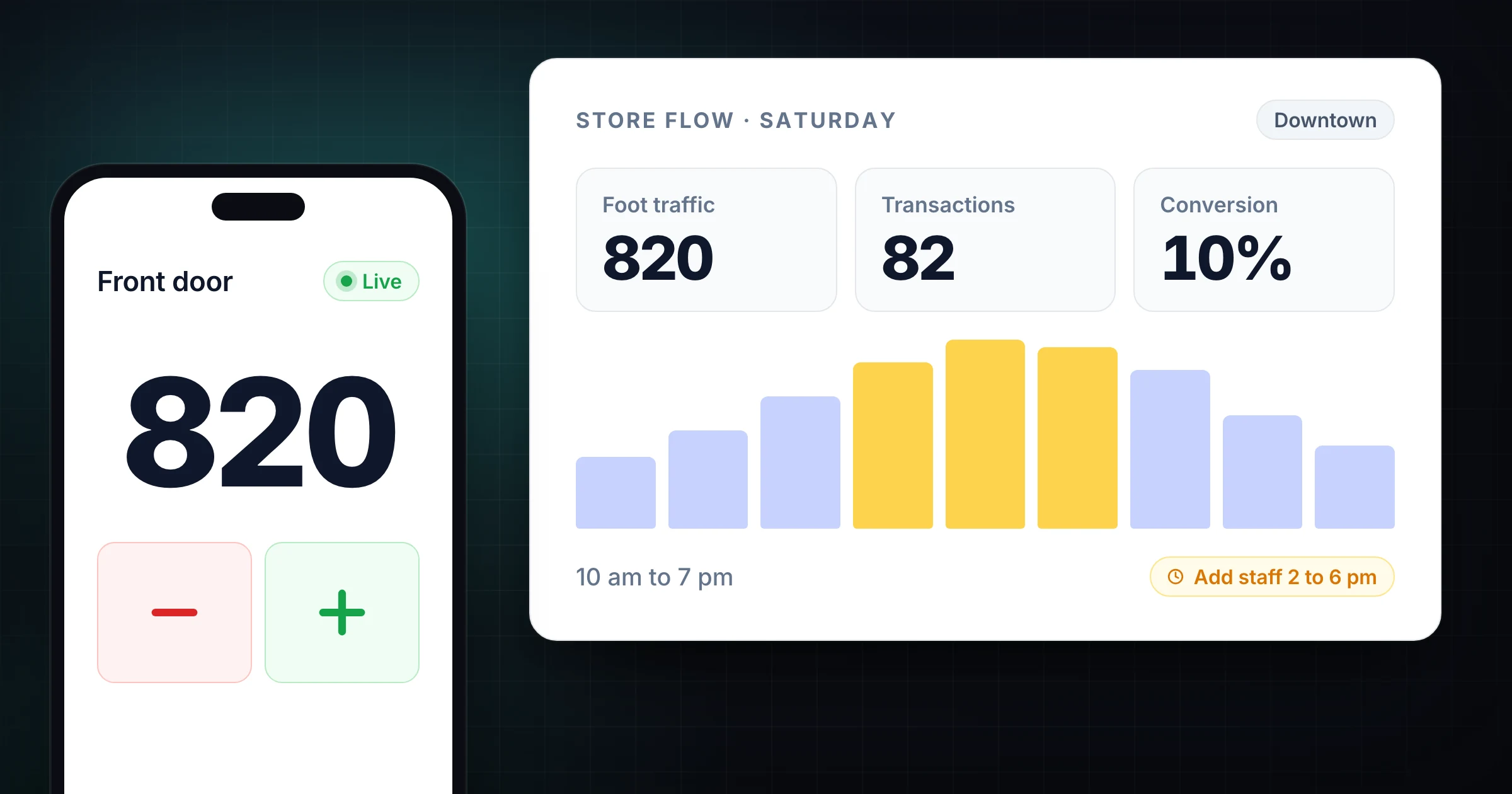
| Saturday | 820 | 82 | $4,920 | 10.0% |
| Sunday | 390 | 70 | $4,060 | 17.9% |
Saturday had the highest sales. It also had the weakest conversion rate. If you only look at revenue, Saturday looks like the win. If you include traffic, Saturday looks like missed demand.
That is the connection most stores miss. Traffic tells you how much opportunity arrived. Conversion rate tells you how much of that opportunity the store captured.
Shopify's guide to retail conversion rate makes the same distinction: conversion is about completed purchases relative to visits, not just total sales or units sold.
Sales alone rewards the wrong behavior
Sales are the outcome, but they are not the diagnosis.
Imagine two stores:
| Store | Foot traffic | Transactions | Average order value | Sales | Conversion rate |
|---|---|---|---|---|---|
| Store A | 1,200 | 96 | $52 | $4,992 | 8.0% |
| Store B | 620 | 87 | $55 | $4,785 | 14.0% |
Store A has slightly higher sales. Store B is converting shoppers much better.
If you rank teams by sales only, Store A looks stronger. If you rank by conversion only, Store B looks stronger. The useful review looks at both. Store A may need associate coverage, better product availability, or a checkout queue fix. Store B may need more local marketing, better window merchandising, or a stronger promotion calendar.
The point is not to shame either store. The point is to stop treating different problems as the same problem.
When managers do not have foot traffic data, every sales miss becomes a traffic excuse. "The mall was quiet." "Weather was bad." "Nobody came in." Sometimes that is true. Sometimes 600 people came in and too many left without buying.
What to count before you calculate conversion
Retail traffic counting gets messy when the definition is loose. Before you calculate conversion rate, write down what counts as a visit.
For most stores, count:
- Shoppers who cross into the store.
- Browsers who leave without buying.
- Appointment guests, if they use the same sales process.
- Returns or exchange customers, if they still consume associate time.
- Groups as people, not as parties, unless your category sells by household.
Usually exclude:
- Staff arriving for shifts.
- Vendors, delivery drivers, and maintenance workers.
- The same shopper stepping out and back in within a short window.
- People who stop at the entrance but do not enter.
- Mall walkers or passersby outside the threshold.
The exact rules can differ by category. A furniture showroom may care about buying groups. A shoe store may count every person because each visitor affects floor coverage. A toy store may count children because they influence the shopping trip.
Consistency matters more than perfection. If Store A counts children and Store B does not, your comparison is weak. If the morning shift excludes returns but the evening shift includes them, your hourly trend is noisy.
Document the rules once. Train the team on the rules. Then review the same metric every week.
The weekly retail conversion dashboard
A useful store conversion review does not need 40 charts. Start with one weekly table that connects traffic, transactions, sales, and staffing.
| Metric | Why it matters | Review question |
|---|---|---|
| Foot traffic | Measures demand coming through the door | Did opportunity rise or fall? |
| Transactions | Measures purchases completed | Did buyers increase with traffic? |
| Conversion rate | Measures sales effectiveness | Did the store capture demand? |
| Average order value | Measures basket size | Did each purchase get bigger or smaller? |
| Revenue per visitor | Blends conversion and basket size | How valuable was each visit? |
| Staff hours | Shows coverage against demand | Were people scheduled when traffic arrived? |
Revenue per visitor is especially useful:
Revenue per visitor = Total sales / Foot traffic
If traffic rises 20% and revenue per visitor falls 25%, the store got busier but less effective. That usually points to a coverage, merchandising, queue, or stock availability problem.
If traffic falls 20% and revenue per visitor rises 15%, the store may be converting loyal or high-intent shoppers well, but it needs more demand.
Those are different management actions. One is an in-store operations problem. The other is a marketing or location demand problem.
Match conversion rate to the hour, not just the day
Daily conversion rate is useful for trend reporting. Hourly conversion rate is better for operations.
Retail stores often miss sales because traffic and staff coverage peak at different times. A day can look fine in the weekly report while hiding a 2-hour gap that happens every Saturday.
Here is what that can look like:
| Time | Traffic | Transactions | Staff on floor | Conversion rate |
|---|---|---|---|---|
| 10 a.m. to 12 p.m. | 110 | 18 | 3 | 16.4% |
| 12 p.m. to 2 p.m. | 190 | 24 | 3 | 12.6% |
| 2 p.m. to 4 p.m. | 240 | 25 | 2 | 10.4% |
| 4 p.m. to 6 p.m. | 280 | 27 | 2 | 9.6% |
| 6 p.m. to 8 p.m. | 160 | 25 | 3 | 15.6% |
The day may still hit the sales target. The table shows a bigger issue. Traffic peaks from 2 p.m. to 6 p.m. while staffing drops. Conversion rate follows.
This is where foot traffic data becomes operational. The question is no longer "How did Saturday go?" It is "Why were we light on floor coverage during the highest-traffic window?"
Run the same view after schedule changes. If the 4 p.m. conversion gap closes, you have evidence that staffing changed the outcome.
Use traffic data to separate four store problems
Foot traffic plus conversion rate helps you identify the problem type before you prescribe a fix.
| Pattern | What it usually means | First action |
|---|---|---|
| Low traffic, high conversion | Store serves visitors well, but demand is weak | Improve local marketing, window displays, events, or partnerships |
| High traffic, low conversion | Demand exists, but the store is leaking sales | Check staffing, queues, stockouts, pricing, merchandising, and associate coverage |
| High traffic, high conversion | Strong demand and strong execution | Protect staffing, study what worked, repeat the conditions |
| Low traffic, low conversion | Demand and execution are both weak | Review location drivers, offer, assortment, training, and store presentation |
This framework keeps meetings focused. A high-traffic, low-conversion store does not need the same plan as a low-traffic, high-conversion store.
It also helps with regional comparisons. A mall location, street-front store, and outlet store will not have the same traffic baseline. But each one can improve its own conversion rate against similar days and similar traffic windows.
Where foot traffic counts go wrong
Bad traffic data creates false confidence. Watch for these common mistakes.
The first mistake is mixing door traffic with store traffic. A person who passes the door is not the same as a person who enters. Window display capture rate can be useful, but it is a different metric.
The second mistake is counting inconsistently across entrances. If one entrance is counted and another is not, the conversion rate will look artificially high.
The third mistake is forgetting staff, vendors, and re-entry. These inflate traffic and make conversion look worse than it is.
The fourth mistake is comparing periods that are not comparable. A rainy Tuesday, a holiday Saturday, and a clearance event should not be treated as interchangeable data points.
The fifth mistake is buying hardware before defining the operating question. A sensor can give you more data. It cannot tell you which decision the data should improve.
If you are starting from zero, run a small pilot before you commit to a permanent system. Pick one store, one entrance, and one question. For example: "Does our after-work traffic convert worse because the floor is understaffed?"
Then count traffic and transactions by hour for 2 weeks. That is enough to find the first useful pattern.
Manual counting is enough for many retail teams
Hardware people counters are useful when you need unattended traffic counts across every open hour. They make sense for high-volume entrances, large store fleets, and mature analytics teams.
They are not the only way to begin.
A manual software counter is a good fit when:
- You have 1 to 10 stores.
- Staff already cover the entrance or sales floor.
- You want a quick pilot before buying sensors.
- You need counts during specific periods, not every minute of every day.
- You want live totals by shift, event, or entrance.
- You run pop-ups, weekend sales, seasonal shops, or local events.
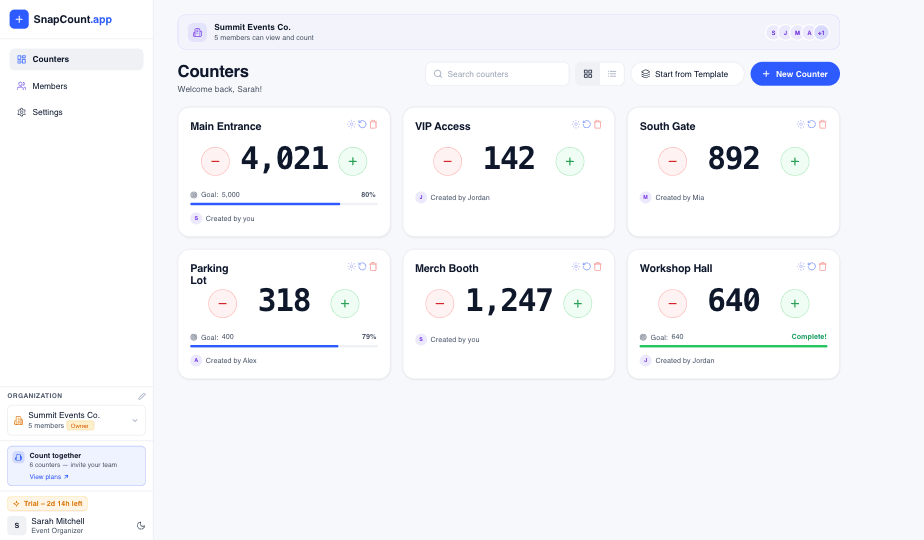
SnapCount is built for that practical layer. You can create one counter per entrance, shift, department, or location. Staff count from phones or tablets. Managers see live totals and export the count history for weekly review.
If you already read the retail foot traffic counter guide, use this article as the next step: connect the traffic count to conversion rate, staffing, and store decisions.
A 2-week retail conversion pilot
Use this pilot when you need evidence before changing schedules or buying hardware.
- Choose one store and one clear question.
- Define what counts as a store visit.
- Create counters by entrance or shift.
- Count traffic every open hour for 2 weeks.
- Export POS transactions by the same hour blocks.
- Calculate conversion rate and revenue per visitor.
- Add staff hours by hour.
- Review the biggest mismatch between traffic, staffing, and conversion.
- Make one operational change.
- Repeat the same measurement for another 2 weeks.
Do not change five things at once. If you adjust staffing, merchandising, signage, and discounting in the same period, you will not know what worked.
Start with the highest-confidence mismatch. If Saturday 2 p.m. to 6 p.m. has the most traffic and the worst conversion, fix that window first.
Evidence and limitations
The conversion formula in this guide follows the linked Shopify retail guidance. All tables are illustrative examples and are not SnapCount customer results.
Traffic and transaction data can reveal a relationship, but they do not prove why conversion changed. Validate time windows, counting definitions, returns, staff activity, and other operational changes before drawing conclusions.
Frequently asked questions
What is retail conversion rate?
Retail conversion rate is the percentage of store visitors who complete a purchase.
Calculate it by dividing transactions by foot traffic, then multiplying by 100. A store with 80 transactions from 500 visits has a 16% conversion rate.
Why does foot traffic data matter for conversion rate?
Foot traffic data gives conversion rate its denominator.
Without traffic counts, you can see sales and transactions, but you cannot tell how many shoppers left without buying. That makes it hard to separate demand problems from in-store execution problems.
What is a good retail conversion rate?
A good retail conversion rate depends on category, price point, store format, location, traffic quality, and time period.
Compare each store against its own history first. Then compare similar stores, similar days, and similar traffic windows. A single universal benchmark is usually less useful than a consistent trend.
Can I calculate store conversion rate without hardware?
Yes, you can calculate store conversion rate with manual foot traffic counts and POS transaction data.
Use a software counter during defined time blocks, then compare the count with transactions from the same period. Hardware is useful for continuous unattended counts, but it is not required for a focused pilot.
How often should retail teams review conversion rate?
Review conversion rate weekly for planning and daily during promotions, tests, or staffing changes.
Hourly views are best for operations because they show whether traffic, staff coverage, and transactions line up during the day.
Topics: retail conversion rate, foot traffic data, retail analytics, store operations
About SnapCount Team
The SnapCount Team builds and tests shared counting workflows for events, inventory, attendance, and field work. We review guides when product workflows change and link to the tools we use to validate them.
Contact SnapCount support