
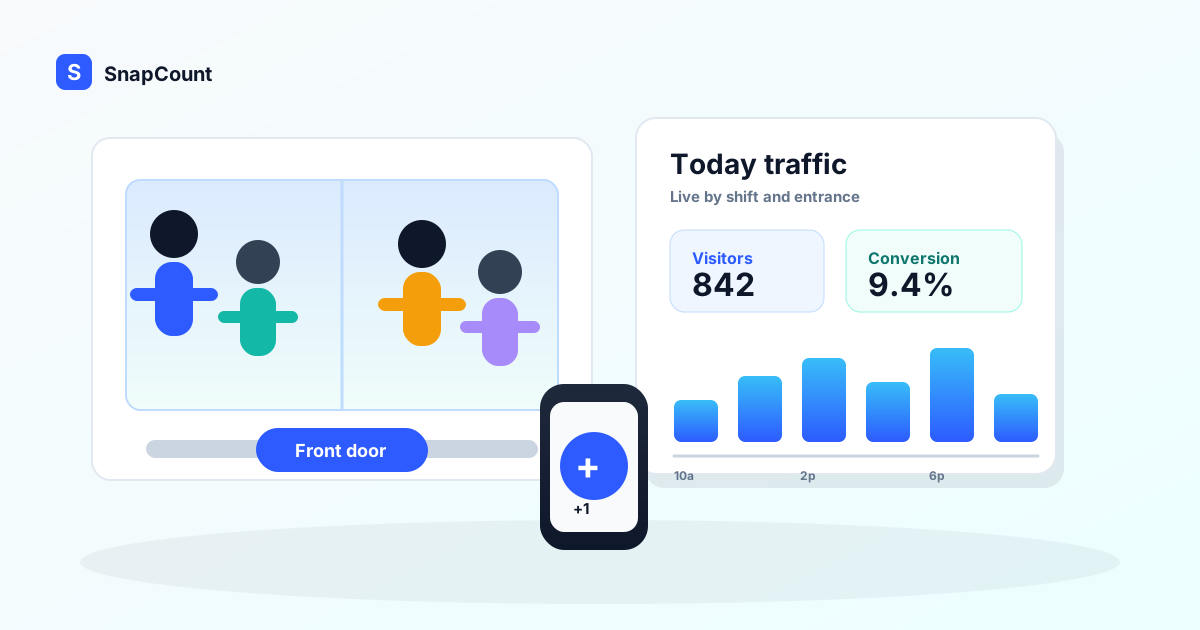
A retail foot traffic counter answers one basic question: how many people came into the store?
That number sounds simple. It is not. Once you track it by hour, entrance, shift, promotion, and location, it becomes the denominator for almost every store operations decision. Staffing. Store conversion rate. Queue coverage. Visual merchandising tests. Whether Saturday felt busy because sales were strong or because the team was stretched thin.
Most stores do not need a $500 to $5,000 hardware system to start getting value from foot traffic data. They need a consistent way to count, a clear definition of what counts as a visit, and a weekly habit of comparing traffic to sales and staffing. SnapCount's retail foot traffic counter is built for that first practical layer: staff count from the devices they already have, managers see totals in real time, and the data can be exported for analysis.
This guide compares software counters, clickers, door sensors, cameras, Wi-Fi analytics, and POS-only reporting so you can choose the right setup for your store.
What a retail foot traffic counter should measure
At minimum, a foot traffic counter should tell you how many shoppers entered the store during a defined time period. The useful version goes further.
You want to know:
- Traffic by hour.
- Traffic by entrance.
- Traffic by shift.
- Traffic by store location.
- Traffic during promotions or events.
- Traffic compared with transactions and sales.
The last point matters most. Foot traffic alone tells you demand. Sales alone tells you outcome. Together, they tell you whether the store converted the demand it received.
The basic store conversion rate formula is:
| Metric | Formula | Example |
|---|---|---|
| Foot traffic | Store visits counted during the period | 820 visits |
| Transactions | Completed purchases during the same period | 74 purchases |
| Store conversion rate | Transactions divided by foot traffic | 74 / 820 = 9.0% |
| Sales opportunity | Foot traffic times average order value times conversion rate | 820 x $58 x 9.0% |
Shopify's guide to retail conversion rate makes the same point for store owners: conversion is not just an ecommerce metric. Physical retailers also need to compare traffic with purchases if they want to understand performance.
The five common ways to count store traffic
Retailers usually choose from five approaches. None is universally best. The right answer depends on budget, required accuracy, privacy requirements, store layout, and whether you need real-time action or long-term analytics.
| Method | Best fit | Cost profile | Main tradeoff |
|---|---|---|---|
| Staff software counter | Small stores, pop-ups, events, fitting rooms, quick pilots | Low | Depends on staff discipline |
| Mechanical clicker | One door, one person, short counting window | Very low | No real-time sync or easy reporting |
| Door beam sensor | Simple entrance counts | Medium | Can misread groups, carts, and re-entry |
| Camera or AI people counter | Higher-volume stores with analytics budget | High | Install, privacy review, and maintenance |
| Wi-Fi or device analytics | Broad movement trends | Medium to high | Estimates devices, not exact shoppers |
If you are running 100 stores, a camera or sensor system may be the right long-term answer. If you manage 1 to 10 stores and have never tracked traffic consistently, start smaller. A software counter lets you learn what questions matter before you commit to hardware.
When software beats hardware
Software wins when speed, flexibility, and cost matter more than passive automation.
Use a software foot traffic counter when:
- You need traffic data this week, not after an installation project.
- You run pop-ups, sidewalk sales, trunk shows, markets, or seasonal locations.
- You want to count a specific zone, like fitting rooms, checkout lines, or a promotional display.
- You have multiple entrances but staff already cover those entrances.
- You want managers to see live totals without calling the store.
- You are testing whether foot traffic data is worth investing in.
Hardware can be excellent, but it works best when the problem is stable. Same doors, same ceiling height, same lighting, same analytics need. Retail operations are often messier than that. A store manager may want to count shoe department visits this weekend, front-door traffic next week, and fitting-room queue pressure during a sale. If you are still choosing the lightweight software path, the people counter app guide walks through the retail, event, and venue tradeoffs.
That is where software is useful. With SnapCount, you can create separate counters for each entrance, department, or shift. Staff count from their phones, the manager sees a live total, and the team can export the history later. See the retail use case page for the specific workflow.
When hardware is worth paying for
Hardware earns its cost when you need continuous unattended counting and higher consistency than a staff-run process can provide.
Choose hardware when:
- The entrance is too busy for staff to count accurately.
- You need traffic data every open hour, every day.
- Labor coverage is inconsistent.
- You are comparing many stores and need standardized measurement.
- The data feeds a larger BI, workforce planning, or loss prevention system.
- You have the budget and technical support to maintain devices.
Even then, hardware is not magic. Door sensors can struggle with groups entering together. Cameras require careful placement and privacy review. Wi-Fi analytics estimate devices, not people, and can miss shoppers with radios off or count staff devices unless configured well.
The mistake is assuming hardware solves the management problem. Hardware can collect traffic. It will not decide why conversion fell on Thursday afternoon, whether staff were scheduled correctly, or why one entrance pulled traffic away from another. Someone still has to review the data and act.
What not to measure
Bad definitions produce bad traffic data. Before choosing a tool, decide what counts and what does not.
For most stores, do not count:
- Staff entering for a shift.
- Delivery drivers.
- Vendors and maintenance workers.
- The same shopper stepping out and back in within a short window.
- Children, unless they are relevant to your traffic model.
- People passing the doorway but not entering.
You may choose different rules. A toy store may count children because they affect staffing and conversion. A showroom may count appointment guests differently from walk-ins. A grocery store may ignore quick re-entry because baskets and carts make it obvious that the shopper is still in the same trip.
The rule matters less than consistency. If Store A counts children and Store B does not, your store comparison will lie to you. If the morning shift excludes staff but the evening shift does not, your hourly chart will invent a traffic spike that never happened.
How to run a simple manual traffic count
Start with one store, one week, and one question. For example: "Are we understaffed between 4 p.m. and 7 p.m.?"
Use this setup:
- Create one counter per entrance.
- Assign one person per entrance during each shift.
- Count every shopper who crosses into the store.
- Exclude staff, vendors, deliveries, and immediate re-entry.
- Record shift notes for unusual events, weather, nearby construction, or promotions.
- Export the count and compare it with POS transactions by hour.
Do not try to make the first week perfect. You are looking for operational signal. If traffic doubles after 5 p.m. but staffing stays flat, you have a scheduling question. If traffic is steady but conversion drops after lunch, you may have a merchandising, product availability, or associate coverage problem.
For repeatable workflows, create a saved structure in the templates hub. One template can cover weekday traffic. Another can cover sale weekends or pop-up events. The point is to make the counting process easy enough that the team actually uses it.
The metrics to review every week
Do not bury the store manager in dashboards. A useful weekly retail traffic review can fit on one page.
Track these numbers:
- Total traffic by day.
- Traffic by hour.
- Traffic by entrance.
- Transactions by hour.
- Store conversion rate by hour.
- Revenue per visitor.
- Average transaction value.
- Staff hours by hour.
- Notes for promotions, weather, events, or stockouts.
The most useful pattern is mismatch. High traffic and low conversion means the opportunity arrived but did not turn into purchases. Low traffic and high conversion means the store served the shoppers it had, but marketing or location demand may be the issue. High traffic, high conversion, and long queues means staffing may be suppressing even more sales.
Revenue per visitor is especially useful:
Revenue per visitor = Total sales / Foot traffic
If traffic rises 20 percent but revenue per visitor falls 25 percent, the store is busier but less effective. That is a different management problem than low traffic.
How to compare software and hardware honestly
Do not compare a manual software counter to an idealized hardware system. Compare the real process you can run next week.
Ask these questions:
- Who will own the traffic number?
- How many entrances need coverage?
- Do we need every open hour, or only target periods?
- Do we need exact counts or directional trends?
- Will staff act on live data during the shift?
- Will managers review the data weekly?
- Can we afford installation, subscriptions, maintenance, and replacements?
- What privacy review is required?
If the answer is "we need directional data for staffing and conversion decisions," software is often enough. If the answer is "we need unattended standardized counts across every store every hour," hardware is probably worth evaluating.
The stronger path is often staged:
- Run a 2-week software count in 1 to 3 stores.
- Identify which traffic questions change decisions.
- Standardize definitions and reporting.
- Decide where passive hardware would save labor or improve consistency.
That sequence prevents a common retail analytics mistake: buying data before the team knows what decision the data will improve.
Frequently asked questions
What is a retail foot traffic counter?
A retail foot traffic counter tracks how many people enter a store during a defined period. Stores use the number to measure demand, staff coverage, store conversion rate, and traffic patterns by hour or entrance.
Can I count store traffic without hardware?
Yes. A software counter lets staff count shoppers from a phone, tablet, or shared device. It is a good fit for small stores, pop-ups, promotions, fitting-room checks, and early pilots before buying sensors.
Are door sensors more accurate than manual counting?
They can be more consistent for unattended entrance counts, but they are not automatically perfect. Groups, carts, re-entry, staff movement, and entrance layout can affect accuracy. Manual counting works well when staff are already positioned at the door and the counting rules are clear.
What is a good retail conversion rate?
There is no universal number because category, price point, location, traffic source, and store format change the baseline. Compare conversion against your own store history, similar stores, and similar time periods before treating a benchmark as good or bad.
How often should stores review foot traffic data?
Review it weekly for planning and daily during promotions or staffing tests. The value comes from acting on patterns, not collecting counts for a dashboard nobody uses.
About SnapCount Team
The SnapCount Team builds and tests shared counting workflows for events, inventory, attendance, and field work. We review guides when product workflows change and link to the tools we use to validate them.
Contact SnapCount support