
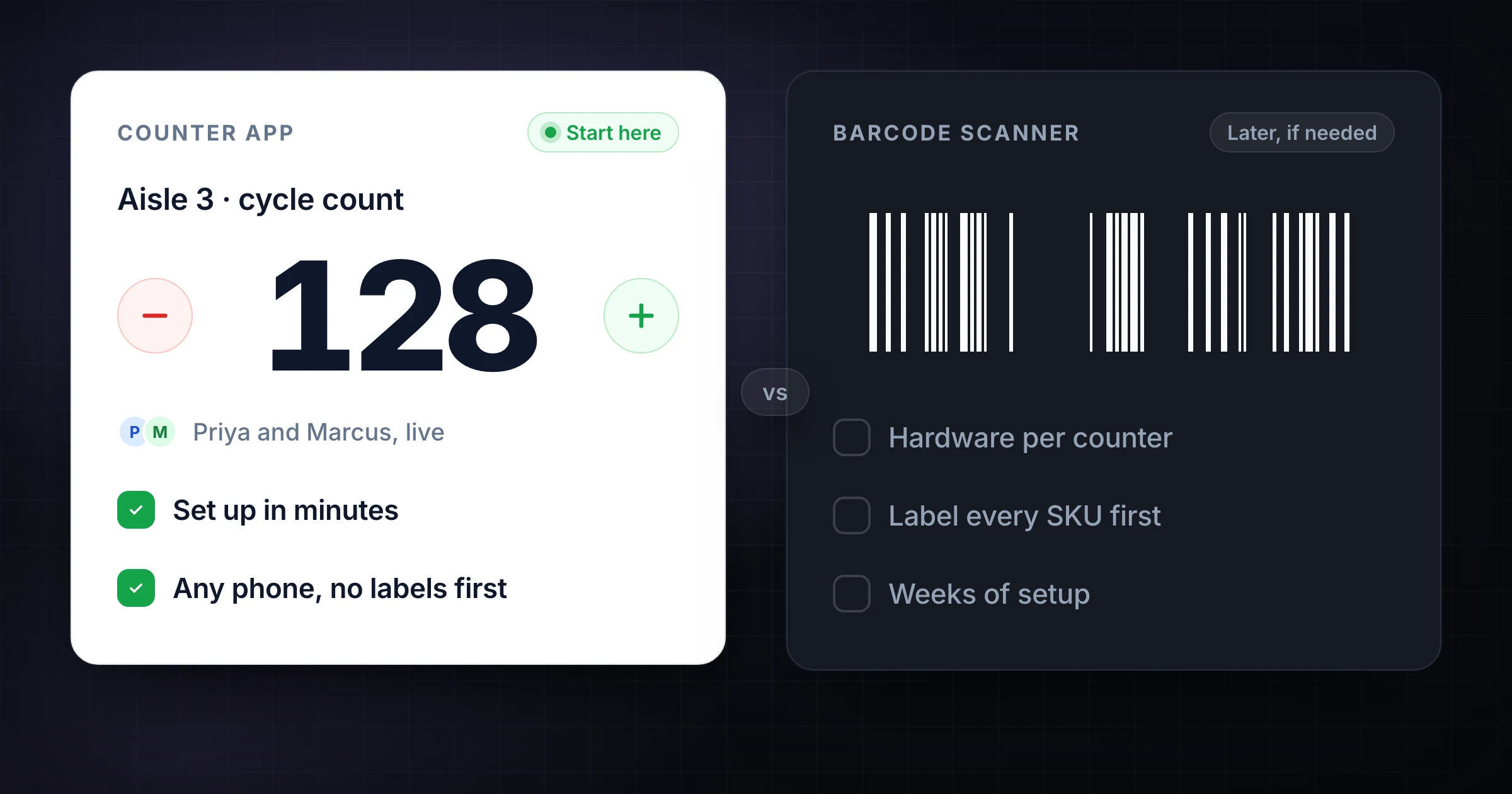
An inventory scanner system for small business can be the right answer when every product already has reliable barcodes, your inventory system is clean, and the count workflow depends on scanning item IDs quickly.
But many small businesses are not there yet. They are counting mixed shelves, unlabeled bins, event supplies, ingredients, uniforms, tools, or backroom stock where the immediate problem is not scanning. The immediate problem is coordinating people, recording quantities accurately, and knowing which areas are done.
That is where an inventory counter app can be a better first step. SnapCount is not barcode scanner hardware, a wireless barcode scanner for inventory, or an automated inventory counting machine. It is a shared counting workspace for teams that need to count physical stock together from phones, tablets, and laptops.
If your team needs a lightweight way to run a stock count before investing in scanner hardware, start with SnapCount's warehouse counting workflow.
The short answer
Use a barcode scanner when the hard part is identifying items quickly.
Use an inventory counter app when the hard part is coordinating people and recording physical counts reliably.
Most small businesses need both eventually, but not always at the same time.
| Need | Better fit |
|---|---|
| Scan UPCs, SKUs, or serialized labels | Barcode scanner or inventory scanning system |
| Count bins, shelves, rooms, tools, or event supplies | Inventory counter app |
| Prevent missed zones or duplicate counts | Shared counting workflow |
| Receive purchase orders into inventory | Inventory management software or WMS |
| Run a one-day stocktake with several people | Inventory counter app plus exported results |
| Maintain real-time inventory balances | Inventory system of record |
The mistake is buying scanner hardware before the counting process is defined. A scanner can speed up item lookup, but it will not decide who counts aisle 3, whether the backroom is finished, how exceptions are noted, or how the final count gets approved.
What a barcode scanner inventory system does
A barcode scanner inventory system connects physical labels to inventory records.
The scanner reads a barcode. The software looks up the item. The user enters or confirms a quantity. In more advanced workflows, the system can also support receiving, putaway, picking, transfers, serial numbers, lot tracking, and replenishment.
Barcode scanning is strongest when:
- Products already have clean barcode labels.
- Each scanned code maps to the correct SKU.
- Counters can reach the label quickly.
- The inventory database is already trustworthy.
- The business needs item lookup, receiving, picking, or serial tracking.
- Staff scan often enough to justify hardware, setup, and training.
For a warehouse with thousands of labeled SKUs, scanner hardware can save time and reduce item-identification errors. For a small stockroom with mixed supplies, irregular labels, or one-off equipment, scanning may add work before it removes work.
What an inventory counter app does
An inventory counter app focuses on the count itself.
Instead of starting with barcodes, it starts with the physical counting workflow: what is being counted, who is counting it, where the count is happening, and how the result is reviewed.
A good counter workflow helps teams:
- Split work by aisle, room, shelf, zone, item group, or event area.
- Let multiple counters work at the same time.
- See live totals and progress before everyone leaves the floor.
- Keep a simple history of count changes.
- Add context for damaged, missing, mixed, or found stock.
- Export the final count for review or entry into another system.
This is narrower than full inventory management software. It does not replace your accounting system, POS, ERP, or WMS. It gives the people doing the physical count a cleaner way to collect the numbers.
Inventory counter app vs barcode scanner
The right choice depends on which error you are trying to reduce.
| Question | Choose a counter app when... | Choose a scanner when... |
|---|---|---|
| What causes mistakes? | Missed zones, duplicate counts, unclear ownership, manual handoffs | Wrong item identification, hard-to-read SKUs, receiving errors |
| What is being counted? | Shelves, bins, equipment, supplies, samples, rooms, event inventory | Labeled products, serialized items, cases, pallets, retail SKUs |
| Who is counting? | Several people with phones or tablets | Trained staff using scanner hardware or scanner-enabled devices |
| What setup is required? | Create counters, labels, zones, or templates | Clean barcode labels, item master data, scanner configuration |
| What is the output? | Count totals, activity, notes, exportable results | Scanned item records, quantities, transactions, inventory updates |
| What is the risk? | Process confusion | Bad labels or bad item records |
If you do not have reliable labels, a scanner will expose that problem immediately. The device may work perfectly, but the workflow will still stall when labels are missing, duplicated, damaged, or not tied to the right item record.
If you do have reliable labels and a system that can receive scanner input, scanning can be a major upgrade. The point is not that one category is better. The point is sequence.
When to start with an inventory counter app
Start with a counter app when the count is collaborative, messy, or temporary.
Common examples:
- A retail backroom count before a seasonal reset.
- A warehouse cycle count by aisle or bin.
- A school, church, or nonprofit equipment inventory.
- A restaurant storage room count.
- A contractor tool crib check.
- Event supplies before and after a conference.
- Spare parts or samples that do not have consistent labels.
In these cases, the team usually needs speed and coordination more than item scanning. The supervisor needs to know whether the count is done, which zones still need work, and whether the numbers were changed after review.
SnapCount fits that workflow because each counter can work from a phone or laptop, while the manager can watch live progress and keep the final count organized.
When to invest in barcode scanner hardware
Invest in barcode scanning when your labels and inventory records are already ready for it.
The strongest signs are:
- Your products already have SKU, UPC, bin, or serial labels.
- Staff spend too much time typing item IDs.
- Receiving, picking, or transfers create repeated data-entry errors.
- You need fast item lookup across many similar products.
- Your inventory system can accept scanner input cleanly.
- The scan workflow will happen often enough to justify the cost.
Wireless barcode scanners for inventory can be useful in retail, distribution, manufacturing, and field service, but they are not magic. They need labels, device management, software configuration, charging, training, and a fallback plan for damaged or missing codes.
If the business has not standardized item IDs yet, fix that before buying hardware.
What about an inventory counting machine?
Searches for an inventory counting machine can mean several different things.
Some people mean a handheld scanner. Some mean a counting scale. Some mean RFID hardware. Some mean computer vision or automated object counting. Those are different tools with different constraints.
SnapCount is not an automated counting machine. It does not count objects from photos, read RFID tags, or scan barcodes. It helps humans record and share counts as they do the physical work.
That distinction matters. If you need automation, evaluate scanner, RFID, scale, or computer-vision systems. If you need a reliable human counting workflow, use a counter app.
A practical small-business rollout
If you are deciding between a counter app and scanner system, run the rollout in stages:
- Map what you count: SKUs, bins, shelves, rooms, equipment, supplies, or serialized items.
- Mark which items already have reliable labels.
- Run the next physical count with assigned zones and live counters.
- Review where errors happened: identification, quantity, missed areas, or handoff.
- Standardize item names, locations, and labels for the highest-error areas.
- Add scanner hardware only where scanning solves a repeated problem.
This keeps the first improvement close to the real pain. If the problem is workflow coordination, fix coordination first. If the problem is item identification, scanning may come next.
For broader count planning, use the stocktake checklist and the cycle counting guide. If you are comparing lightweight count software, read the inventory counter app guide.
Bottom line
A barcode scanner can make inventory work faster when the product data and labels are already in shape. An inventory counter app makes the physical count easier to coordinate when people, zones, and count status are the bottleneck.
For many small businesses, the best path is to improve the counting workflow first, then add scanning where it clearly removes repeated item-identification work.
Frequently asked questions
Do I need a barcode scanner for inventory counts?
Not always. If your inventory is small, unlabeled, mixed, or counted by zones, a shared inventory counter app may solve the immediate problem faster than scanner hardware.
Is SnapCount a barcode scanner app?
No. SnapCount is not a barcode scanner app or scanner hardware. It is a shared counting tool for manual stock counts, cycle counts, event supplies, equipment checks, and warehouse counting workflows.
When is a wireless barcode scanner for inventory worth it?
A wireless barcode scanner is worth it when your items have reliable barcodes, your inventory system can use scanned input, and staff scan often enough to justify hardware, setup, charging, and training.
Can I use an inventory counter app with an inventory system?
Yes. Many teams use a counter app to collect physical counts, then export or enter approved counts into the inventory system that owns purchasing, stock balances, and accounting records.
Topics: inventory scanner system for small business, wireless barcode scanner for inventory, inventory counter app, barcode scanner inventory, inventory counting
About SnapCount Team
The SnapCount Team builds and tests shared counting workflows for events, inventory, attendance, and field work. We review these articles when product workflows change and link to the tools we use to validate them.
Contact SnapCount support