
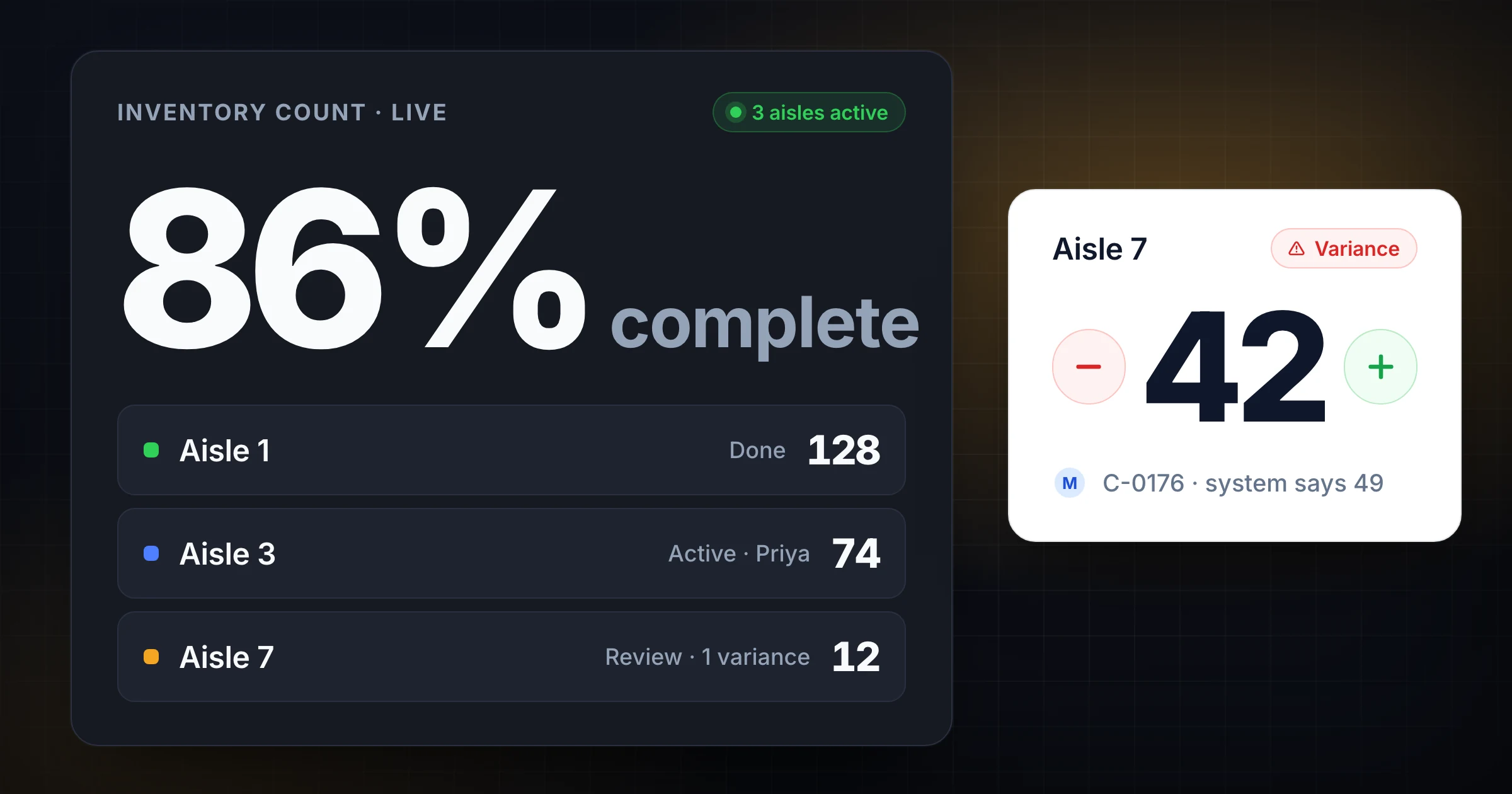
An inventory counter app helps warehouse teams record physical counts, split work across counters, watch progress live, and reconcile variances without passing around one spreadsheet.
You may not need one on day one. A small stockroom with 200 slow-moving items can run a clean count from a printed sheet. But once several people are counting at the same time, inventory moves during the count window, or managers need a reliable audit trail, spreadsheets start to create the errors they were supposed to prevent.
This guide explains when an inventory counter app is worth using, what it should do, and how to choose a lightweight workflow before you commit to a full WMS project. If you searched for a counter inventory app, the practical question is the same: do you need a better way for people on the floor to count physical stock together?
If you are counting warehouse zones with multiple people, SnapCount's warehouse counting workflow gives each counter a live shared count from a phone, tablet, or laptop.
What an inventory counter app actually does
An inventory counter app is a digital counting workspace for physical inventory work.
It does not have to replace your ERP, WMS, or inventory system of record. In many warehouses, the app sits between the floor and the system. Counters record what they physically see. Supervisors review exceptions. The final approved numbers are exported or entered into the system that owns inventory balances.
At a minimum, an inventory counter app should help you:
- Assign products, bins, aisles, or zones to counters.
- Record quantities from the floor.
- Keep multiple counters from overwriting each other.
- Show count progress while work is happening.
- Capture notes for damaged, missing, mixed, or unlabeled stock.
- Export a clean result for variance review.
The important word is "counter." This is not always the same as inventory management software. A full inventory system manages purchasing, receipts, stock transfers, reorder points, costing, and fulfillment. An inventory counter app is narrower. It focuses on the count itself, where warehouse teams lose accuracy because people are moving fast and the floor is messy.
Why spreadsheets break during inventory counts
Spreadsheets are useful until the counting process becomes collaborative.
One person can count from one sheet without much risk. Five people editing the same file from different aisles is different. Someone filters the wrong column. A counter sorts one tab but not the whole range. A quantity gets typed into the wrong row. A supervisor copies a partial file over a newer one. By the time reconciliation starts, nobody is sure which version is final.
These are the spreadsheet failure points we see most often:
| Spreadsheet problem | What happens on the floor |
|---|---|
| Version confusion | Counters work from old exports or duplicate files |
| No live ownership | Two people count the same zone while another zone is missed |
| Weak mobile experience | Staff pinch, scroll, and mistype on phones |
| Poor audit trail | It is hard to know who changed a count and when |
| Broken filters or sorts | Quantities land on the wrong item row |
| Delayed visibility | Supervisors find gaps only after the team is done |
The spreadsheet may still look organized at the start. The breakdown happens under count-day pressure, especially when inventory movement, interruptions, and exception handling enter the process.
If your team already has these problems, the question is not whether spreadsheets can store count data. They can. The question is whether they can control the counting workflow well enough to trust the result.
When paper or spreadsheets are still enough
Do not buy or adopt another tool just because the count feels tedious.
Paper sheets and spreadsheets can still work when the count is small, low risk, and owned by one person. A repair closet, school supply room, small retail backroom, or office equipment shelf may not need a dedicated app.
Use a spreadsheet if:
- One person owns the count from start to finish.
- The item list is short enough to review manually.
- Inventory does not move while counting happens.
- Variances are rare and low value.
- You do not need live progress during the count window.
- The final result does not need a detailed audit trail.
Even then, use a locked template, clear item IDs, and a separate variance tab. The risk with simple tools is not that they are simple. The risk is pretending a loose spreadsheet is a controlled process.
For an annual physical count, start with the stocktake checklist. For a recurring program, use the cycle count frequency guide to decide how often each SKU or location should be counted.
Signs you have outgrown spreadsheets
Most warehouses do not outgrow spreadsheets all at once. The warning signs appear during counts.
You have probably outgrown a spreadsheet-only process when:
| Warning sign | Why it matters |
|---|---|
| Counts require 2 or more people | Shared work needs ownership and live progress |
| Zones are missed or double counted | The plan is not visible while work is active |
| Reconciliation takes longer than counting | The data format is creating cleanup work |
| Variance causes are vague | The tool captures numbers but not context |
| Managers keep asking for status | They cannot see count progress without interrupting counters |
| Counts happen during operations | Movement rules and timestamps matter |
| Repeat variances keep returning | The process adjusts numbers without fixing causes |
The clearest signal is this: your supervisor spends more time managing files than managing accuracy.
If the count lead is merging tabs, texting counters for status, checking whether aisle 7 is done, and asking who changed a number, the process has moved beyond a spreadsheet's natural shape.
What to look for in an inventory counter app
The best inventory counter app for a warehouse is usually not the most complex one.
Look for the features that remove count-day ambiguity:
| Feature | Why it matters |
|---|---|
| Multi-counter access | Several people can count without sharing one device |
| Live totals and progress | Supervisors see what is done before the team leaves the floor |
| Zone or item labels | Work can be split by aisle, bin, room, SKU, or team |
| Notes and exceptions | Damaged, missing, mixed, or found stock gets context |
| Timestamped activity | Reconciliation has a basic timeline |
| Exportable results | Approved counts can move into your system of record |
| Mobile-friendly controls | Counters can work from phones or tablets without fighting the UI |
Avoid tools that force you into a full inventory migration before they solve the count. Many teams need a better way to record and coordinate physical counts before they need purchasing, replenishment, barcode receiving, or warehouse slotting software.
That is the gap SnapCount is built for. It gives the team a shared live count, not a heavy WMS implementation.
Inventory counter app vs inventory management software
An inventory counter app and inventory management software can work together, but they solve different jobs.
| Tool type | Primary job | Best fit |
|---|---|---|
| Inventory counter app | Capture physical counts from people on the floor | Cycle counts, stocktakes, spot checks, audits |
| Inventory management software | Maintain inventory records and transactions | Purchasing, receiving, transfers, stock levels |
| WMS | Control warehouse execution | Picking, putaway, slotting, labor, fulfillment |
| Spreadsheet | Store and manipulate simple data | Small lists, exports, one-person counts |
Do not expect a counter app to decide reorder points or post accounting adjustments. Do not expect a spreadsheet to coordinate 6 counters in 6 zones. Each tool has a natural job.
The strongest workflow is often:
- Export the count list from your inventory system.
- Assign zones or item groups in the counter app.
- Count from phones or tablets on the floor.
- Review exceptions and variances.
- Export approved results.
- Post final adjustments in the system of record.
This keeps your accounting and inventory records controlled while making the physical count easier to run.
Inventory counter app vs counter inventory app
People use both phrases when they are trying to solve the same warehouse problem.
An inventory counter app is the clearer term for software that helps your team count physical inventory. "Counter inventory app" usually points to the same intent, but it can also sound like a point-of-sale or checkout tool. If your team is trying to count bins, shelves, SKUs, pallets, supplies, equipment, or backroom stock, evaluate the tool around the physical count workflow, not the exact phrase on the search result.
Use this split:
| Search phrase | What the buyer usually needs |
|---|---|
| Inventory counter app | A floor-friendly way to record physical stock counts |
| Counter inventory app | A tool to count inventory items, often from a phone or tablet |
| Inventory counting app | A broader workflow for stocktakes, cycle counts, and audits |
| Inventory management software | A system of record for purchasing, receiving, transfers, and stock levels |
The best fit should make counting easier before it tries to manage the whole inventory lifecycle. For a warehouse team, that means fast quantity entry, clear zone ownership, live progress, exception notes, and an export your supervisor can trust.
How an app improves cycle counting
Cycle counting works because it is continuous. That also means the process has to be easy enough to repeat every day.
A spreadsheet can support the first few cycle counts. The problem shows up after the routine expands. A daily count list needs ownership, completion visibility, variance notes, and a record of what happened. If each count requires a new file, manual formatting, and a cleanup pass, the habit becomes fragile.
An inventory counter app helps by making the daily workflow repeatable:
- The lead creates the count for today's SKUs or locations.
- Counters split the work by aisle or zone.
- Each counter records quantities from their own device.
- The lead watches progress without walking every aisle.
- Exceptions are reviewed before the count closes.
- Results are exported for adjustment or investigation.
For teams building the habit from scratch, read what cycle counting means first. Then use the app to turn the process into daily work instead of a quarterly cleanup project.
How an app improves stocktakes
A stocktake has a different problem: volume.
During a physical inventory count, the team may need to count every location in a short window. You might freeze movement, assign zone owners, bring in extra staff, and reconcile hundreds of variances before operations restart.
An app helps a stocktake in 4 practical ways.
First, it makes progress visible. The count lead can see which zones are finished, which are active, and which have not started.
Second, it reduces duplicate work. If every zone has an owner and status, two counters are less likely to count the same area while another area is untouched.
Third, it captures exceptions while people are still near the stock. A note like "mixed pallet, SKU A and SKU B" is much more useful at 10:15 a.m. than the next morning when the pallet has moved.
Fourth, it shortens closeout. Clean exports are easier to reconcile than handwritten sheets, photos, or several spreadsheet copies.
The U.S. Government Accountability Office's guidance on consistent and accurate physical counts emphasizes written procedures, supervision, and controlled count conditions. A good app does not replace those controls. It makes them easier to enforce while the count is active.
A practical setup for warehouse teams
Use this simple setup before your next count.
| Setup step | Practical choice |
|---|---|
| Count scope | Define sites, zones, SKUs, and inventory statuses |
| Work split | Assign by physical zone before assigning by SKU |
| Count rule | Decide whether the count is blind, visible, or two-person |
| Movement rule | Freeze, hold, or log receiving, picking, and transfers |
| Exception rule | Define when counters should stop and flag a supervisor |
| Closeout rule | Reconcile variances before posting final adjustments |
For example, a warehouse with 4,000 SKUs might start with daily cycle counts for A items and a monthly zone count for high-variance aisles. Two counters work separate aisles from tablets. The supervisor watches progress from a laptop. Damaged, missing, and unlabeled stock is marked as an exception before the count closes.
That workflow does not require a new ERP. It requires a clear count plan and a shared workspace.
Common mistakes when choosing an app
The wrong app can make the count feel more official without making it more accurate.
Avoid these mistakes:
- Choosing a tool because it has the longest feature list.
- Starting with barcode hardware before defining the count process.
- Moving inventory records into a new system without cleaning the count workflow.
- Ignoring offline, battery, and device access needs on the warehouse floor.
- Letting counters type free-form item names instead of choosing controlled labels.
- Skipping variance notes because the app only captures quantities.
- Treating the app as a substitute for supervision.
The app should make the process clearer. It should not hide unclear ownership, loose movement rules, or weak reconciliation behind a nicer interface.
How to decide if SnapCount fits
SnapCount fits best when your current pain is team counting, live visibility, and simple reconciliation.
It is a good fit if:
- Several people count at the same time.
- You need one live total or progress view.
- You want counts to work on phones, tablets, and laptops.
- You need lightweight exports, not a full WMS migration.
- Your team counts inventory, attendance, equipment, materials, or zones with repeatable templates.
It is not a replacement for a WMS, ERP, or purchasing system. If you need barcode receiving, directed putaway, lot traceability, serial control, replenishment logic, and order fulfillment, you need inventory management or WMS software. SnapCount can still support the physical count workflow, but it should not own your whole inventory record.
Use SnapCount when the immediate problem is simple: people are counting things together, and the team needs one trustworthy live record.
Evidence and limitations
This guide uses SnapCount's current shared-counter behavior and the linked U.S. Government Accountability Office inventory-control guidance. The workflow examples are illustrative and are not measured customer results.
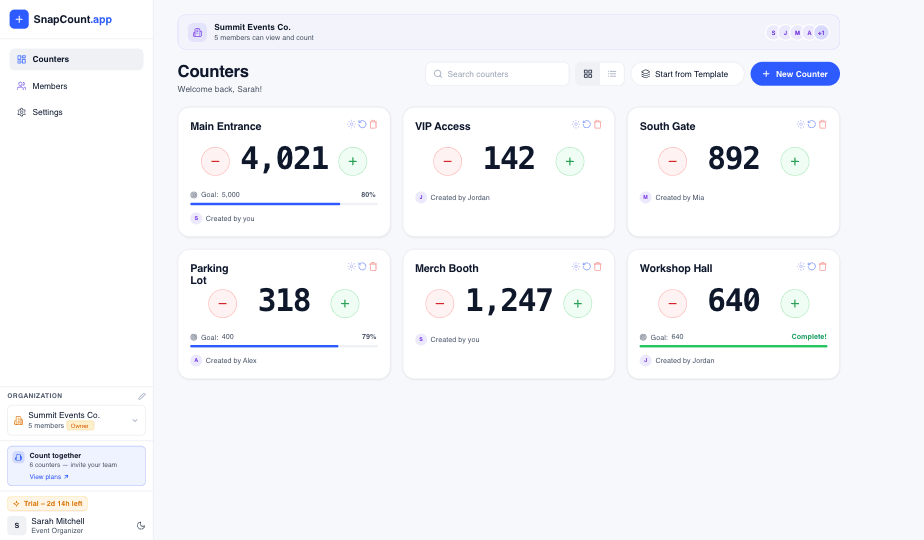
SnapCount records manual observations. It does not replace a WMS, ERP, barcode scanner, inventory-control policy, recount procedure, or system of record, and it cannot guarantee inventory accuracy.
Frequently asked questions
What is an inventory counter app?
An inventory counter app is software that helps teams record physical inventory counts from the floor.
It usually supports shared counting, zone assignments, notes, live progress, and exports. It is narrower than inventory management software because it focuses on the count, not the full inventory lifecycle.
Is a counter inventory app the same thing?
Usually, yes. Many teams use "counter inventory app" when they mean an app for counting inventory from a phone, tablet, or laptop.
The more precise phrase is inventory counter app because the tool's job is counting physical inventory. Either way, look for shared counts, zone labels, progress visibility, notes, and exports instead of judging the tool by the phrase it uses.
Can I use a spreadsheet instead of an inventory counter app?
Yes, if the count is small, low risk, and owned by one person.
Spreadsheets become risky when several counters work at once, zones need live ownership, or the final count needs a clear audit trail. In those cases, a shared counting app reduces version confusion and cleanup work.
Does an inventory counter app replace a WMS?
No. An inventory counter app should not replace a warehouse management system.
A WMS controls receiving, putaway, picking, slotting, and fulfillment. A counter app supports physical counting, cycle counts, stocktakes, and variance review. Many teams use both.
What should I track during an inventory count?
Track the item or location, counted quantity, counter name, time, zone, notes, exceptions, and final review status.
For warehouse counts, also track movement rules and variance causes. The number alone is not enough when the team needs to understand why the system and shelf disagree.
When should a warehouse move from spreadsheets to an app?
Move when spreadsheet coordination becomes a source of count errors or delays.
Common signs include duplicate counts, missed zones, file version confusion, slow reconciliation, unclear ownership, and supervisors repeatedly asking for live status during the count.
Topics: inventory counter app, counter inventory app, inventory counting, warehouse counts, cycle counting
About SnapCount Team
The SnapCount Team builds and tests shared counting workflows for events, inventory, attendance, and field work. We review guides when product workflows change and link to the tools we use to validate them.
Contact SnapCount support