
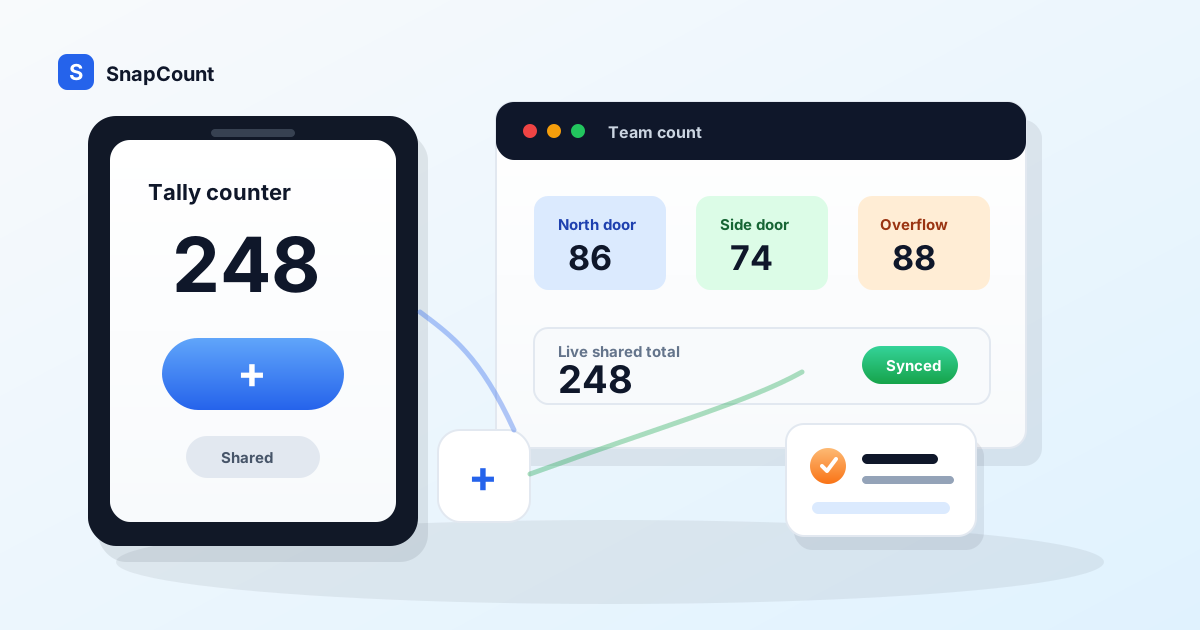
The best tally counter app depends on what breaks when the count matters. The right digital tally counter app should start quickly for one person, then keep the count trustworthy when it needs to move to another device or another teammate.
For one person, the best option is usually a free tally counter online or a simple hand tally counter. For teams, the best option is a shared counter app that syncs across devices, keeps labels and history, and can export the final count.
If you are counting laps, rows, reps, stitches, or classroom votes by yourself, a simple free counter is enough. You need a big plus button, a minus button, a reset control, and maybe a saved label.
If you are counting with other people, the requirements change fast. You need live sync, shared sessions, a history you can trust, and a way to keep the count after the event is over. A solo counter app can look perfect until two volunteers stand at different entrances and both need the same total.
This guide compares free and paid tally counter apps by real use case. Start with SnapCount's free online tally counter if you want to test the workflow before choosing a plan. If you want the browser-based setup, sharing options, and live-counting workflow first, read the online tally counter guide. If you already know several people need to count together, compare the team features on SnapCount pricing.
What is a digital tally counter app?
A digital tally counter app replaces a hand clicker with a count you can label, correct, save, and sometimes share. The simplest versions are single-device counters. They are useful for a quick personal count, but the number stays with the person holding the phone.
A browser-based counter app removes the install step. You can open the same tool from a phone, tablet, or computer, which is useful when a volunteer, supervisor, or temporary staff member needs to see the count without joining an app-store workflow. For a count that needs to stay local, that may be all you need. For a count that becomes shared or recurring, look for live links, saved history, exports, and team access.
The key distinction is not whether the counter is digital. It is whether the count can remain reliable after it leaves one person's device.
What makes a tally counter app good
A good tally counter app should disappear while you count.
That means the main button is large enough to hit without looking closely. The count is readable from a few feet away. Mistakes are easy to undo. Reset is protected enough that you do not wipe the count by accident. The app works on the device you already have.
That last point matters. Pew Research Center's mobile research shows that smartphone ownership is now widespread in the United States, which is why a browser-based counter can be more practical than dedicated hardware for many teams. You can hand the workflow to volunteers, store staff, or warehouse counters without issuing a special device.
For solo use, the checklist is short:
- Large increment and decrement buttons.
- A clear current total.
- Local save so the count survives a refresh.
- Optional tally mark view.
- No account requirement for quick jobs.
For team use, the checklist is longer:
- A share link that other counters can open.
- Live updates across phones, tablets, and desktops.
- Separate counters for entrances, zones, or categories.
- Team access that does not depend on one person's phone.
- Exportable history for reporting.
- A paid plan that removes the uncertainty from recurring work.
That is the real split in this category. Most tally counter apps solve the first list. Far fewer solve the second list.
Best tally counter app by use case
Do not choose a tally counter app from an app store screenshot. Choose it from the job.
| Use case | Best fit | Why |
|---|---|---|
| Solo counting | Free browser counter or simple mobile app | One person owns the count and does not need reporting |
| Shared headcount | Live online tally counter | Multiple counters need the same total immediately |
| Event entrances | Team counter with share links | Door teams need one source of truth during the event |
| Retail foot traffic | Team counter with history | Managers need daily or weekly traffic records |
| Warehouse checks | Team counter with labels and export | Counts need review, reconciliation, and repeatability |
| Hobby tracking | Free app or mechanical clicker | Speed matters more than collaboration |
| Compliance or reporting | Paid team app | History, access, and exports matter after the count |
If the count ends when you close the app, a free tool is usually fine. If the count becomes a staffing decision, inventory adjustment, safety record, or customer report, use a workflow that keeps the evidence.
Free tally counter apps are best for solo counts
Free tally counter apps are useful because they remove friction.
You open the app, tap plus, and move on. That is exactly what you want when the count is personal, temporary, or low risk. You do not need a dashboard to count pushups. You do not need user roles to count knitting rows. You do not need an export to count how many cars pass a quiet street corner for 10 minutes.
A free counter is also useful when you are testing a new counting process. A retail manager might count fitting room visits for one afternoon before deciding whether the metric is worth tracking every week. A teacher might count classroom participation for one lesson. A volunteer coordinator might count arrivals at one door before assigning a full entrance team.
The mistake is stretching a solo tool into a team process.
For a deeper walkthrough of the free browser flow, including when to use tally marks, count-down mode, saved local counts, and shared live sessions, use the online tally counter guide alongside this comparison.
That usually looks like this:
- One person texts the count to a group chat every 15 minutes.
- Two people keep separate counts and reconcile later.
- A manager asks for the final number, but nobody knows whether late arrivals were included.
- The count lives on a volunteer's phone and disappears after the event.
- Someone resets the count before the report is written.
None of those are app store problems. They are workflow problems. A solo counter can be excellent and still be the wrong tool for a shared count.
Paid tally counter apps are worth it when people count together
A paid tally counter app should not charge you for a prettier plus button. It should charge for coordination.
The moment more than one person touches the count, you need features that free solo apps usually skip:
- Live sync so every device sees the same number.
- Shared sessions so counters can join without copying numbers manually.
- Labels so you know what each counter represents.
- History so the final number is not just a memory.
- Team access so a workflow survives staff turnover.
- Reporting or export so the count can be used later.
This is where SnapCount is positioned. The free tally counter lets one person count immediately in a browser. When the count becomes a team job, SnapCount adds shared sessions, teammates, saved counters, exports, and reporting through paid plans.
That matters for operational counting. A church counting Sunday attendance, a venue counting guests at several gates, a store tracking daily foot traffic, and a warehouse counting stock by zone all have the same underlying problem: the number has to be shared while the work is happening and trusted after the work is done.
If you only need one phone and one total, stay free. If you need several people, recurring counts, or a manager who can review the result later, a paid team plan is usually cheaper than cleaning up bad numbers.
SnapCount vs common tally counter alternatives
Most tally counter options fit into five groups.
| Option | Best for | Strength | Limit |
|---|---|---|---|
| SnapCount | Teams that need live shared counts | Browser-based, free solo use, live sharing, team plans | More structure than a one-off personal clicker needs |
| Simple mobile counter app | Personal habits and hobby counts | Fast, familiar, often free | Usually device-bound and weak for teams |
| Mechanical clicker | One person at one door | Cheap, durable, no battery concern | No live sync, no labels, no export |
| Spreadsheet | Back-office records | Flexible and familiar | Awkward for fast tapping and mobile entrances |
| Forms or surveys | Structured responses | Captures more fields than a count | Too slow for rapid repeated counting |
Mechanical clickers still have a place. They are hard to beat for a single person standing at a door with no need to share the number until later. The problem is that the clicker only knows one thing: the final count on that device.
Spreadsheets are useful after the count, not during it. They are good for summaries, notes, and reconciliation. They are poor tap surfaces, especially on mobile. When people use spreadsheets as live counters, the interface gets in the way at the exact moment speed matters.
Forms are even slower. They are useful when each entry needs fields, such as name, ticket type, or reason code. They are not ideal when the action is simply "add one more person" 300 times.
SnapCount sits between those tools. It keeps the fast tap surface, but adds the shared workflow a team needs when the count is more than personal.
Mechanical tally counter vs tally counter app
A mechanical tally counter is still useful when one person needs a durable clicker and the final number can stay on that device until the count is over. It is simple, physical, and hard to overcomplicate.
A tally counter app is better when the count needs context or movement. Use an app when you need a label, undo, tally marks, a live share link, saved history, or a way for another person to see the count while it changes.
| Need | Mechanical tally counter | Tally counter app |
|---|---|---|
| One person at one door | Strong | Strong |
| Large tap target | Strong | Strong |
| Undo or decrement | Weak | Strong |
| Labels and tally marks | Weak | Strong |
| Live sharing | No | Yes |
| Multiple devices | No | Yes |
| Export or history | Manual | Built into team workflows |
If you are replacing a hand tally counter because the number needs to be shared, start with the tally counter online. If the count is specifically attendance, use the attendance counter app so entrances, exits, and capacity stay part of the workflow.
How to choose between free and paid
Use a simple rule: pay when the cost of a bad count is higher than the cost of the tool.
For a personal count, the cost of a mistake is usually small. You miss one lap or add one extra row. You can correct it or ignore it.
For an operational count, the cost can be real:
- An event team thinks a room is below capacity when it is not.
- A store manager staffs the next Saturday using a guessed traffic number.
- A warehouse lead adjusts inventory from a count that skipped one zone.
- A church reports attendance from a number that mixed volunteers, children, and worship seating.
- A tournament organizer announces the wrong score because two people tracked separate boards.
Ask these questions before you choose:
- Will more than one person count at the same time?
- Does someone need to see the count while it is happening?
- Will the final number be used in a report or decision?
- Do you need to repeat the same count next week or next month?
- Would a reset, lost phone, or missed handoff create a real problem?
If most answers are no, use a free tally counter app. If several answers are yes, use a team counter.
What teams should look for in a tally counter app
Team counting is less about the button and more about the handoffs.
A good team tally counter should make the workflow obvious:
- The owner creates the count.
- Counters join from their own devices.
- Everyone sees the same live total.
- Each counter has a clear label or role.
- The final number remains available after the session.
- A manager can turn the count into a report or next action.
Look for reset controls, too. Reset is harmless on a personal counter. In a team count, reset can destroy work. A better workflow makes reset deliberate and keeps the session context clear.
Also check whether the app works in a browser. Native apps can be polished, but they create friction when volunteers or temporary staff need to join quickly. A browser link is easier to share across mixed devices.
Finally, check whether the app supports the counts you will run next, not just the one you are running today. A single entrance count can become separate counters for main entrance, side entrance, VIP check-in, and overflow. A single inventory count can become receiving, picking, returns, and quarantine. The app should grow without forcing you back into spreadsheets.
Where SnapCount fits
SnapCount is the best tally counter app when the count starts simple but may become shared.
You can open the free online tally counter and count immediately. You can use a number view or tally mark view. You can count up, count down, reset, and keep a local count in your browser.
When you need to share the count, SnapCount creates a live session that other people can view. When the workflow becomes recurring, paid plans add the team layer: saved counters, teammates, shared sessions, exports, and reports.
That makes SnapCount a strong fit for:
- Event headcounts across multiple entrances.
- Retail foot traffic counts by shift or door.
- Church attendance counting across services and rooms.
- Warehouse cycle counts and stocktakes by zone.
- School, club, and volunteer counts where people bring their own phones.
- Any count where the final number needs to be reviewed later.
SnapCount is not the only reasonable choice. If you need a personal habit tracker, a tiny native counter app may be simpler. If you need a rugged physical button for one doorway, a mechanical clicker may be enough. If you need a searchable record with names and notes for every entry, a form may be better.
But if you need a fast tally counter that can become a live team workflow, SnapCount is built for that path.
The practical recommendation
Use the lightest tool that protects the count.
For one person and one temporary number, use a free tally counter app. SnapCount's free browser counter works well because there is nothing to install and nothing to configure.
For more than one person, use a shared online tally counter. The ability to see the same live number matters more than minor interface preferences.
For recurring team counts, use a paid plan. You are no longer paying for tapping. You are paying for continuity: saved counters, teammates, history, exports, and a workflow that survives beyond the person holding the phone.
That is the clean way to compare free and paid tally counter apps in 2026. Free is best for solo speed. Paid is best for team trust. SnapCount gives you both paths from the same starting point.
Frequently asked questions
What is the best free tally counter app?
The best free tally counter app is one that opens quickly, has large buttons, saves your local count, and works on the device you already have.
For browser-based counting, SnapCount's free tally counter is a good fit because it works without installation and can turn into a live shared count when you need more than one device.
Is a tally counter app better than a mechanical clicker?
A tally counter app is better when you need labels, undo, live sharing, saved history, or reports. A mechanical clicker is better when one person needs a simple physical button and the final number does not need to sync anywhere.
For team counts, the app usually wins because the number can move across devices instead of staying on one clicker.
Do paid tally counter apps make sense?
Paid tally counter apps make sense when the count affects a decision, needs to be shared, or needs to be reviewed later.
If you are counting alone for a few minutes, stay free. If you are counting attendance, inventory, retail traffic, or event entry with other people, paid team features can prevent missed handoffs and bad final numbers.
Can multiple people use the same online tally counter?
Yes, if the app supports live sharing or team sessions. A basic solo counter may only store the count on one device.
SnapCount supports a free online counter for quick use and shared sessions for team counting, so multiple people can work from their own devices instead of reconciling separate counts afterward.
Is there a tally counter app for teams?
Yes. A team tally counter app should let multiple people update or view the same live count, keep the counters labeled, and preserve history for reporting. SnapCount adds shared sessions, teammates, exports, and saved counters when a one-person count becomes a recurring team workflow.
What should a team tally counter app include?
A team tally counter app should include live sync, share links, clear labels, saved counters, team access, history, and export or reporting options.
The more operational the count becomes, the more those features matter. The goal is not just to tap faster. The goal is to keep the final number trustworthy.
About SnapCount Team
The SnapCount Team builds and tests shared counting workflows for events, inventory, attendance, and field work. We review guides when product workflows change and link to the tools we use to validate them.
Contact SnapCount support