
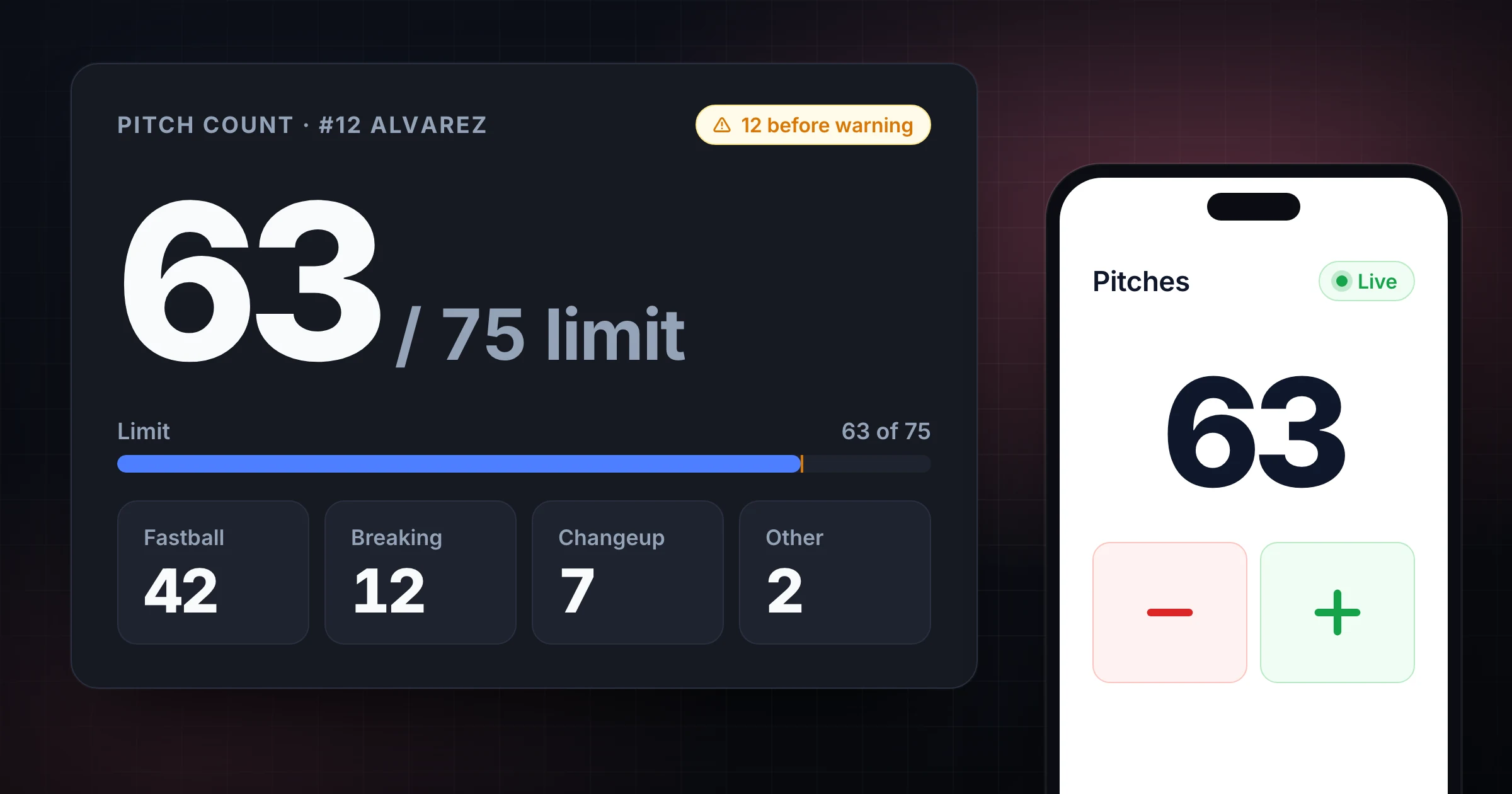
A baseball pitch count tracker is useful when the pitcher, coach, assistant, scorekeeper, and parent all need the same number during a game.
The count is not just a stat. In youth baseball and softball, it affects substitutions, rest decisions, bullpen timing, and postgame notes. A missed pitch can create confusion late in an inning when everyone is already watching the batter, runners, outs, and signs.
Use SnapCount's free pitch counter app when you need a browser-based pitch count app that tracks pitch types, warns near a limit, and can share a live count with the bench.
What a pitch count tracker should do
A good pitch count tracker has to be faster than paper while still being easy to audit after a busy inning.
At minimum, it should help you:
- Record every counted pitch with one tap.
- Split pitches by useful categories, such as fastball, breaking ball, changeup, and other.
- Set a pitch limit before the game starts.
- Warn the scorer before the limit becomes urgent.
- Undo a mistake quickly.
- Share the live count with coaches, parents, or the dugout.
- Keep one source of truth when more than one person is watching the count.
The pitch count tracker is built around that workflow. One person can run the official count, while others can follow the live total from another phone.
Decide the counting rules before first pitch
Pitch count disputes usually start because the team did not agree on what gets counted.
Before the first inning, confirm these rules:
| Rule | Decision to make |
|---|---|
| Game pitches | Count every pitch to a batter unless your league says otherwise |
| Warm-up pitches | Decide whether bullpen or between-inning throws stay outside the game count |
| Intentional walks | Follow your league's rule for whether pitches are added |
| Illegal pitches | Confirm whether they count toward the pitcher total |
| Suspended games | Know whether the count carries into the resumed game |
| Multiple scorekeepers | Name one official pitch counter and one backup checker |
Do not rely on memory for the last few pitches of an inning. If the catcher drops a third strike, a runner steals, or a coach visits the mound, the pitch still needs to be recorded.
Set the pitch limit before the game starts
Most leagues set pitch count limits by age, division, or competition level. Those limits can change, and rest requirements often matter as much as the single-game cap.
Use this setup process:
- Check the current league rulebook before game day.
- Write down the pitch limit and any rest-day thresholds.
- Set the limit in the tracker before warmups finish.
- Tell the bench who is responsible for the official count.
- Agree when the coach wants a warning, such as 10 pitches before the planned stop.
- Record the final total before closing or resetting the tracker.
The tracker can help with alerts and totals, but the rulebook is still the authority. If the game is official, keep whatever paper scorebook or league system your organization requires.
Track pitch types without slowing the game
Pitch type tracking is useful only if it does not distract the scorer from the count.
For most youth games, keep the categories broad:
| Category | Use it for |
|---|---|
| Fastball | Four-seam, two-seam, sinker, or the pitcher's main hard pitch |
| Breaking | Curveball, slider, slurve, or other breaking pitches |
| Changeup | Changeups, circle changes, or off-speed changeups |
| Other | Pitch-outs, specialty pitches, unclear calls, or anything you do not want to classify during play |
If the scorer is unsure of the pitch type, count the pitch first and classify it as "other." A clean total matters more than perfect pitch classification.
Pitch type totals are most useful after the inning, when the coach can see whether the pitcher is relying on one pitch too heavily or losing command of a secondary pitch.
Assign roles for the dugout
The pitch count workflow should be clear before the pitcher faces the first batter.
| Role | Responsibility |
|---|---|
| Official counter | Taps every pitch and owns the live total |
| Backup checker | Watches for missed pitches and verifies between innings |
| Head coach | Makes pitching changes based on limits, fatigue, and game context |
| Parent or team manager | Records final totals if the league requires a report |
One person should update the count. Other people can watch and verify, but shared visibility should not turn into shared editing unless the team has a clear handoff.
If the official counter has to leave, pause between batters, confirm the current total out loud, and hand off the device or live link before play resumes.
How to avoid pitch count mistakes
Use a routine that survives distractions:
- Tap the pitch as soon as it reaches the catcher or plate area.
- Do not wait until the end of the at-bat.
- Confirm the total after every half inning.
- Compare with the backup checker before the pitcher approaches a limit.
- Use undo immediately after a mistaken tap.
- Record the final total before talking about the next game.
The most common mistake is not a bad tap. It is forgetting to tap during a messy play. A live tracker helps because more than one person can see the total and catch a mismatch earlier.
When to share the live pitch count
Use a shared pitch count when the count affects decisions across the dugout or field.
Good examples include:
- Assistant coach tracking from the bench.
- Parent scorekeeper verifying from the stands.
- Head coach checking the count while coaching third base.
- Bullpen coach timing warmups before a planned pitching change.
- Tournament staff or team manager confirming final totals.
The live link is not a replacement for official reporting. It is a way to keep everyone aligned while the game is happening.
If you also need a visible game score, pair the pitch tracker with SnapCount's online scoreboard or the phone and laptop scorekeeping guide.
Postgame checklist
Before leaving the field, close out the count:
| Check | Why it matters |
|---|---|
| Final total is recorded | Prevents a lost count after a tab closes or phone battery dies |
| Pitcher name is clear | Avoids mixing totals between pitchers or games |
| Rest threshold is checked | Helps plan the next pitching appearance |
| Backup count is reconciled | Finds missed pitches before the report is submitted |
| Notes are added | Captures unusual events, suspended games, or league reporting details |
For informal games, a screenshot or written note may be enough. For league games, follow the reporting process your organization requires.
Frequently asked questions
What is the best baseball pitch count tracker?
The best baseball pitch count tracker is one that is fast enough to use during every pitch, lets you correct mistakes quickly, supports pitch limits, and gives coaches one clear total to trust.
SnapCount's free pitch counter works in a browser and can share a live pitch count with the bench.
What counts toward a baseball pitch count?
Most teams count every pitch thrown to a batter during the game, but the official answer depends on the league rulebook.
Check the current rules for warm-up pitches, intentional walks, illegal pitches, suspended games, and rest-day thresholds.
Should I track pitch types too?
Track pitch types when it helps the coach make better decisions and the scorer can do it without missing pitches.
If the scorer is unsure, count the pitch first and use a broad category like "other." The total is more important than perfect pitch classification.
Can parents follow the pitch count live?
Yes. A shared browser pitch counter lets another coach, parent, or team manager follow the live count from a separate device.
For official games, still use the league's required scorekeeping and reporting process.
Topics: baseball pitch count tracker, pitch counter, pitch count app, baseball coaching
About SnapCount Team
The SnapCount Team builds and tests shared counting workflows for events, inventory, attendance, and field work. We review these articles when product workflows change and link to the tools we use to validate them.
Contact SnapCount support