
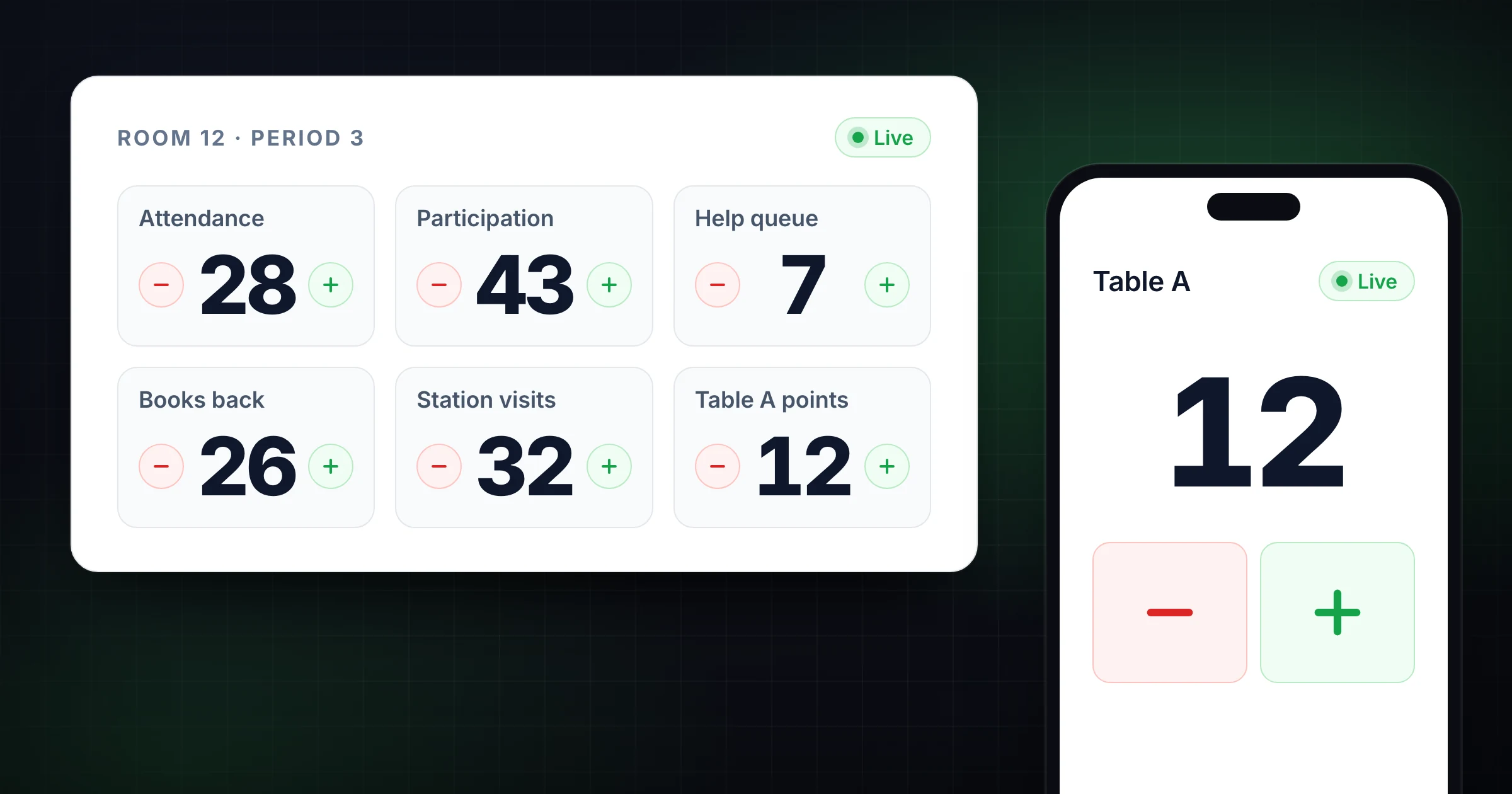
A classroom tally counter helps teachers count what is happening in the room without turning every count into a spreadsheet project.
That can mean attendance, lunch choices, participation, reading minutes, behavior observations, station rotations, team points, materials, or the number of students who still need help. The count is usually simple. The classroom around it is not.
If the count only lives on a sticky note, whiteboard, or mechanical clicker, it disappears when the period ends. If the count goes straight into a spreadsheet, it can be too slow for the moment. A browser-based tally counter gives you a faster middle step: tap during class, label the count clearly, and save or export the record when the number matters later.
Use SnapCount's free online tally counter when you need a quick classroom counter from a phone, tablet, or laptop. If you are counting room attendance or event-style arrivals, use the attendance counter app instead. This guide shows where tally counters fit in classrooms, how to set rules, and how to avoid turning small counts into unreliable data.
What a classroom tally counter is useful for
A classroom tally counter is a simple counting tool for classroom events, actions, groups, or resources.
It works best when the teacher or aide needs to count something as it happens:
| Classroom count | Example use |
|---|---|
| Attendance checks | Count students present before submitting attendance |
| Participation | Track hands raised, discussion turns, or group contributions |
| Behavior observations | Count a specific observable behavior during an intervention window |
| Centers and rotations | Count how many students have visited each station |
| Reading or practice repetitions | Track fluency attempts, math facts, sight words, or drills |
| Classroom games | Keep team points or challenge totals visible |
| Materials | Count returned books, tablets, permission slips, calculators, or lab supplies |
| Help queue | Count students waiting for feedback, conference time, or retakes |
The counter should match the decision you need to make. If the number helps you redirect the class, adjust a lesson, schedule support, or record a repeatable classroom routine, a tally counter is useful. If the number is just interesting, it may not be worth tracking.
Start with one clear counting rule
Most classroom tally problems are definition problems.
Before you open a counter, write the rule in one sentence:
| Count | Clear rule |
|---|---|
| Participation | Add 1 when a student contributes to the whole-class discussion |
| Help requests | Add 1 when a student joins the help queue; subtract 1 when the question is resolved |
| Center visits | Add 1 when a student starts the station, not when they finish |
| Materials returned | Add 1 only when the item is back in the labeled bin |
| Behavior observation | Add 1 only for the target behavior named in the plan |
This protects the number from becoming a mood score. "Good participation" is subjective. "Student contributed to the whole-class discussion" is countable. "Distracted" is vague. "Left seat without permission during independent work" is clearer.
For behavior-related counts, use the counter as a simple observation aid, not as the whole intervention plan. Do not put sensitive student names, medical details, or private notes into a general-purpose classroom counter. Keep personally identifiable records in the system your school requires.
Use separate counters for separate questions
One running total cannot answer every classroom question.
If you are trying to understand discussion balance, use one counter per group or participation type. If you are tracking a reading center, use one counter per station. If you are counting materials, separate "returned" from "missing" so the final number is not ambiguous.
| Classroom question | Better counter setup |
|---|---|
| Which table is participating? | One counter per table or team |
| Which center is overloaded? | One counter per station |
| How many students are still waiting? | Add and subtract from one help queue counter |
| Did every calculator come back? | Returned counter plus expected total |
| Which class period needs more support? | One saved count per class period |
The labels matter more than the tool. "Counter 1" and "Counter 2" force you to remember what they mean. "Table A questions" and "Table B questions" make the record readable after class.
Classroom attendance: tally vs attendance counter
A tally counter can help with quick attendance checks, but it is not always the best attendance workflow.
Use a basic tally counter when:
- You are doing a quick headcount before a field trip, assembly, drill, or room transition.
- One teacher or aide owns the count.
- The final number is enough.
- You do not need entrance, exit, or room-level detail.
Use an attendance counter when:
- Several adults count arrivals from different doors or buses.
- You need current occupancy, not just total attendance.
- Students move between rooms, stations, or outdoor areas.
- The count needs to be shared with an office, coordinator, or event lead.
- You need a clean record after a school event.
For a normal class period, your school attendance system remains the official record. A tally counter helps with the operational moment around it: "Do I have 28 students in the room before we leave?" or "Did all 24 students return from the library?"
For school events, assemblies, clubs, or field-trip staging, the attendance counter app is usually a better fit because the count is about people moving through spaces.
Participation counts without embarrassing students
Participation counting can be useful, but it can also become noisy or unfair if the rule is unclear.
Use the tally to understand patterns, not to put students on display. For example, a teacher might count whole-class contributions by table during a discussion. If Table 3 has 12 comments and Table 1 has 1, the teacher can adjust prompts, grouping, or wait time. The point is to improve the room, not shame a table.
Better participation setups:
| Goal | Counter setup |
|---|---|
| Balance discussion | One counter per table or group |
| Track question types | Separate counters for questions, evidence, and connections |
| Watch teacher talk | Teacher prompts vs student responses |
| Encourage quiet groups | Private group counters visible only to the teacher |
| Run a class challenge | Public team points with clear scoring rules |
Avoid using a quick tally as a grade by itself. Participation is affected by language confidence, disability, anxiety, lesson format, and classroom culture. A count can show a pattern. It should not pretend to explain every reason behind that pattern.
Behavior observations: count only what you can define
A tally counter is helpful for short, specific behavior observations.
The useful phrase is "observable behavior." Count actions that another adult could recognize the same way.
| Vague label | Countable version |
|---|---|
| Off task | Eyes away from task for more than 10 seconds during independent work |
| Disruptive | Calls out without being recognized |
| Avoiding work | Leaves assigned seat during the work period |
| Helpful | Offers task-related help to a peer after being asked |
| Engaged | Begins assigned task within 1 minute |
Set the observation window before you count. For example: "During the first 15 minutes of independent writing, count each call-out." That is more useful than tapping throughout the whole day and trying to interpret a loose total afterward.
If the count relates to a formal plan, follow your school's documentation rules. SnapCount can help with the live tally, but student records, interventions, and privacy-sensitive notes belong in approved school systems.
Stations, centers, and rotations
Centers create counting problems because several things happen at once.
A teacher may need to know whether everyone visited the reading table, whether the science station is backed up, or whether one aide is seeing most of the help requests. A paper checklist can work, but it is easy to miss updates when the room is moving.
Use one counter per station:
| Station | What to count | Action when high or low |
|---|---|---|
| Reading table | Students who start the station | Add another short text or slow the rotation |
| Math practice | Completed attempts | Check whether task length is too long |
| Teacher conference | Students seen | Move a student to next-day priority if missed |
| Technology station | Students who finish login and task | Fix device access if count stalls |
| Make-up work | Completed assignments returned | Decide who needs follow-up |
For rotations, count the start of a station rather than the end unless completion is the actual metric. This keeps the tap moment easy to remember. If completion matters, create a separate completion counter.
Games, points, and classroom challenges
Classroom games need a slightly different counter setup.
If you are scoring 2 sides, a scoreboard is usually clearer than a tally counter. Use SnapCount's free online scoreboard for review games, table contests, and teacher-versus-students activities where the score should be visible.
For 3 to 8 table groups or houses, use the classroom scoreboard. Put it on the projector, then scan its QR code to add points from your phone while you walk the room.
Use a tally counter when the score is one running total or several category counts:
| Activity | Better tool |
|---|---|
| Table 1 vs Table 2 review game | Online scoreboard |
| Points for six table groups | Classroom scoreboard |
| Class earns 20 points toward a reward | Tally counter with a goal |
| Count completed practice rounds | Tally counter |
| Track attempts during a timed challenge | Tally counter |
| Tournament or bracket game | Scoreboard plus written final record |
The final record matters when the activity continues later. Before resetting a score or tally, write down the result or save the counter.
Materials and classroom operations
Tally counters are not only for students.
They are useful for the small operational counts that happen all day:
- Returned library books.
- Devices checked back into a cart.
- Permission slips received.
- Lab goggles returned.
- Calculators collected.
- Make-up quizzes completed.
- Forms handed to the office.
- Parent conference slots confirmed.
For materials, include the expected total in the counter name or note. "Tablets returned, expected 30" is more useful than "tablets." If the count stops at 29, the missing item is visible before the class leaves.
This is where a saved counter beats a whiteboard mark. You can reopen the record later, export it if needed, and avoid re-counting from memory.
A simple classroom setup
Start small. Most classroom counting workflows only need 3 decisions.
| Setup decision | Practical choice |
|---|---|
| Count name | Match the classroom phrase: "Period 2 help queue" or "Friday book returns" |
| Tap rule | Define exactly when to add or subtract |
| Closeout rule | Decide whether to reset, save, export, or write the final number elsewhere |
For example, a middle school teacher might create:
- "Period 1 participation, Table A"
- "Period 1 participation, Table B"
- "Period 1 participation, Table C"
- "Period 1 help queue"
- "Calculators returned, expected 32"
That is enough structure to support the class without building a complicated tracking system.
If another adult helps, share the counter link or QR code so both devices stay in sync. One aide can count station visits while the teacher runs conferences. A co-teacher can watch the help queue from a laptop while students work from tablets.
Common mistakes to avoid
Most classroom tally mistakes come from using the counter without a rule.
Avoid these mistakes:
| Mistake | Better approach |
|---|---|
| Counting too many things at once | Pick the one count that changes a decision |
| Using vague labels | Write observable, classroom-specific rules |
| Mixing students, materials, and points in one total | Use separate counters |
| Making private student data visible | Keep student-identifying records in approved systems |
| Resetting before recording | Save, export, or write the final number first |
| Treating one count as a trend | Compare the same rule across several classes or weeks |
| Leaving the count unlabeled | Name the class period, activity, and expected total |
A counter should lower classroom friction. If the count starts interrupting the lesson, narrow the scope.
When SnapCount fits a classroom
SnapCount fits best when the classroom count is shared, repeated, or worth keeping.
It is useful when:
- A teacher and aide count from separate devices.
- A class period, station, or team needs a labeled counter.
- The count should continue across phone, tablet, and laptop.
- The final number needs to be saved, exported, or reviewed later.
- A temporary classroom activity needs a quick QR-code setup.
It is not a student information system, gradebook, behavior platform, or special education documentation system. Use the school-required system for official records and private student data. Use SnapCount for the live counting workflow around the classroom: fast taps, clear labels, shared totals, and records when the count matters.
Frequently asked questions
What is the best tally counter for classrooms?
The best classroom tally counter is one that opens quickly, works on the devices teachers already have, supports clear labels, and can preserve the final count when needed.
For quick counts, a browser-based tally counter is usually enough. For shared classroom workflows, use a counter that can sync across devices and save the record after class.
Can I use a tally counter for classroom attendance?
Yes, a tally counter can help with quick classroom headcounts, transitions, field trips, and room checks.
It should not replace your school's official attendance system. Use it as an operational check when you need to confirm the number of students in a room, line, bus, or activity.
How do teachers use tally counters for participation?
Teachers can use tally counters to track discussion turns, group contributions, question types, or activity attempts.
The count works best when the rule is specific and private enough to avoid embarrassing students. For example, count table-level contributions during a discussion instead of displaying individual student tallies.
Can I use a tally counter for behavior tracking?
You can use a tally counter for short, specific behavior observations when the behavior is clearly defined.
Do not use a general tally counter as the full behavior record if your school requires formal documentation. Keep student-identifying information and intervention notes in approved systems.
What is the difference between a classroom tally counter and a classroom scoreboard?
A classroom tally counter tracks one running total or several category counts. A classroom scoreboard compares sides, teams, or players.
Use a tally counter for attendance checks, materials, station visits, and help queues. Use a scoreboard for review games, team points, and activities where students need to see competing scores.
Topics: classroom tally counter, tally counter for classrooms, teacher tally counter, classroom attendance
About SnapCount Team
The SnapCount Team builds and tests shared counting workflows for events, inventory, attendance, and field work. We review these articles when product workflows change and link to the tools we use to validate them.
Contact SnapCount support