
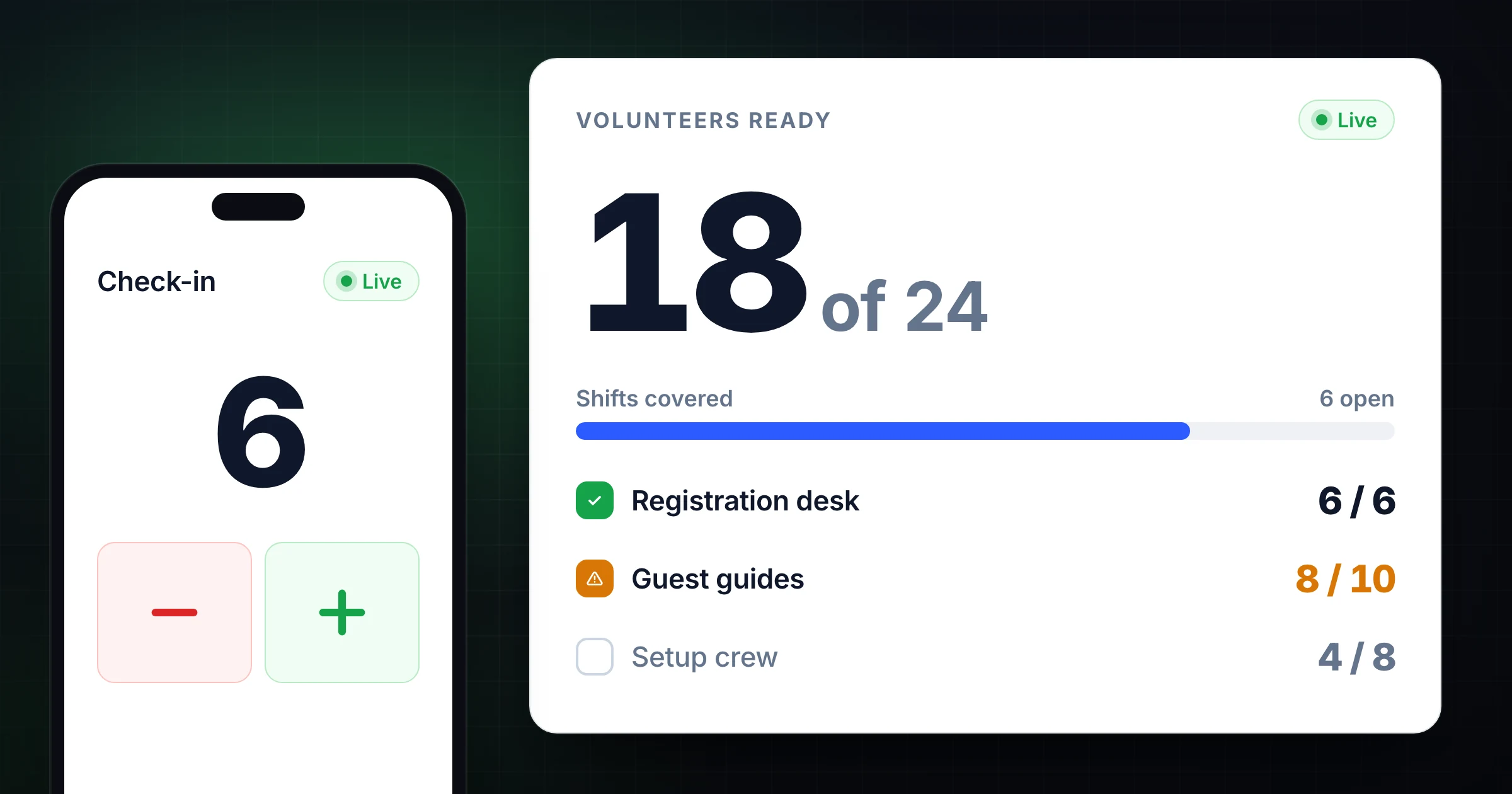
A volunteer sign-in sheet works until the first busy arrival window.
Two people show up at once. A coordinator leaves the desk to answer a question. A late volunteer arrives through another door. Someone signs in but never gets a badge. By the time the shift starts, the team knows the roster but not whether the people they need are actually ready.
A volunteer check-in counter gives the coordinator a live operational number: how many people have arrived, which shift is covered, and whether help is still needed. It is not a replacement for volunteer management software, waivers, or a named attendance record. It is the quick shared count that helps the team act while check-in is happening.
Start a free online tally counter when you need a simple live count. If volunteers are also helping count guests at doors or rooms, pair it with the attendance counter. This guide shows how to set up a reliable volunteer check-in count for events, churches, community programs, and shift-based teams.
What a volunteer check-in counter should answer
Before opening a counter, decide what question it answers. “Volunteer attendance” can mean several different things.
| Question | Example | Best setup |
|---|---|---|
| How many volunteers have arrived? | 18 of 24 scheduled people are checked in | One arrival counter for the shift |
| Is each role covered? | Three registration desks need two people each | Separate counter for each role or zone |
| How many people completed the shift? | 41 volunteers served during the food drive | Check in on arrival; record a final shift total |
| How many volunteer hours did we receive? | Eight people served a four-hour shift | Named sign-in or time-tracking record, not a simple tally |
| Who was present? | Required for compliance or follow-up | Volunteer management system or approved roster |
The distinction matters. A live counter is excellent for staffing decisions. It cannot identify a person or prove how long they served. Keep private names, contact information, background-check status, and official attendance records in the system your organization approves for that purpose.
Count the moment a volunteer is ready to work
The cleanest check-in rule is not “tap when someone walks into the building.” It is “tap when the person is ready for their assigned shift.”
That usually means they have completed the steps your team needs before they begin:
- They have checked in with the coordinator.
- They know their assignment or station.
- They have received a badge, radio, materials, or instructions when required.
- They are available to take over the role.
Write the rule in one sentence and show it to every check-in lead:
Add 1 when a scheduled volunteer has checked in, received an assignment, and is ready to start the morning shift.
This avoids an inflated total from people who stop by, arrive early but leave, or are still waiting for a role. If you want to measure arrivals at the building instead, use that wording consistently and treat it as a different count.
Set up counters around the decisions you need to make
One total is useful when every volunteer fills the same kind of role. For most events and programs, a few separate counters make the next decision clearer.
For example, a community event might use this setup:
| Counter | Scheduled | Check-in owner | What it tells the lead |
|---|---|---|---|
| Registration desk | 6 | Registration lead | Whether each check-in table can open |
| Guest guides | 10 | Guest services lead | Whether entrances and directions are covered |
| Setup and logistics | 8 | Operations lead | Whether the site is ready on time |
| Kids activity | 6 | Program lead | Whether adult coverage meets the plan |
| Floaters | 4 | Volunteer coordinator | Whether backups are available for gaps |
Label counters with the real job, not “Counter 1” and “Counter 2.” A coordinator should be able to glance at the list and see where the shortfall is.
If every counter needs to roll up into one total, add the category totals after the rush or use a shared setup that keeps the team looking at the same live information. Do not mix guest attendance, volunteer check-in, and staff presence into one number. They answer different questions.
Give every check-in station an owner
A shared counter works best when the team knows who is responsible for each part of the process.
| Role | Responsibility |
|---|---|
| Volunteer coordinator | Defines the check-in rule, watches coverage, and closes the final count |
| Check-in lead | Confirms arrivals and updates the assigned counter |
| Station lead | Reports a no-show, late arrival, or role change to the coordinator |
| Floater | Fills gaps and covers breaks after the coordinator assigns them |
| Reviewer | Records or exports the final count when the shift closes |
This does not need to become a complicated command structure. It simply prevents two common problems: nobody updates the count because they assume someone else is doing it, or several people update the same arrival.
At a large event, assign one person to the check-in table and one person to volunteer coordination. The check-in lead handles names and badges. The coordinator watches the live totals and solves gaps. That division lets the desk keep moving while someone still owns the staffing decision.
Share the counter with a short check-in brief
Send instructions with the link or QR code. A bare counter link gives a helper no context about when to tap or what to do with exceptions.
Use a message like this:
Volunteer shift: Saturday morning setup
Your counter: Setup and logistics
Count rule: Add 1 after a volunteer checks in and is ready at their assigned area.
Do not count: Visitors, staff, or volunteers still waiting for an assignment.
Corrections: Use undo immediately, then tell Jordan if you are unsure.
Closeout: Jordan records the final total at 10:00 a.m. Do not reset.
That message is enough for a temporary helper to take over without guessing. For recurring programs, save the same brief with the shift schedule so the team starts from a known process each time.
Use thresholds before the shortage becomes a scramble
The value of a live check-in count is not the total at the end of the day. It is the chance to act before a station opens short-handed.
Set simple thresholds from the number of volunteers you need:
| Coverage level | Example for a 10-person team | Action |
|---|---|---|
| On track | 8+ checked in 15 minutes before start | Confirm late arrivals and finish setup |
| Watch | 6 to 7 checked in 15 minutes before start | Contact no-shows and keep floaters unassigned |
| Gap | 5 or fewer checked in 15 minutes before start | Combine stations, reassign roles, or ask for backup |
The thresholds should reflect the job, not a universal percentage. A food-service station may need every trained volunteer before it can open. A guest-guide team may be able to start with half the group and add people as they arrive.
Keep a short note beside unusual totals. “Two registration volunteers were delayed by parking” is much more useful later than a mysterious count of four instead of six.
Handle late arrivals, no-shows, and substitutions
Volunteer rosters change quickly. The counter stays reliable when the rule for changes is just as clear as the rule for arrivals.
| Situation | What to do |
|---|---|
| Volunteer arrives late | Add 1 when they are checked in and ready, then update the station lead |
| Volunteer cancels before the shift | Change the roster separately; do not add to the counter |
| Substitute arrives | Add 1 when ready and note the role they are filling |
| Volunteer changes stations | Keep the check-in total, but update the role or zone record if coverage matters |
| Volunteer leaves early | Track it only if the counter measures current active coverage, not total checked-in people |
| Duplicate tap | Use undo immediately and tell the coordinator if the total is uncertain |
The key is naming the metric. A “checked in today” counter should not drop when someone leaves early. An “active volunteers right now” counter should. Both can be useful, but they are not interchangeable.
Close the count before anyone resets it
At the end of the shift, take two minutes to turn the live count into a useful record.
- Stop accepting new check-ins for the shift.
- Confirm each station has reported late arrivals and substitutions.
- Compare the final total with the scheduled coverage number.
- Record the final count and any important notes.
- Save or export the history if your process needs a record.
- Start a new, clearly named counter for the next shift or event.
For example, a closeout note might say: “Morning shift: 23 checked in. Two no-shows at guest guides; one floater moved to registration. Afternoon shift opens at noon.” That context makes the number useful when the coordinator plans the next event.
If your organization needs an event report, the count history export guide explains how to preserve the final count before reset. For a repeatable layout, start from the templates hub.
When a tally counter is enough, and when it is not
Use a shared tally counter when the immediate question is “Do we have enough people ready to run this shift?” It is fast, visible, and easy for a coordinator to share across devices.
Use a volunteer management system, approved sign-in process, or time-tracking tool when you need names, contact details, permissions, required training, hours, formal attendance, or follow-up. Those records need controls that a live operational counter is not designed to provide.
Many teams use both: an official sign-in roster for who was there, and a shared tally for the live staffing picture. The roster supports recordkeeping. The counter helps the team make a decision before the doors open.
For a team that also needs to count visitors or guests, keep volunteer check-in separate and use the attendance counter for the public-facing headcount. The shared tally counter guide has a broader workflow for roles, handoffs, and safe reset rules.
Volunteer check-in checklist
- Name the shift, date, and role clearly.
- Decide whether the count means arrivals, people ready to work, or active coverage.
- Set a scheduled coverage number for each role or zone.
- Assign one person to each check-in counter.
- Share the link with the count rule and correction process.
- Set an early warning threshold for gaps.
- Keep names and official records in the approved system.
- Record the final total and important exceptions before reset.
The best volunteer check-in process is not the most elaborate one. It is the one that lets the coordinator see a gap early, direct the right people to the right role, and preserve a clear count after the shift ends.
Frequently asked questions
What is a volunteer check-in counter?
A volunteer check-in counter is a live tally that tracks how many volunteers have arrived or are ready for a defined shift, role, or event.
It helps coordinators see staffing coverage during a busy arrival window. It does not replace a named volunteer roster or official attendance record.
How do I track volunteer attendance without a paper sign-in sheet?
Use an approved roster or volunteer management system for individual attendance, then use a shared counter for the live operational total.
The counter shows whether each role is covered while people are arriving. The roster keeps the names and records that the organization needs later.
Should I use one counter for all volunteers?
Use one counter when every volunteer supports the same shift and you only need one coverage total.
Use separate counters when roles, areas, or required staffing levels differ. Separate labels make it obvious which station needs help.
Can multiple coordinators update a volunteer check-in counter?
Yes. Multiple coordinators can update a shared counter when each person owns a defined check-in table, role, or area.
Give them the same check-in rule and a clear correction process so one arrival is not counted twice.
Can a tally counter track volunteer hours?
Not by itself. A tally counter can show how many volunteers checked in, but it does not record individual names, start times, or end times.
Use time-tracking or volunteer management software when you need verified volunteer-hour records.
Topics: volunteer check-in counter, volunteer attendance tracking, volunteer shift check-in, shared tally counter
About SnapCount Team
The SnapCount Team builds and tests shared counting workflows for events, inventory, attendance, and field work. We review guides when product workflows change and link to the tools we use to validate them.
Contact SnapCount support